
This article may contain affiliate links. We may earn a commission at no additional cost to you; this does not determine our editorial conclusions.
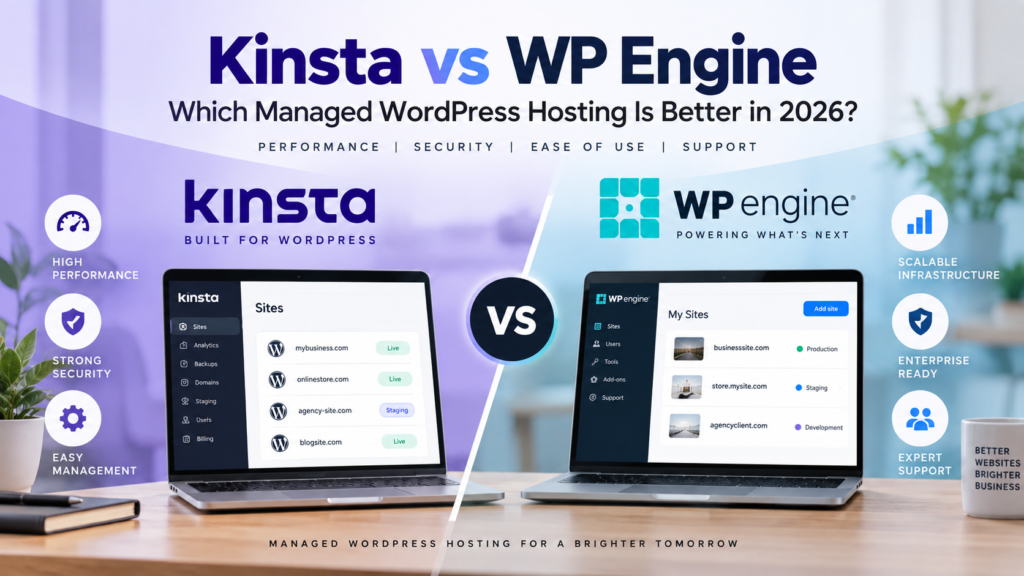
Kinsta vs WP Engine is a comparison you’re likely to come across when looking for managed WordPress hosting. Both take care of much of the technical work that comes with running WordPress, including performance optimization, security, backups, updates and staging environments. The difference is less about whether either platform can host a WordPress site and more about how each approaches performance, resources and day-to-day site management.
Kinsta puts a strong emphasis on an all-in-one managed environment, with its CDN, edge caching, application performance monitoring, staging and security features included within the platform. WP Engine takes a similarly managed approach but offers a broader tier structure that ranges from Essential hosting for smaller sites to Core and Enterprise environments for businesses with more demanding requirements.
For a business website, ecommerce store or content-heavy WordPress site, either could make sense. This comparison looks at the differences that actually affect running a website rather than getting lost in a long checklist of minor hosting features.
Kinsta vs WP Engine at a Glance
| Feature | Kinsta | WP Engine |
|---|---|---|
| Starting Price | $35/month | $30/month |
| Entry Plan | Single-site hosting | Essential |
| Sites | 1 WordPress install on entry plan | Starts with 1 site; Essential supports up to 30 depending on configuration |
| Entry-Level Storage | 10GB | 10GB |
| Entry-Level Bandwidth | 20GB server bandwidth + 125GB CDN bandwidth | 75GB bandwidth |
| Multi-Site Pricing | From $70/month for 2 WordPress installs | Essential can be configured for multiple sites |
| Higher-Tier Pricing | Agency from $340/month; Enterprise from $500/month | Core from $400/month; Enterprise custom priced |
| CDN | Included | Included |
| Backups | Automatic backups included | Daily and on-demand backups included |
| Staging | Included | Included |
| Migrations | Unlimited free migrations | Free automated migration plugin; managed migration services on Core |
| Support | 24/7 human support | 24/7 technical support |
| Best Suited To | Businesses, content sites, ecommerce sites and agencies wanting an integrated managed WordPress platform | Businesses and agencies wanting managed WordPress with higher-end Core and Enterprise options |
Kinsta’s current Business Launch plan is listed at $35 per month on monthly billing and includes one WordPress installation, 15GB server bandwidth, 15GB storage and 125GB CDN bandwidth. Kinsta also offers bandwidth-based plans, so the exact resources depend on the configuration selected.
WP Engine currently lists managed hosting starting at $30 per month. Its Essential tier scales from 1 to 30 sites, while Core and Enterprise are positioned for substantially larger or more demanding deployments.
Pricing can change, so it’s worth checking the current Kinsta WordPress hosting plans and current WP Engine plans before making a decision.
Kinsta vs WP Engine for Performance and Hosting Infrastructure
Performance is one of the main reasons businesses move from basic shared hosting to managed WordPress hosting in the first place.
Slow hosting can affect more than how quickly a page appears. It can make browsing frustrating, hurt conversions and make an otherwise well-built site feel unreliable. Performance also matters for search visibility because Google’s Core Web Vitals include loading performance and responsiveness among the signals used to evaluate page experience.
Of course, changing hosts doesn’t automatically make a slow website fast. Themes, plugins, images, scripts and how the site is built still matter. But the hosting environment provides the foundation everything else runs on.
How Kinsta Approaches Performance
Kinsta combines several performance tools directly into its hosting environment rather than leaving site owners to assemble them separately.
Its managed WordPress hosting includes a Cloudflare-powered CDN, edge caching and image optimization. Kinsta also provides its own Application Performance Monitoring tool, which can help identify issues such as slow WordPress plugins, database queries or external requests.
That integrated approach is useful if you don’t want to spend much time piecing together caching, CDN and monitoring services yourself.
Kinsta currently allows customers to select hosting based on either server bandwidth or monthly visits, depending on the plan. Storage, CDN bandwidth, backup retention and the number of WordPress installations then vary according to the package selected.
How WP Engine Approaches Performance
WP Engine also handles much of the performance work at the platform level.
Its infrastructure includes EverCache, its WordPress caching technology, alongside a global CDN. WP Engine says its CDN has more than 200 points of presence, while its platform uses containerized components for WordPress, databases and caching.
The more noticeable difference appears as requirements increase.
WP Engine’s Essential plans use shared resources, while Core moves to isolated resources and adds performance optimizations and advanced uptime monitoring. Enterprise adds managed performance features alongside additional security and support capabilities.
This gives businesses a clearer path into higher-end environments if a WordPress operation eventually becomes large or complex.
What Does This Mean in Practice?
For most businesses, it would be misleading to choose between Kinsta vs WP Engine based on a claim that one will always produce a faster website.
Real-world speed depends heavily on the website itself.
A lightweight WordPress site with optimized images and carefully selected plugins may perform extremely well on either platform. A bloated site with dozens of unnecessary plugins can still have performance problems even on premium hosting.
The more useful question is how much of the performance stack you want your hosting provider to manage for you.
Kinsta’s approach makes a lot of performance functionality available within one environment from the beginning. WP Engine also provides a heavily managed environment but offers more distinct infrastructure tiers as requirements increase.
For businesses relying on content to bring in organic traffic, hosting is only one part of the equation. Technical performance works best alongside content that actually addresses what people are searching for, which is why matching content to search intent remains important even after the technical side of the site has been improved.
Ease of Use and WordPress Management
Managed WordPress hosting should reduce the amount of technical work involved in running a website. That makes the dashboard, staging tools, backups, migrations, and everyday site management just as important as the underlying hosting infrastructure.
Both Kinsta and WP Engine provide their own management interfaces rather than relying on a traditional cPanel setup.
Managing a Site With Kinsta
Kinsta uses its MyKinsta dashboard as the central place for managing WordPress sites. From there, you can access backups, domains, redirects, analytics, caching, CDN settings, staging environments, and other site tools.
One advantage of this approach is that many tasks that might otherwise require separate WordPress plugins or hosting tools are available from the same interface.
Staging is particularly useful if you regularly make changes to your website. Instead of testing a new plugin, theme update, or site redesign on the live site, you can work in a staging environment first and move the changes to production when they’re ready.
Kinsta also includes automatic backups, with the option to create manual backups before making important changes.
Managing a Site With WP Engine
WP Engine follows a similar managed approach through its User Portal.
Site owners can manage environments, backups, domains, users, and other hosting settings without working directly with the server. Development and staging environments are also part of the platform, which can be useful for businesses or agencies that frequently test changes before putting them into production.
WP Engine provides automated backups and lets users create restore points manually. Its environment structure can be particularly useful when developers need separate development, staging, and production versions of a website.
Neither platform requires you to be a server administrator to handle routine WordPress management. The difference is more about which interface and workflow suits the way you work.
For businesses using WordPress primarily to publish and grow their content, these management tools can free up time for the work visitors actually see. A solid hosting environment still needs to be supported by a clear content marketing strategy if the website is expected to attract traffic and contribute to business growth.
Kinsta vs WP Engine for Security and Support
Security is another reason businesses consider managed WordPress hosting. Instead of leaving most server-level protection to the website owner, managed hosting providers take responsibility for more of the infrastructure, monitoring, and security surrounding the site.
Kinsta Security
Kinsta provides several security measures at the platform level, including Cloudflare integration, web application firewall protection, DDoS protection, and SSL support.
Backups provide another layer of protection. If an update or website change causes a problem, having recent restore points can make recovery much easier than trying to reconstruct the site manually.
WP Engine Security
WP Engine also provides security at the hosting level, including firewall protection, DDoS mitigation, SSL, and platform monitoring.
Both approaches reduce the amount of security configuration that businesses need to handle themselves compared with a more basic hosting environment.
That doesn’t mean WordPress security becomes completely hands-off. Site owners still need to maintain their websites properly, control user access, keep plugins and themes in good order, and follow sensible security practices.
What About Support?
Both providers offer technical support, which is particularly important with managed WordPress hosting because part of the value is having access to people familiar with both WordPress and the hosting environment.
This becomes more noticeable when something goes wrong. If a website suddenly slows down, produces server errors, or experiences a problem after an update, knowledgeable hosting support can reduce the amount of time spent troubleshooting.
The hosting provider won’t necessarily be responsible for every problem. Issues involving custom code, third-party services, or certain plugins may still require a developer. Managed hosting should reduce the technical burden rather than eliminate website maintenance altogether.
For businesses comparing Kinsta vs WP Engine, this means support should be considered alongside performance, security, and ease of management rather than treated as an afterthought.
Which Platform Fits the Way You Manage Your Website?
At this point, the differences between Kinsta and WP Engine become less about individual features and more about how you want to manage your WordPress environment.
Kinsta may appeal to businesses that want performance, monitoring, caching, CDN, staging, backups, and site management brought together within a relatively streamlined environment.
WP Engine may make sense for organizations that want a mature managed WordPress platform with development workflows and options designed to accommodate increasingly complex WordPress requirements.
For a smaller business website, many of those differences may not dramatically affect everyday publishing. For an agency, ecommerce business, or content-heavy site, however, the way hosting handles staging, backups, troubleshooting, and site management can become much more important.
Hosting also shouldn’t be viewed in isolation. Before investing more heavily in the technical side of a website, it can be useful to identify which existing content is underperforming and can be improved rather than assuming growth always requires more pages or more technology.
Kinsta vs WP Engine: Which Is Better for Different Types of Websites?
There isn’t one hosting setup that makes sense for every WordPress website. A small company site, a busy online store, and an agency managing dozens of client sites have very different requirements.
The more useful way to compare Kinsta vs WP Engine is to consider how each platform fits different types of WordPress users.
For Small and Growing Businesses
For a business that wants to run WordPress without spending too much time managing the technical side of hosting, both platforms offer a managed environment.
Kinsta’s approach may be particularly appealing if you want caching, CDN, backups, staging, monitoring, and other management tools accessible within the same platform. This can simplify the setup for a small team that doesn’t have someone dedicated to server management.
WP Engine provides many of the same core managed WordPress capabilities and can also work well for businesses that expect their development or hosting requirements to become more complex over time.
The decision here may simply come down to which dashboard, workflow, and included tools better match how your team manages its website.
For Content-Heavy Websites and Ecommerce
Content-heavy websites need more than enough server resources to stay online. Editors may be publishing frequently, plugins can add additional processing demands, and traffic can fluctuate considerably when an article performs well.
Ecommerce sites add another layer because visitors are interacting with product pages, accounts, carts, search tools, and checkout processes.
In these situations, features such as caching, monitoring, backups, staging, and responsive technical support become increasingly valuable.
Kinsta’s built-in performance monitoring can be useful when trying to identify what is slowing down a WordPress site. WP Engine also provides performance-focused infrastructure and development tools designed for sites where reliability and scalability matter.
Whichever platform you use, hosting should support the content rather than become the strategy itself. Building topical authority through useful, connected content is still what gives search engines and readers a reason to keep discovering the website.
For Agencies and More Complex WordPress Projects
Agencies have a different set of priorities. Managing several websites means permissions, staging environments, migrations, backups, troubleshooting, and workflow efficiency can matter just as much as raw performance.
Both Kinsta and WP Engine support multiple WordPress sites and provide tools designed to make ongoing management easier.
Kinsta may suit agencies that prefer managing sites through the MyKinsta environment while keeping performance and monitoring tools closely integrated.
WP Engine may appeal to teams with more involved development workflows or organizations that expect to move into more specialized managed infrastructure as their requirements grow.
For either platform, it is worth thinking beyond what you need today. Moving hosts later is possible, but choosing an environment that can comfortably accommodate your expected growth can save unnecessary work.
Kinsta vs WP Engine: Which Should You Choose?
The choice between Kinsta vs WP Engine doesn’t need to come down to a long checklist where one provider wins by having one or two more features.
Both provide managed WordPress hosting with performance optimization, backups, staging, security measures, and technical support. The more meaningful differences are in how those capabilities are packaged and how each platform fits into your workflow.
Kinsta may be a better fit if you want a streamlined managed WordPress environment with performance monitoring, caching, CDN, security, backups, and site management closely integrated into the platform.
WP Engine may be a better fit if your organization values its WordPress development ecosystem and wants hosting options that can accommodate increasingly complex development and infrastructure requirements.
For a typical business website, either platform can provide a solid technical foundation. The choice should depend on the features you’ll actually use, the number and complexity of the sites you’re managing, and how much technical control your team needs.
Frequently Asked Questions
Is Kinsta better than WP Engine?
Neither platform is automatically better for every WordPress site. Kinsta emphasizes an integrated managed environment with tools such as performance monitoring, CDN, caching, backups, and staging. WP Engine also provides managed WordPress hosting but may be particularly relevant to organizations with more involved development workflows.
Is Kinsta only for WordPress?
Kinsta is widely known for managed WordPress hosting, but the company also provides application, database, and static site hosting. If you’re comparing Kinsta vs WP Engine specifically for a WordPress website, their managed WordPress offerings are the most directly comparable services.
Do Kinsta and WP Engine include staging sites?
Yes. Both platforms provide staging environments, allowing changes to be tested away from the live website before they are moved into production.
Can I move an existing WordPress website to Kinsta or WP Engine?
Yes. Both providers offer tools or services for moving existing WordPress websites. The exact migration process depends on the provider and the site involved, so it is worth checking the current migration requirements before starting a move.
Do I still need WordPress plugins with managed hosting?
Yes. Managed hosting can handle areas such as server-level caching, backups, security, and infrastructure, but you’ll still use plugins for functionality that isn’t provided by the hosting platform.
It can actually be useful to review your plugins after moving to managed hosting. Some functionality you previously handled through plugins may already be provided at the hosting level.
Is managed WordPress hosting worth it for a small business?
It depends on the website. A simple site with little traffic may be perfectly comfortable on less expensive hosting. Managed hosting becomes more attractive when website performance, reliability, backups, security, staging, and access to WordPress-focused support are important to the business.
Final Thoughts
The Kinsta vs WP Engine decision is less about finding a universal winner and more about choosing the managed WordPress environment that fits the way your website operates.
Kinsta offers a streamlined platform that brings many performance and management tools together in one place. WP Engine provides a mature WordPress hosting environment with development capabilities that can support businesses and teams with more complex requirements.
Before choosing either, consider how many sites you manage, how frequently you make changes, how important staging and performance monitoring are, and how much technical work you want the hosting provider to handle.
A good managed host should ultimately make the website easier to operate. If the infrastructure becomes something you rarely have to think about, your team can spend more time improving the content, experience, and marketing that visitors actually see.

We research and organize marketing software around practical use cases. Product claims are included only when supported by available sources.
Read our editorial policy →Related guides
Meta Box vs ACF: Which WordPress Custom Fields Plugin Is Better in 2026?
Meta Box vs ACF is a common comparison when a WordPress website starts needing more flexibility than the standard post and page editor provides. Both plugins let you create custom fields, organize structured information, and build more dynamic WordPress websites without forcing everything into the main content editor. The differences become more important as the […]

Online Store Launch Checklist: From Product Idea to First Order
Prepare your first online store with a practical checklist for products, checkout, delivery, order testing and a focused customer-acquisition plan.

How to Outsource Content Creation Without Losing Your Brand Voice
Learning how to outsource content creation can solve one of the biggest problems in content marketing: there is always more content to create than there is time to create it. Blog posts need writing, landing pages need updating, emails need preparing, and social channels need a steady supply of useful material. But handing the work […]