
This article may contain affiliate links. We may earn a commission at no additional cost to you; this does not determine our editorial conclusions.
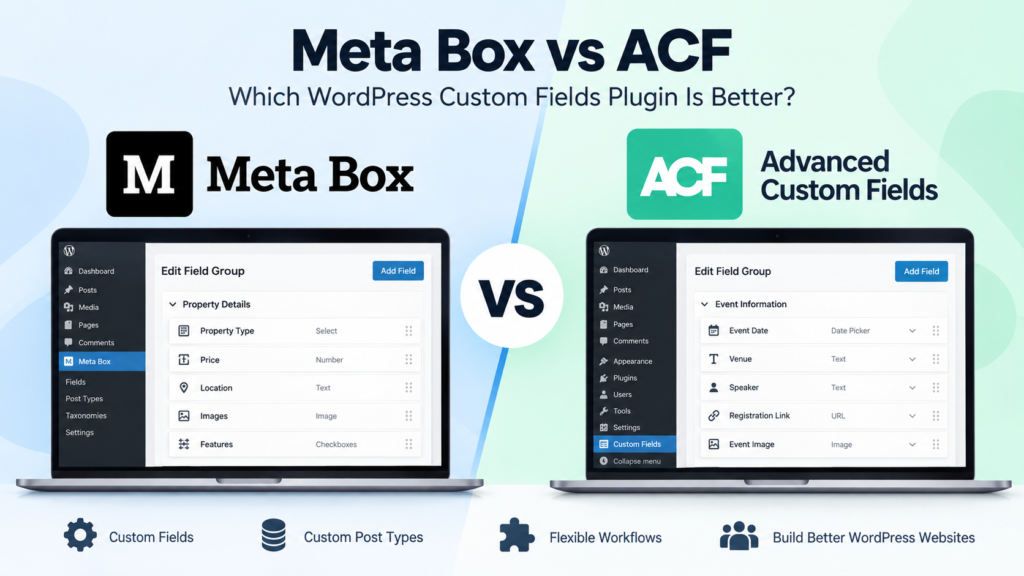
Meta Box vs ACF is a common comparison when a WordPress website starts needing more flexibility than the standard post and page editor provides. Both plugins let you create custom fields, organize structured information, and build more dynamic WordPress websites without forcing everything into the main content editor.
The differences become more important as the website grows. You may need custom post types, relationships between different types of content, frontend forms, reusable data, or a cleaner way to manage information across hundreds of pages. At that point, choosing the right custom fields plugin can affect not only how the site is built, but also how easy it is to maintain later.
Meta Box and Advanced Custom Fields (ACF) can both handle the fundamentals, but their tools and workflows aren’t identical. This Meta Box vs ACF comparison looks at the differences that matter in everyday use, including ease of use, custom fields and dynamic content, developer flexibility, integrations, and the types of WordPress projects each is better suited to.
Meta Box vs ACF at a Glance
| Feature | Meta Box | ACF |
|---|---|---|
| Free Version | Yes — Meta Box Lite | Yes — ACF Free |
| Starting Premium Price | $49/year for 1 site | $49/year for 1 site |
| Mid-Level Plan | $99/year for 3 sites | $149/year for 10 sites |
| Unlimited-Site Annual Plan | $149/year for Basic or $229/year for Ultimate | $249/year for Agency |
| Lifetime Option | Yes — from $299 one-time for 3 sites; $699 for unlimited sites | No lifetime plan |
| Custom Fields | Yes | Yes |
| Custom Post Types | Yes | Yes |
| Custom Taxonomies | Yes | Yes |
| Visual Field Builder | Yes | Yes |
| Conditional Logic | Yes | Yes |
| Frontend Forms | Available | Available |
| Relationships | Available | Available |
| Custom Database Tables | Available | Not a core feature |
| Gutenberg Support | Yes | Yes |
| Developer APIs | Yes | Yes |
| Best Suited To | Developers and site builders wanting a modular framework with annual or lifetime licensing | Developers and site builders wanting an established custom-fields workflow with straightforward annual licensing |
Meta Box’s current documentation describes more than 40 field types in its builder, while its broader product materials cover features such as relationships, custom tables, frontend submission, Views, and page-builder integrations.
ACF provides more than 30 free field types and lets users create custom post types and taxonomies directly from its interface. It also supports location rules that determine exactly where field groups appear.
The similarities are significant, which is why the more interesting differences appear when you actually start building with them.
Meta Box vs ACF: Ease of Use
If you’re new to custom fields, ACF has a straightforward workflow.
You create a field group, add the fields you need, configure their settings, and use location rules to determine where those fields appear. For example, you could create a group called Property Details and display it only when someone is editing a Property post.
ACF’s interface handles much of this without requiring code. Once the information has been entered, developers can retrieve it in a theme using ACF’s functions and API. The official Advanced Custom Fields documentation also provides guides covering fields, blocks, functions, actions, filters, and other development tasks.
Meta Box can also be used visually.
With Meta Box Lite, you can create field groups through the WordPress dashboard and add fields without writing PHP. You choose the fields, configure them, and decide where the group should appear. Developers who prefer code can define fields programmatically instead.
That flexibility is an important part of Meta Box’s approach. A less technical site builder can work through the interface, while a developer can move toward a more code-driven workflow when a project requires it.
For businesses managing WordPress internally, ease of use shouldn’t only mean “Can I create the fields?” It should also mean “Can someone else understand this website six months from now?”
A clear content structure makes ongoing website management much easier, especially when several people are publishing content. The same principle applies to the content itself: a well-organized site works best when it’s supported by a clear content marketing strategy rather than adding pages and fields without a defined purpose.
Meta Box vs ACF for Custom Fields and Dynamic Content
At their core, both plugins solve the same problem: WordPress doesn’t always provide enough structured fields for the type of content you want to publish.
Suppose you’re building a directory of software products. Instead of manually typing pricing model, supported platforms, integrations, rating, and website URL into every article, you could create dedicated fields for each piece of information.
That data can then be displayed consistently across the website.
What Meta Box Offers
Meta Box supports fields for text, numbers, dates, images, files, maps, users, taxonomies, posts, WYSIWYG content, selections, and many other data types. Its documentation currently groups more than 40 field types across basic, advanced, HTML5, WordPress, upload, and layout categories.
Where Meta Box becomes particularly interesting is when a project grows beyond individual fields.
Its wider framework can handle custom post types, relationships between content, settings pages, frontend submissions, user profiles, Views, and custom database tables. That makes it possible to build more complex WordPress sites without relying on a separate plugin for every part of the data structure.
For example, a directory could connect companies to products, products to categories, and individual products to reviews. A membership site could maintain structured user information alongside custom content.
The Meta Box documentation provides both visual and code-based approaches, so the amount of technical control you take on can depend on the project.
Try Meta Box to build more flexible custom fields and dynamic WordPress websites.
What ACF Offers
ACF follows a similarly flexible custom-field model.
Fields can be attached to posts, users, taxonomy terms, media, comments, and options pages. Its location rules provide granular control over where those fields appear, while its developer-friendly functions make it possible to retrieve the information inside WordPress templates.
ACF also supports custom post types and taxonomies from its interface, meaning many projects can create the basic content structure without adding another plugin solely for registering those content types.
For a relatively straightforward website, either plugin can therefore cover the essential custom-field workflow comfortably.
The differences become more noticeable when the project requires more complex relationships, storage choices, frontend functionality, or a development workflow that goes beyond creating and displaying individual fields.
Meta Box vs ACF for Developers
For developers, the Meta Box vs ACF comparison goes beyond how easy it is to create a few fields in the WordPress dashboard. The bigger questions are how much control each tool provides, how well it fits into an existing development workflow, and how manageable the site remains as it becomes more complex.
Both plugins are developer-friendly. They provide APIs, hooks, filters, and ways to define or work with custom fields through code. This means you’re not locked into using a visual interface for every change.
Working With Meta Box
Meta Box gives developers considerable flexibility over how custom data is created, stored, and displayed.
Fields can be registered with code, which can be useful when configurations need to be version-controlled or reused across different environments. Developers can also work with relationships, custom post types, taxonomies, settings pages, and other structured data from within the same ecosystem.
One feature that becomes particularly relevant on larger or more data-heavy projects is support for custom database tables. WordPress normally stores custom field data in its standard metadata tables. Meta Box provides options for storing custom fields in custom tables when a project needs a different data structure.
That doesn’t mean every WordPress website should use custom tables. For a normal company website or blog, the standard WordPress database structure may be perfectly adequate. The option becomes more useful when you’re building sites with substantial amounts of structured data.
Working With ACF
ACF is also designed to work comfortably within a developer workflow.
Developers can retrieve and display field data through functions such as get_field() and the_field(), while hooks and filters allow more control over how fields behave. Field groups can also be registered through PHP or stored as JSON, making it easier to keep field configurations synchronized between development environments.
ACF’s Local JSON feature is especially useful when multiple developers are working on the same project because field group changes can be saved as JSON files and included in version control.
ACF PRO also includes features such as ACF Blocks, which allow developers to create custom Gutenberg blocks using familiar PHP-based workflows rather than building every block entirely with JavaScript.
For many developers, ACF’s appeal comes from familiarity. It has been used across a wide range of WordPress projects, so developers joining an existing site may already understand how its field groups and template functions work.
Meta Box vs ACF for Integrations and WordPress Workflows
Custom fields are most useful when you can easily display the information they contain.
Both Meta Box and ACF work with the wider WordPress ecosystem, including Gutenberg and popular page-building workflows. The exact integration you need, however, should be checked before choosing either plugin because compatibility can vary depending on the theme, builder, or other plugins used on the site.
This matters particularly for businesses that don’t have a developer handling every page. A marketing team may want to create structured content while still using a visual page builder to control how that information appears on the website.
Meta Box provides integrations and extensions designed to connect its custom fields with different WordPress building tools. ACF is also widely supported by themes, plugins, and page builders that can pull information directly from ACF fields.
If your existing website already relies heavily on one particular builder or theme, that existing workflow may be more important than small differences between the two plugins.
The same principle applies when planning the site’s content structure. Adding dozens of custom fields won’t make content more useful by itself. Each field should support information that visitors actually need, just as search intent should guide what information a page contains.
Which WordPress Projects Suit Meta Box and ACF?
For a relatively simple project, either plugin may be more than capable of doing the job.
If you need a few additional fields for team profiles, case studies, products, locations, or other structured content, both Meta Box and ACF provide straightforward ways to create them.
The differences become more relevant as the project becomes more specialized.
Meta Box may suit projects that need a modular collection of tools around custom fields, relationships, frontend submissions, custom tables, and other structured-data requirements. It can also be attractive to developers who want the option to work visually or move toward a more code-driven setup.
ACF may suit projects that need a familiar custom-fields workflow with broad adoption across the WordPress ecosystem. Its field-building interface, Local JSON functionality, template functions, and Gutenberg tools can fit naturally into many existing WordPress development workflows.
If you’re inheriting an existing website, there’s also little reason to replace a well-built ACF or Meta Box implementation simply because another tool has a feature you like. Migrating structured data can create unnecessary work if the current system is already reliable.
The better question is whether the plugin supports the content model you actually need to build and whether the people maintaining the website will be comfortable working with it.
For content-driven websites, that structure should also support a broader strategy. Organizing related information consistently can make it easier to build connected resources around a subject, which supports the same principles behind building topical authority with content
Meta Box vs ACF: Which Should You Choose?
Choosing between Meta Box vs ACF comes down to the kind of WordPress site you’re building and how you prefer to work with structured content.
Meta Box makes sense if you want a flexible toolkit that can extend beyond basic custom fields. Features such as relationships, frontend forms, settings pages, Views, and custom database tables can be useful when you’re building directories, membership sites, listing websites, or other projects with more complex data requirements.
ACF is a strong fit when you want a familiar custom-fields workflow with broad support across the WordPress ecosystem. Its visual field builder is approachable, while features such as Local JSON, ACF Blocks, and its developer API provide plenty of flexibility for more advanced projects.
For a simple site that only needs a handful of custom fields, the differences may not matter very much. Both can handle the fundamentals well. The decision becomes more important when you know the site will eventually require relationships between content, frontend submissions, custom storage, reusable blocks, or a more involved development workflow.
If Meta Box better matches the way you want to build your WordPress site, you can explore Meta Box and its available tools.
Frequently Asked Questions
Is Meta Box better than ACF?
Neither is automatically better for every WordPress site. Meta Box provides a broader modular framework that can be useful for more complex structured-data projects, while ACF offers a well-established custom-fields workflow with extensive WordPress ecosystem support.
The better choice depends on what you’re building and which features you’ll actually use.
Can Meta Box replace ACF?
For many projects, yes. Both can create custom fields, custom post types, taxonomies, and dynamic content structures.
However, they aren’t identical products. If an existing website was built around ACF-specific functions or integrations, switching to Meta Box would require planning rather than simply replacing one plugin with the other.
Can I use Meta Box without coding?
Yes. Meta Box provides visual tools that allow you to create and configure custom fields through the WordPress dashboard.
Coding becomes more relevant when you want greater control over how data is registered, queried, or displayed, but it isn’t necessary for every use case.
Is ACF only for developers?
No. ACF’s visual interface makes creating field groups relatively approachable even if you aren’t a developer.
Development knowledge becomes more useful when you need to display custom-field data in templates, create more advanced functionality, or integrate the fields into a custom WordPress theme.
Can Meta Box and ACF work with page builders?
Both can work with popular WordPress page-building and dynamic-content workflows, although the exact level of integration depends on the builder and features you’re using.
If your site depends heavily on a particular page builder, check its current support for Meta Box or ACF before deciding.
Do I need a custom fields plugin for WordPress?
Not every website does.
A normal blog or small company website may be perfectly manageable using WordPress’s standard editor, blocks, and existing theme functionality. Custom fields become more useful when you repeatedly publish information that needs a consistent structure, such as properties, events, products, team profiles, reviews, or directory listings.
Final Thoughts
The Meta Box vs ACF comparison is ultimately about how you want to structure and manage WordPress rather than which plugin can create a basic text field.
Both provide capable custom-field tools and can support websites that go well beyond standard posts and pages. ACF offers a familiar workflow with broad adoption throughout the WordPress ecosystem, while Meta Box provides a modular approach with additional options for projects that require more complex relationships, frontend functionality, or data structures.
For a new project, start with the content structure you actually need rather than choosing based on the longest feature list. Think about what information you’ll store, how different content types need to connect, who will maintain the site, and how that information will eventually be displayed.
A good custom-fields setup should make WordPress easier to manage as the website grows—not create another layer of complexity.

We research and organize marketing software around practical use cases. Product claims are included only when supported by available sources.
Read our editorial policy →Related guides

Online Store Launch Checklist: From Product Idea to First Order
Prepare your first online store with a practical checklist for products, checkout, delivery, order testing and a focused customer-acquisition plan.

How to Outsource Content Creation Without Losing Your Brand Voice
Learning how to outsource content creation can solve one of the biggest problems in content marketing: there is always more content to create than there is time to create it. Blog posts need writing, landing pages need updating, emails need preparing, and social channels need a steady supply of useful material. But handing the work […]

Vista Social vs Metricool: Which Social Media Management Tool Is Better in 2026?
Vista Social vs Metricool is a close comparison because both platforms bring social media scheduling, analytics, content planning, and management into one place, but they approach the job differently. Vista Social puts more emphasis on engagement, team workflows, automation, and managing conversations alongside publishing, while Metricool has a particularly strong focus on planning, analytics, competitor […]