
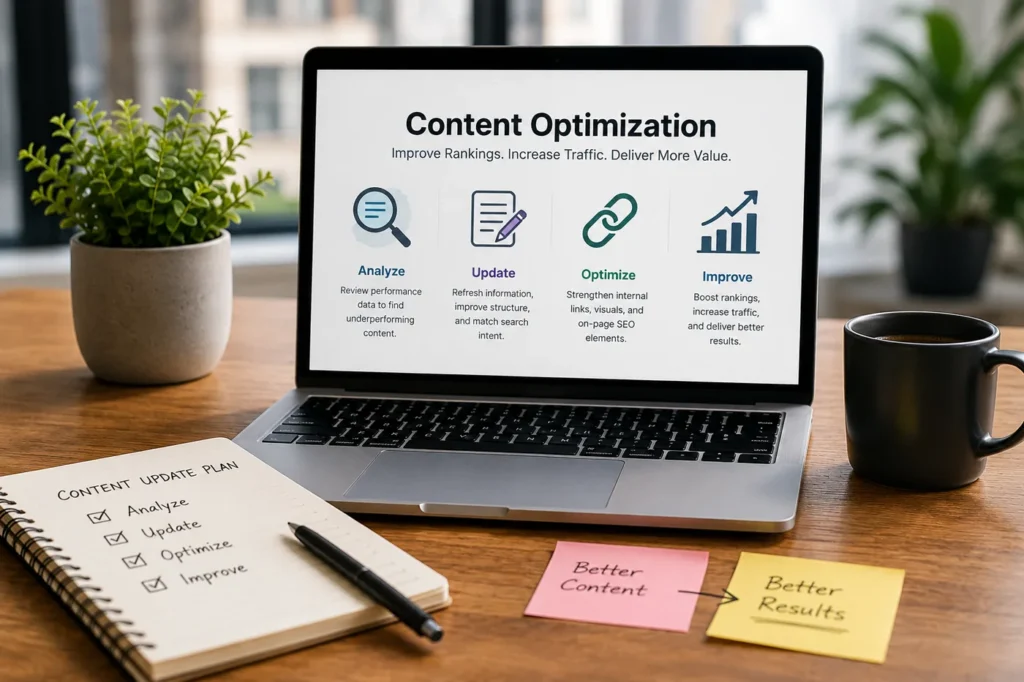
This article may contain affiliate links. We may earn a commission at no additional cost to you; this does not determine our editorial conclusions.
Publishing new content is an important part of content marketing, but it isn’t always the fastest way to grow organic traffic. Many businesses already have valuable articles on their websites that simply aren’t reaching their full potential.
A page that ranked well a year ago may have slipped to the second page of Google. Another might receive thousands of impressions but very few clicks, while some articles continue attracting visitors without generating enquiries, newsletter sign-ups, or sales. These pages aren’t necessarily failures—they often need targeted improvements rather than a complete rewrite.
Instead of constantly creating new content, successful marketers regularly review their existing library to identify opportunities for improvement. Updating content that already has search visibility can often produce better results than starting from scratch because those pages have already built authority, earned backlinks, and established relevance with search engines.
In this guide, you’ll learn how to identify underperforming content, understand why it isn’t delivering the results you expect, and apply practical improvements that support both SEO and Answer Engine Optimization (AEO).
Quick Takeaways
• Prioritise pages that already have search visibility instead of creating new articles for every opportunity.
• Identify why a page is underperforming before making changes.
• Align your content with current search intent rather than focusing only on keywords.
• Refresh outdated information, strengthen weak sections, and improve internal linking.
• Measure performance after every update to understand what delivers results.
What Is Underperforming Content?
Underperforming content is any page that isn’t delivering the level of traffic, engagement, or business results that it reasonably could.
That doesn’t always mean a page receives no visitors. An article ranking between positions 11 and 20 for an important keyword may represent a greater opportunity than a page with no impressions at all. Likewise, a blog post attracting thousands of visitors but generating few enquiries may still be underperforming from a business perspective.
Common signs include declining organic traffic, falling keyword rankings, low click-through rates, weak engagement, or poor conversion rates. The key is measuring performance against your business goals rather than judging success by traffic alone.
Businesses that organise their content around clear objectives often find it much easier to identify which pages deserve further investment and which no longer support their marketing goals. A well-planned content strategy also makes it easier to decide whether an article should be updated, expanded, merged, or replaced.
1. Start With Pages That Already Have Momentum
One of the biggest mistakes marketers make is assuming that every traffic problem requires a brand-new article.
In reality, pages that already rank for relevant keywords often provide the quickest opportunity for growth. Search engines already understand what these pages are about, and they may have accumulated backlinks, internal links, and topical authority over time.
Start by identifying articles that already receive impressions or rank just outside the first page of search results. These pages usually require refinement rather than a complete rewrite, making them some of the easiest opportunities to improve.
Google Search Console’s Performance report makes this process much easier by showing impressions, clicks, average position, click-through rate, and the search queries associated with each page. Reviewing this data regularly helps identify articles that already have momentum but need further optimisation.
A page receiving thousands of impressions but very few clicks may benefit from a stronger title or meta description, while a page ranking between positions 8 and 20 often needs more comprehensive information, clearer answers, or better internal linking to become more competitive.
Improving pages that already have some search visibility is frequently a faster and more effective strategy than creating another article targeting the same topic.
What to Do
Choose five articles that already receive organic traffic or rank between positions 8 and 20 for keywords that matter to your business. Review each page in Google Search Console and note its impressions, clicks, click-through rate, and average position. Prioritise pages that are close to reaching the first page of search results, as even small improvements can sometimes lead to significant increases in traffic. Strengthening on-page SEO by improving headings, expanding thin sections, and answering additional user questions can often make these pages far more competitive.
2. Check Whether Search Intent Has Changed
Even well-written content can lose rankings if it no longer matches what people expect to find.
Search intent evolves over time as industries change, new technologies emerge, and search engines become better at understanding user behaviour. A keyword that once returned educational guides may now favour comparison articles, product roundups, videos, or step-by-step tutorials.
Before making significant changes to an article, search your primary keyword and study the pages currently ranking at the top of the results. Look beyond the keywords themselves and consider how those pages answer the reader’s question. You may notice they provide more practical examples, cover additional subtopics, include recent statistics, or use a completely different structure.
If your content no longer satisfies the reason someone searched for that topic, simply adding more words or repeating keywords is unlikely to improve rankings. Instead, focus on making the page more useful than the articles already competing for the same audience.
Google continues to emphasise helpful, reliable, people-first content, reinforcing that matching search intent is just as important for Answer Engine Optimization (AEO) as it is for traditional SEO. The guidance published in Google Search Central’s documentation on creating helpful, reliable, people-first content explains why content should be written primarily for users rather than search engines.
What to Do
Search your primary keyword in Google and carefully review the first five to ten results. Ask yourself what those pages do better than yours. Are they answering questions your article doesn’t cover? Do they include newer examples, clearer explanations, or a format that is easier to follow? Make a list of the gaps you discover and update your article to better match what today’s readers are actually looking for, rather than what they may have wanted when the page was first published.
3. Identify What Actually Needs Updating
Not every article needs a complete rewrite. In many cases, the overall structure is still solid, but certain sections have become outdated or no longer provide the depth readers expect.
As you review an article, pay close attention to information that has changed since it was first published. Statistics may no longer be accurate, screenshots can become outdated after software updates, and external links may point to pages that no longer exist. Even examples that once felt current can make an article appear neglected if they no longer reflect today’s industry.
It’s also worth comparing your article with the current top-ranking pages. Competitors may now answer questions that your content doesn’t address or include practical examples that make their content more useful. These aren’t reasons to copy another article, but they can highlight opportunities to strengthen your own.
The goal isn’t simply to make the article longer. It’s to make it more accurate, more complete, and more valuable than it was before.
What to Do
Review your article section by section instead of editing the entire page at once. Update outdated statistics, replace broken links, refresh screenshots, remove obsolete recommendations, and add information that readers now expect to see. If a section feels too brief, expand it with practical examples or answers to common questions rather than adding unnecessary filler.
4. Strengthen Your Internal Links
Internal links do more than help readers navigate your website. They also help search engines understand how your content is connected and which pages are most important.
When updating an article, look at how it fits within the rest of your website. An excellent guide may still struggle because very few pages link to it, while another article may contain opportunities to naturally reference related topics.
Rather than adding links wherever possible, focus on relevance. Every internal link should help readers understand the subject in greater depth or answer the next question they are likely to have. A thoughtful internal linking strategy also helps distribute authority across your website, making it easier for important pages to gain visibility over time.
What to Do
Review both the links pointing to the article and the links it contains. Add internal links where they genuinely support the discussion, explain a related concept, or help readers continue learning about the topic. Avoid inserting links simply to increase the total number of internal links on the page.
5. Refresh Titles and Meta Descriptions
Sometimes the content itself isn’t the reason a page underperforms.
A page may appear in search results thousands of times but receive relatively few clicks because the title doesn’t communicate enough value or the meta description fails to capture attention.
Your title is often the first thing potential readers see, so it should clearly explain what problem the article solves or what benefit readers will gain. The same applies to the meta description. Instead of simply summarising the page, encourage users to click by explaining why the article is worth reading.
Even small improvements to these elements can increase click-through rates without changing the body of the article.
What to Do
Use Google Search Console to identify pages with high impressions but low click-through rates. Rewrite titles so they clearly communicate the article’s value, and update meta descriptions to highlight the main benefit readers can expect. Test different approaches over time and monitor whether click-through rates improve.
6. Update Visuals Alongside Your Content

Written content isn’t the only thing that becomes outdated. Images, charts, screenshots, and graphics can quickly make an article feel old, even when the information remains accurate.
Refreshing visual elements improves the overall reading experience and makes long-form articles easier to understand. In some cases, replacing a single outdated screenshot or adding a custom illustration can have a greater impact than adding several hundred words of text.
Consider whether your visuals still support the content effectively. A software interface may have changed, statistics may need a new chart, or a generic stock image might be replaced with a more relevant illustration.
What to Do
Review every visual element while updating the article. Replace outdated screenshots, update charts with current data, refresh blog header images, and add new graphics where they improve understanding. Choose visuals that support the content rather than simply filling space.
7. Decide Whether to Update, Merge, or Remove the Page
Not every article should be updated.
Some pages no longer support your business goals, while others overlap with newer content targeting the same topic. Keeping several similar articles can divide search visibility and create unnecessary competition within your own website.
Before investing time in an update, decide whether the page still deserves its place in your content library. In some cases, combining two related articles into one comprehensive guide creates a stronger resource than maintaining both separately. If an outdated page still has backlinks or search visibility, redirecting it to a newer, more complete article often preserves more SEO value than deleting it.
What to Do
Evaluate whether the page still serves a clear purpose. Update articles that remain valuable, merge overlapping content into stronger resources, redirect outdated pages with existing authority, and remove content that no longer benefits your audience or supports your marketing goals.
8. Measure Results Before Making More Changes
Content optimisation doesn’t end when you click Publish.
Search engines need time to recrawl and reassess updated pages, so avoid making repeated changes immediately after an update. Instead, monitor performance over the following weeks and compare it with your previous results.
Looking at multiple metrics together provides a much clearer picture than relying on rankings alone. Improvements in traffic, engagement, click-through rate, or conversions all help indicate whether your changes had a positive impact.
What to Do
Track your updated pages for at least four to eight weeks before making additional revisions. Monitor organic traffic, keyword rankings, click-through rates, engagement time, and conversions. Use this information to identify which optimisation techniques consistently improve performance.
9. Create a Regular Content Review Schedule
Many businesses only revisit their content after traffic has already declined. By then, valuable rankings may already have been lost.
A regular review schedule helps you identify outdated information, broken links, and changing search intent before they become larger problems. It also ensures your best-performing articles continue providing accurate and relevant information.
Treat content maintenance as an ongoing part of your marketing strategy rather than a task reserved for occasional housekeeping.
What to Do
Schedule a content review every six to twelve months for your most important pages. Prioritise evergreen articles, high-traffic pages, and content that generates leads or sales. A consistent review process helps prevent small issues from becoming major ranking problems.
10. Think of Content as a Long-Term Asset
The best-performing websites rarely succeed because they publish the most content. They succeed because they continue improving the content they already have.
Every update strengthens the value of your existing library, helping articles remain useful, competitive, and relevant long after they were first published. Over time, this approach builds authority, improves user experience, and creates a stronger foundation for both SEO and Answer Engine Optimization.
Content optimisation isn’t about chasing quick ranking gains. It’s about continuously improving the resources your audience relies on.
What to Do
Instead of asking, “What should we publish next?” also ask, “Which existing article can we make significantly better?” Making content optimisation a regular habit will often deliver stronger long-term results than focusing exclusively on creating new pages.
Frequently Asked Questions
What is underperforming content?
Underperforming content is any page that isn’t achieving the traffic, engagement, or business results it has the potential to generate. This might include articles with declining organic traffic, low click-through rates, weak keyword rankings, or pages that attract visitors but produce few conversions.
How often should I review my existing content?
Most businesses benefit from reviewing their key content every six to twelve months. However, pages covering fast-changing topics such as SEO, AI, software, or digital marketing may need updates more frequently to keep information accurate and competitive.
Should I update old content or write new articles?
Both are important, but updating existing content is often the quicker win. Pages that already have search visibility, backlinks, and topical authority usually require less effort to improve than ranking a brand-new article in a competitive niche.
Can updating old content improve SEO?
Yes. Refreshing outdated information, improving search intent, strengthening internal links, and enhancing the overall user experience can help improve rankings and increase organic traffic over time. While results aren’t guaranteed, updating quality content is a widely used SEO strategy.
How do I know if a page should be deleted instead of updated?
If the content is outdated, receives little or no traffic, overlaps significantly with another article, and no longer supports your business goals, it may be better to merge it with a stronger page or redirect it rather than continue maintaining multiple similar articles.
Does updating content help with AI search and AEO?
Yes. AI-powered search platforms and search engines increasingly favour content that is accurate, well-structured, and directly answers users’ questions. Updating older articles with clearer explanations, current information, and concise answers can improve their visibility in both traditional search results and AI-generated responses.
Final Thoughts
Creating new content will always be part of a successful marketing strategy, but it shouldn’t come at the expense of the content you’ve already published.
Many underperforming pages don’t need to be replaced—they need to be improved. Refreshing outdated information, matching current search intent, strengthening internal links, and improving the overall reading experience can often deliver better results than publishing another article targeting the same topic.
Treat your website as a growing library rather than a collection of individual blog posts. Every update strengthens the value of your existing content, helping it remain useful to readers while continuing to attract organic traffic over time.
Regular content optimisation isn’t just good for SEO. It also supports Answer Engine Optimization by ensuring your pages continue providing accurate, relevant, and trustworthy answers that both search engines and AI-powered search experiences can confidently surface.
TOOLS MENTIONED
Explore related tool profiles

A broad search and digital-marketing platform spanning SEO, competitive research, content and advertising workflows.
View tool
We research and organize marketing software around practical use cases. Product claims are included only when supported by available sources.
Read our editorial policy →Related guides
Meta Box vs ACF: Which WordPress Custom Fields Plugin Is Better in 2026?
Meta Box vs ACF is a common comparison when a WordPress website starts needing more flexibility than the standard post and page editor provides. Both plugins let you create custom fields, organize structured information, and build more dynamic WordPress websites without forcing everything into the main content editor. The differences become more important as the […]
Kinsta vs WP Engine: Which Managed WordPress Hosting Is Better in 2026?
Kinsta vs WP Engine is a comparison you’re likely to come across when looking for managed WordPress hosting. Both take care of much of the technical work that comes with running WordPress, including performance optimization, security, backups, updates and staging environments. The difference is less about whether either platform can host a WordPress site and […]
Online Store Launch Checklist: From Product Idea to First Order
Prepare your first online store with a practical checklist for products, checkout, delivery, order testing and a focused customer-acquisition plan.