
This article may contain affiliate links. We may earn a commission at no additional cost to you; this does not determine our editorial conclusions.
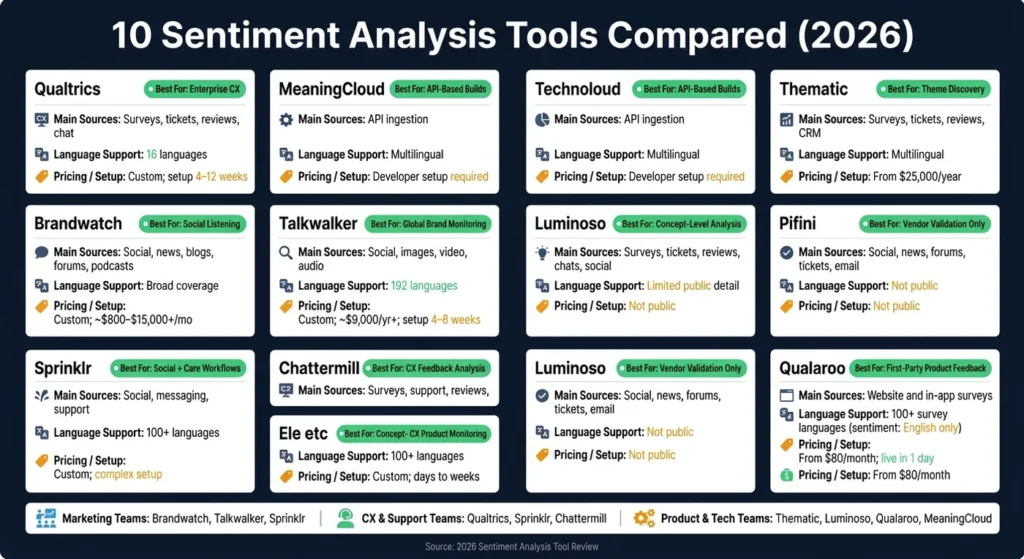
If I had to cut this list down fast, I’d do it like this: use Qualtrics or Sprinklr for big CX and support programs, Brandwatch or Talkwalker for social listening, Chattermill or Thematic for feedback themes, MeaningCloud for API-led builds, and Qualaroo for fast on-site surveys.
Sentiment tools help teams sort large volumes of text into positive, negative, or neutral signals. Some also flag emotions, churn risk, and issue trends. That matters because 85%+ of customer sentiment data sits in unstructured formats like reviews, tickets, chats, and transcripts.
In this review, I’m looking at 10 tools across four things that shape buying decisions:
- Text sources: surveys, tickets, reviews, social posts, calls, and more
- Language support: how many languages each tool can handle
- Dashboards and alerts: how teams track spikes and route issues
- Pricing and setup: from $80/month self-serve plans to custom enterprise deals
The tools covered are:
- Qualtrics
- Brandwatch
- Talkwalker
- Sprinklr
- Chattermill
- MeaningCloud
- Thematic
- Luminoso
- Pifini
- Qualaroo
How to Perform AI Sentiment Analysis on ANY Website
sbb-itb-645e3f7
Quick Comparison
| Tool | Best For | Main Source Type | Language Notes | Pricing / Setup |
|---|---|---|---|---|
| Qualtrics | Enterprise CX | Surveys, tickets, reviews, chat | 16 languages | Custom pricing; often 4–12 weeks |
| Brandwatch | Social listening | Social, news, blogs, forums, podcasts | Broad language coverage | Custom pricing; often analyst-led setup |
| Talkwalker | Global brand monitoring | Social, images, video, audio | 192 languages | Custom pricing; often 4–8 weeks |
| Sprinklr | Social + care workflows | Social, messaging, support, research | 100+ languages | Custom pricing; setup can take time |
| Chattermill | CX feedback analysis | Surveys, support, reviews, calls, social | 100+ languages | Custom pricing; from days to weeks |
| MeaningCloud | API-based builds | API ingestion | Multilingual | Developer setup needed |
| Thematic | Theme discovery | Surveys, tickets, reviews, CRM exports | Multilingual | Starts at $25,000/year |
| Luminoso | Concept-level text analysis | Surveys, tickets, reviews, chats, social | Public detail is limited | Pricing not public |
| Pifini | Vendor-reviewed shortlist only | Social, news, forums, tickets, chat, email | Public detail is limited | Pricing not public |
| Qualaroo | First-party product feedback | Website and in-app surveys | 100+ survey languages, but sentiment is English only | Starts at $80/month; often live in 1 day |
My short take: this isn’t just about which tool scores sentiment best. It’s about where your data lives, how many languages you need, how much setup your team can handle, and how fast you want to launch.
1. Qualtrics
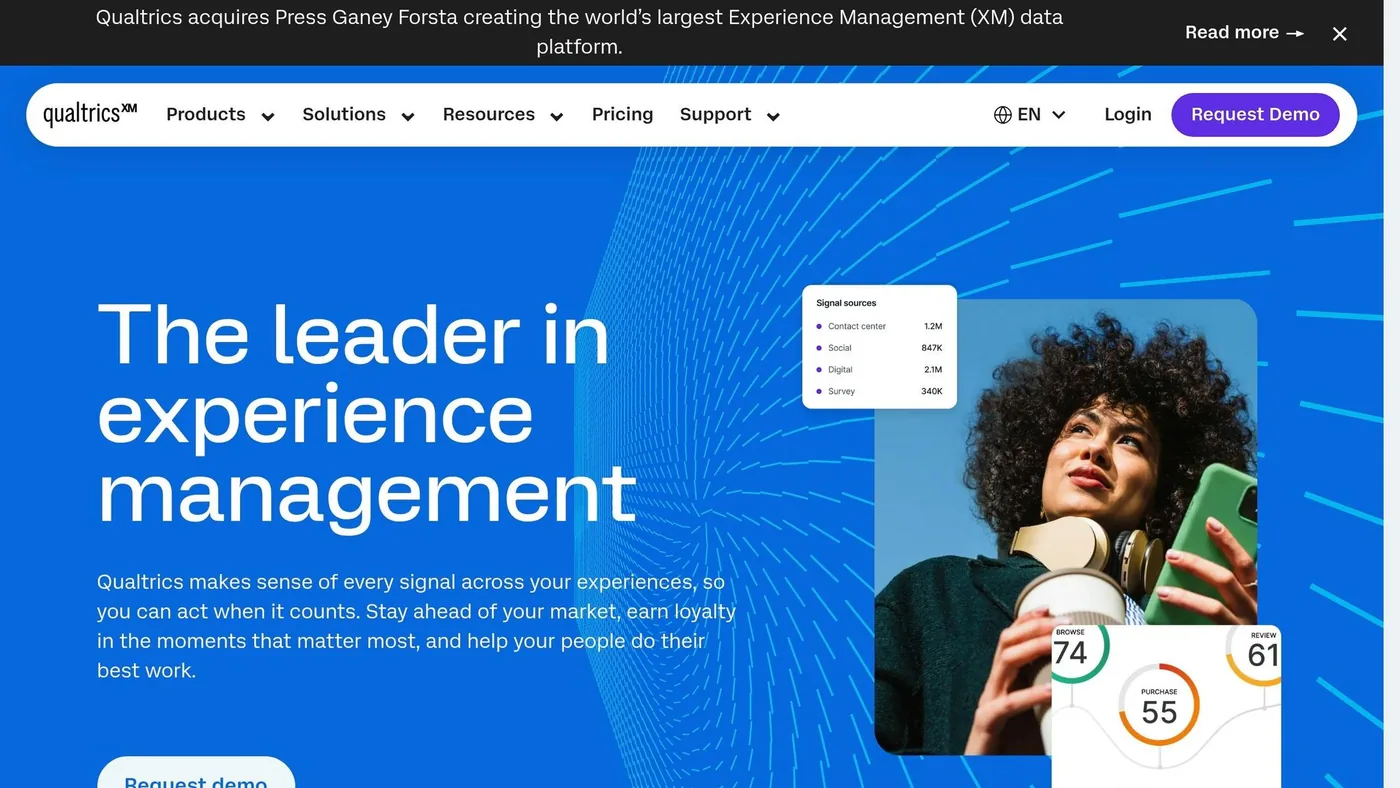
Qualtrics is the enterprise benchmark in this review. It’s built for large organizations that need to collect feedback from many sources and make sense of it at scale. Large enterprises use it heavily, including most Fortune 500 companies.
Text Sources
The platform pulls data from surveys, NPS/CSAT, support tickets, chats, reviews, email, SMS, web feedback, and social posts. Qualtrics iQ adds text analytics, topic detection, effort scoring, and driver analysis. It also connects with Salesforce, SAP, Slack, and Tableau, so sentiment findings can kick off actions like routing a ticket or updating a CRM record.
Language Support
Qualtrics supports 16 languages for sentiment analysis. Its Text iQ feature scores sentiment on a numeric scale from -2 to +2 and sorts responses into six categories: Very Positive, Positive, Neutral, Negative, Very Negative, and Mixed. It works best for structured feedback, not fast-moving social listening.
Dashboards & Alerts
Dashboards are role-based, so a frontline support agent sees a different view from a VP or executive. Real-time alerts flag volatile or negative feedback spikes. The predictive intelligence layer can surface churn-risk signals and show what’s driving loyalty or dissatisfaction.
Pricing & Setup
That depth comes with enterprise-level cost and complexity. Pricing is custom and quote-only. Text iQ plus app review integrations usually cost $12,000 to $25,000 per year. You’ll need a demo before getting the 30-day trial. Implementation usually takes 4 to 12 weeks, and users often mention a steep learning curve.
It’s best for enterprise teams that need multichannel analysis and segment-level reporting.
2. Brandwatch
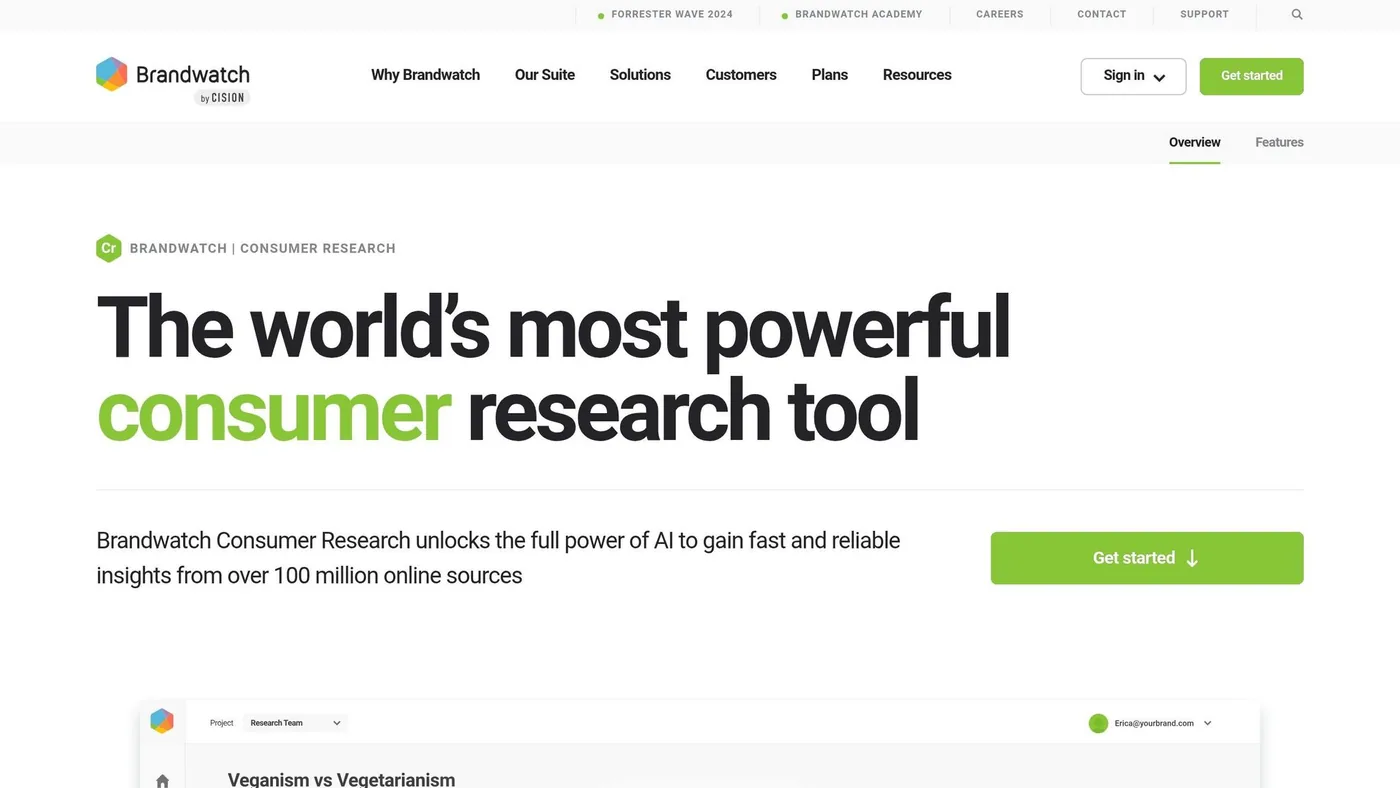
Brandwatch is built for teams that need broad social listening across the open web and major social platforms. While Qualtrics leans into structured customer feedback, Brandwatch focuses on public conversation at scale.
Text Sources
Brandwatch monitors 100 million+ online sources, including major social platforms, news sites, blogs, forums, review sites, newsletters, and 70,000+ podcast transcripts. It also stores 1.4 trillion posts going back to 2010.
One feature that stands out is visual monitoring. Brandwatch can spot brand logos and objects in images and videos even when there’s no text mention.
With that kind of reach, language coverage and emotion detection matter a lot. Reviewing brand sentiment analysis cases shows how this data translates into strategy.
Language Support
Brandwatch supports a broad range of languages and uses its proprietary Iris AI engine for sentiment classification, pattern detection, and anomaly surfacing. Its sentiment analysis goes past simple positive or negative labels and can detect emotions like joy, anger, surprise, and frustration.
Teams can also use advanced Boolean query logic to filter results by region, language, and source type. One catch: LinkedIn coverage is thinner than what you get on major networks.
Dashboards & Alerts
Dashboards are highly customizable and can show mention volume, sentiment trends, share of voice, and audience demographics. Conversation Clusters automatically group related discussions, which makes busy datasets easier to scan.
The Signals alert system works with Iris AI to flag sentiment spikes and early signs of a crisis before things snowball. That gives teams a shot to catch brand issues early and move urgent spikes to the right people fast.
Pricing & Setup
Pricing is custom, and there’s no public rate card or self-serve trial. Entry-level enterprise setups usually start around $800 per month, while large-scale deployments can hit $15,000+ per month. Annual contracts are standard.
Setup can be heavy. In many cases, teams need a dedicated analyst or insights team to build and maintain more complex queries. That learning curve shows up in user ratings: Brandwatch holds a 4.2/5 rating on G2 from 1,709 reviews and 4.2/5 on Capterra from 255 reviews.
It’s a better fit for large enterprises, global consumer brands, and agencies that have the budget and staff to get the most out of it.
3. Talkwalker
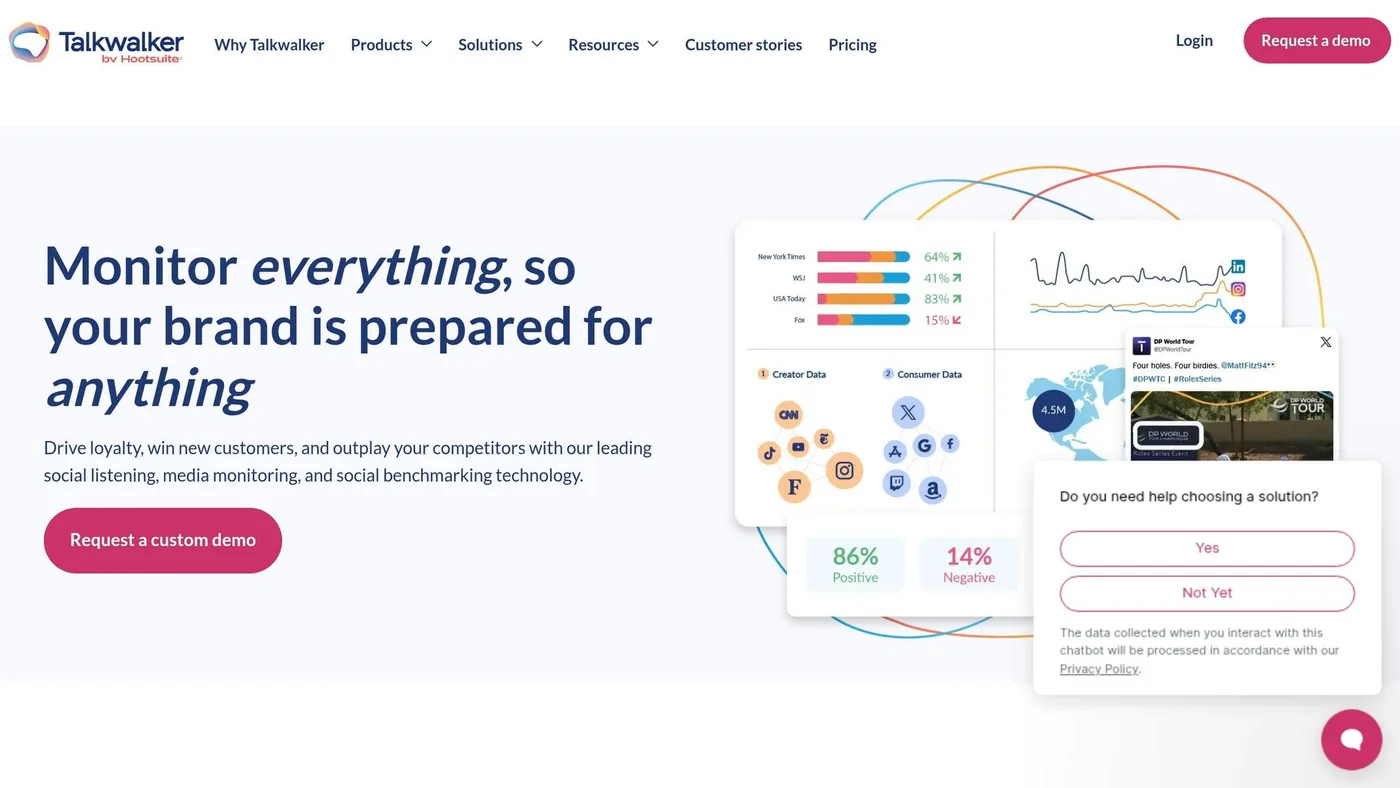
Talkwalker is a strong fit for brands that need to track text, images, video, and audio in one place. It also connects with the Hootsuite dashboard, so teams can handle social listening, social media management, and publishing in the same workflow.
Text Sources
Talkwalker monitors 150 million+ sources, covering 30+ social platforms, including TikTok, Reddit, Bluesky, LinkedIn, Truth Social, and YouTube, plus news sites, blogs, forums, podcasts, and broadcast media.
Blue Silk AI handles text sentiment and can detect logos in images and video. It can compare brand visuals against 30,000+ predefined models, which helps teams spot untagged product appearances in user-generated content.
Historical data goes back 5 years. That gives teams room to study trends over time and look for crisis patterns, not just react to what happened this morning. If your brand shows up across text, audio, and video, that broad coverage is where Talkwalker stands out.
Language Support
Talkwalker supports sentiment analysis across 192 languages. Blue Silk AI does a good job with nuance, idioms, and sarcasm compared with many social NLP tools.
Still, there’s no magic here. Highly nuanced content, like irony or region-specific slang, may still need occasional manual review.
Dashboards & Alerts
Dashboards are customizable, and the platform includes real-time crisis alerts. The Sentiment Timeline helps teams see when conversations are peaking, while AI Insights flags anomalies and sentiment shifts automatically.
The trade-off is that the interface can feel dense for teams that are new to social listening. Teams also often need dedicated analyst time to build precise queries and cut through noise. For teams that need fast escalation, though, that setup can be worth it.
Pricing & Setup
Talkwalker does not publish pricing publicly. Estimates place base plans at around $9,000/year, with enterprise use often ranging from $25,000 to six figures annually. Full deployment usually takes 4–8 weeks.
It holds a 4.3/5 on G2 (137 reviews) and a 4.4/5 on Capterra (24 reviews). Because of the price, it tends to make more sense for enterprise budgets. It works well for global marketing and comms teams that need multilingual monitoring and visual brand tracking at scale.
4. Sprinklr
Sprinklr is an enterprise platform that brings social listening, surveys, messaging, support, and research into one place. Its Unified-CXM architecture links marketing, care, and research data. That setup makes Sprinklr a strong fit when sentiment needs to move straight into care and research workflows.
Text Sources
Sprinklr monitors 30+ digital channels and has firehose-level access to more than 10 of them. It also tracks how brands show up in AI-generated answers. Visual Listening covers logo detection in images, while speech-to-text analysis helps with video-heavy platforms like TikTok and Instagram.
That kind of coverage gives teams a broad view of what people are saying across text, images, and video. From there, language handling becomes the next layer that shapes what teams can do with the data.
Language Support
Sprinklr supports sentiment analysis in 100+ languages. It can identify 40+ emotions and is built to detect sarcasm, irony, and mockery. Teams can also group multilingual posts into one cluster, which helps keep dashboards cleaner.
When feedback in different languages is pulled together this way, trend spotting gets a lot easier. Instead of bouncing between scattered mentions, teams can look at the bigger picture faster.
Dashboards & Alerts
AI Copilot lets teams ask plain-language questions and get summarized answers without using Boolean filters. That’s useful for teams that want answers fast instead of digging through query logic.
That said, some reviewers note that it can still miss very subtle or complex emotions, so manual validation may still be needed.
Pricing & Setup
Sprinklr uses custom pricing based on team size, selected features, and company scale. There are no fixed tiers and no free trial for sentiment analysis.
Setup often takes a lot of configuration time, and reviewers mention a steep learning curve. In plain English, this isn’t the kind of tool most teams plug in and use on day one. The trade-off is more setup work upfront, which matters most for teams that need depth more than speed.
5. Chattermill
After the broader enterprise suites, Chattermill takes a narrower path: unified feedback analysis. It brings customer feedback into one place for CX and support teams, then connects recurring themes to business results.
Text Sources
Chattermill connects to 50+ native sources out of the box. That includes survey tools like Qualtrics, Typeform, and SurveyMonkey; support platforms such as Zendesk, Intercom, Freshdesk, and Gorgias; review sites like Trustpilot, G2, Google Reviews, and App Stores; and social platforms including Twitter, Facebook, Instagram, TikTok, Reddit, and YouTube. It also pulls in call transcripts through tools like Gong, Aircall, and Talkdesk.
The platform processes more than 100 million feedback data points monthly. That’s a lot of incoming text, and Chattermill is built to sort through it at scale.
Its Lyra AI engine auto-tags and clusters feedback as it comes in. So instead of manually sorting survey comments, support tickets, and reviews, teams can compare sentiment across channels in one view.
There is one catch. Chattermill recommends at least 5,000 feedback items per month to produce useful AI insights. If your team has lower volume, you may not get as much from the platform.
That broad source coverage also makes language handling a big part of the product.
Language Support
Chattermill supports analysis in 100+ languages and can automatically translate content into English. Its Lyra AI engine uses aspect-based sentiment analysis, supervised machine learning, and large language models to interpret regional slang, local nuance, and industry-specific terms.
That said, basic translation can weaken sentiment accuracy across languages. So while the platform covers a lot of ground, the quality of cross-language analysis can still depend on how well the source text translates.
Dashboards & Alerts
Dashboards are real-time, customizable, and don’t need IT setup. One standout feature is Impact Analysis, which connects themes directly to NPS, CSAT, retention, and revenue.
Chattermill can also send alerts to Slack or Jira when sentiment around a theme suddenly climbs or drops. That makes it easier for teams to react before a small issue turns into a bigger one.
It also supports MCP support, which lets teams query insights through AI agents like Claude or ChatGPT.
Pricing & Setup
Chattermill uses custom enterprise pricing based on feedback volume and the number of integrations, with no per-user fees.
| Plan | Data Sources | Monthly Credits |
|---|---|---|
| Pro | 2 integrations | 10,000 credits |
| Team | 3 integrations | 30,000 credits + historical data |
| Enterprise | 5+ integrations | 100,000 credits + custom data residency |
One data credit equals one piece of feedback, such as one survey response, one ticket, or one review.
Setup for simple integrations can take a few days. If you’re dealing with multiple data sources and a more involved onboarding process, setup can stretch into several weeks. Pricing is custom and quote-based.
6. MeaningCloud
If built-in feedback tools matter to you, MeaningCloud goes in a different direction. It’s less turnkey and more flexible. MeaningCloud is an API-first NLP platform for teams that want to build sentiment analysis into their own systems.
That makes it a good fit when sentiment analysis needs to sit inside a custom workflow instead of a standalone dashboard. In plain English: if your team has developer support and wants control, this tool can make sense. If you want something plug-and-play, this probably isn’t it.
Text Sources
MeaningCloud is built for API-based ingestion, which gives teams room to work when text is spread across multiple products or less common source systems. Its main strength here is flexible ingestion, not a big set of native integrations.
Language Support
MeaningCloud supports multilingual sentiment analysis and handles slang, emojis, and colloquial language well.
Dashboards & Alerts
Dashboards aren’t included out of the box, so teams usually need to build reporting and alerts on their own. In other words, the reporting layer is on you.
Pricing & Setup
Setup calls for developer work, so MeaningCloud is a better match for custom builds than for a fast rollout.
If your team wants something more packaged and easier to get live, the next tool takes a different path.
7. Thematic
Thematic is a good fit for CX teams that need automated theme discovery across large sets of feedback. Instead of relying only on a pre-set taxonomy, it looks for recurring topics and new issues as they show up in the data.
Text Sources
Thematic pulls in feedback from surveys, support tickets, chat transcripts, reviews, CRM exports, and major CX tools.
Language Support
Thematic supports multilingual analysis. It also uses human review to catch edge cases.
Dashboards & Alerts
Thematic includes trend dashboards, role-based views, and recurring reports for CX, support, and product teams. That makes it easier for each team to focus on the signals that matter to them.
Pricing & Setup
Pricing is enterprise-level and scales based on volume and feature needs. The starting price is $25,000/year. Setup takes a dedicated onboarding phase, and there’s no self-serve option. In practice, that means teams should expect implementation to take several weeks, not a few days.
The platform is also SOC 2 Type II and GDPR compliant.
| Feature | Details |
|---|---|
| Entry Price | $25,000/year |
| Feedback Volume (Foundation) | 25,000 comments, 3 datasets |
| Setup Time | Several weeks |
| Multilingual Support | Yes, with human review |
| Security | SOC 2 Type II & GDPR compliant |
Next up is Luminoso, which takes a different approach to text understanding.
8. Luminoso
Luminoso takes a concept-first approach to text analysis. Its proprietary QuickLearn engine pulls out concepts and sentiment from domain-specific text without manual tagging.
That matters when feedback is messy. Instead of asking teams to tag everything by hand, Luminoso helps them spot repeat themes faster across large volumes of unstructured text. For teams that need concept-level analysis at scale, that’s a big part of the appeal.
Text Sources
Luminoso analyzes unstructured text from:
- surveys
- tickets
- reviews
- chats
- social comments
Language Support
There isn’t much public detail on language support, which makes multilingual fit harder to assess.
Dashboards & Alerts
Dashboard and alerting details are not specified in the source material.
Pricing & Setup
Public pricing, setup time, and implementation details are not specified.
| Feature | Details |
|---|---|
| NLU Engine | QuickLearn |
| Manual Tagging Required | No |
| Text Sources | Surveys, tickets, reviews, chats, social comments |
Next: Pifini, which shifts from concept extraction to a different workflow.
9. Pifini
Pifini doesn’t have much public documentation, so this section has to stay brief. Compared with the other tools in this review, there just isn’t much to work with.
Text Sources
Pifini appears to support marketing, PR, and support workflows. Its monitoring seems to cover social media, news, forums, blogs, image sentiment, tickets, live chat, and email.
That limited public detail makes the next point even more important: how deep the platform goes in practice.
Language Support
There is no publicly available data on Pifini’s language support.
Dashboards & Alerts
Specific details on dashboard views and alerting features are not publicly documented at this time.
Pricing & Setup
Pricing and setup timelines are not public. That makes it harder to judge setup time or compare coverage, alerting, and implementation with the other tools in this review.
At this stage, Pifini is hard to assess without a demo. Direct vendor validation is required before shortlisting Pifini.
Qualaroo shifts to a more survey-led, product-feedback approach.
10. Qualaroo
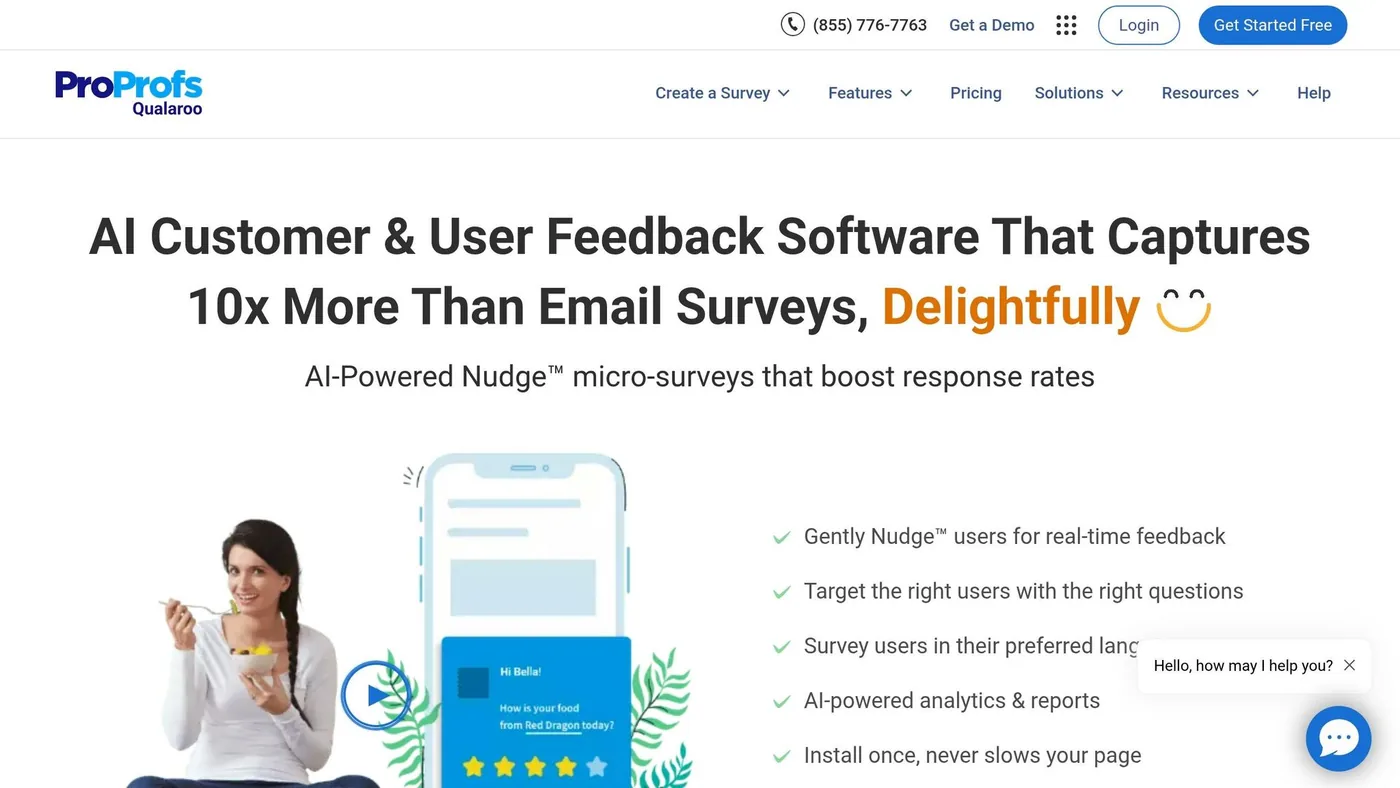
Qualaroo moves the focus from public mentions to first-party product feedback. It gathers input through Nudges – small, targeted micro-surveys that appear on websites and inside apps.
Text Sources
Qualaroo collects feedback straight from websites, mobile websites, in-app spaces through iOS and Android SDKs, and even digital prototypes in Figma, InVision, or Adobe XD.
Its sentiment engine uses IBM Watson Natural Language Understanding to score responses as positive, negative, or neutral. It also picks up specific emotions, including anger, disgust, sadness, fear, and joy.
Qualaroo says its Nudges get a 10% to 30% response rate. According to the company, that makes them 10x more useful than old-school email surveys.
Language Support
You can build surveys in over 100 languages, which is a big plus for teams serving mixed audiences. But there’s a catch: the sentiment analysis feature is English only.
For U.S. teams with customers who reply in Spanish, French, or other languages, that can be a problem.
Dashboards & Alerts
Qualaroo includes a beta reporting dashboard that shows sentiment ratings, emotion ratings, and word clouds. It also supports real-time alerts through Slack and email.
It connects with tools many teams already use, including:
Pricing & Setup
The Essentials plan starts at $80/month for one user. It includes basic questions, unlimited Nudge views, and branching logic. The Premium plan starts at $160/month for up to 3 users and adds advanced questions, mobile Nudges, NPS, and sentiment analysis.
Setup is simple. Qualaroo says website install takes one async JavaScript line and won’t slow page load, and most teams can go live within a day.
As of June 2026, Qualaroo has a 4.9/5 rating on SoftwareSuggest based on 26 reviews.
That makes Qualaroo a strong fit for teams that want fast, first-party sentiment data.
Best Fits by Team and Use Case
The right tool comes down to four things: your team, your data source, your budget, and how fast you need to get live. The table below turns the feature-by-feature review into a short, practical list.
| Tool | Best-Fit Use Case | Likely Buyer Profile |
|---|---|---|
| Qualtrics | Enterprise CX programs and omnichannel feedback | CX Managers / Executives |
| Brandwatch | Brand health, social listening, and crisis detection | Marketers / PR Leads |
| Talkwalker | Global brand monitoring and visual listening | Brand and marketing teams |
| Sprinklr | Global social governance and support routing | Marketing Ops / Support Leaders |
| Chattermill | Unified CX analytics tied to NPS and retention | CX Managers |
| MeaningCloud | Custom NLP pipelines and API-based workflows | Developers / Data Scientists |
| Thematic | Product feedback trends and open-ended survey analysis | Product Teams |
| Luminoso | Concept-level analysis of messy unstructured text | Data / Insights Teams |
| Pifini | Limited public detail; requires vendor validation | Evaluation / Procurement Teams |
| Qualaroo | Fast first-party feedback and micro-surveys | Product / Growth Teams |
If you want to narrow the list down fast, it helps to sort these tools by team type:
- Marketing teams: Brandwatch, Talkwalker, and Sprinklr for social listening and crisis monitoring.
- Support teams: Qualtrics, Sprinklr, and Chattermill for sending negative feedback into support workflows.
- CX teams: Qualtrics and Chattermill for sentiment tied to NPS and retention.
- Product teams: Thematic, Luminoso, and Qualaroo for theme discovery and first-party feedback.
- Technical teams: MeaningCloud for custom NLP and API-based workflows.
For U.S. buyers, there’s also a simple split to keep in mind: enterprise platforms often come with custom pricing and setup that can take weeks, while self-serve tools tend to launch much faster.
Next, weigh those trade-offs in the pros and cons section.
Pros and Cons
No tool wins across the board. The tradeoffs here zero in on the stuff that usually decides the short list: source coverage, language support, dashboard ease, and setup effort. The table below turns the full review into the fastest call points: coverage, language, setup, and fit.
| Tool | Pros | Cons | Best For |
|---|---|---|---|
| Qualtrics | Workflows that route negative feedback into action; advanced statistical analysis and segmentation | High cost; resource-heavy setup; custom contracts that can reach $30,000–$250,000+ per year | Enterprise CX programs |
| Brandwatch | 100M+ sources; historical data back to 2010; image/logo recognition; real-time crisis alerts | High cost; steep learning curve; quote-based pricing | Brand marketing and PR |
| Talkwalker | 150M data sources; visual recognition; some sarcasm detection | Deeper context often needs manual refinement; complex configuration | Global brand intelligence |
| Sprinklr | 30+ digital channels; detects emotions like joy, sadness, and anger; AI crisis detection; unified CX workflows | Enterprise-only pricing; complex setup; too much for smaller teams | Omnichannel CX and support routing |
| Chattermill | 50+ native integrations; Impact Analysis ties themes to NPS and retention; no per-user fees | Needs 5,000+ feedback items per month for reliable AI insights; custom pricing only | Unified CX analytics |
| MeaningCloud | Flexible API-based ingestion; handles slang and emojis; multilingual support | No built-in dashboards or alerts; needs developer resources to implement | Custom NLP pipelines |
| Thematic | Automatic theme discovery; clean sentiment-over-time visuals | Batch processing only, not real-time; volume-based custom pricing starting at $25,000/year | Product and CX insights |
| Luminoso | Concept-level analysis without manual tagging; QuickLearn engine handles messy unstructured text | Limited public detail on language support, dashboards, and pricing | Concept-level text analysis |
| Pifini | Covers social, news, forums, blogs, tickets, chat, and email | No public data on language support, pricing, or setup timelines | Requires vendor validation before shortlisting |
| Qualaroo | Fast setup (one day); 10x higher response rates than email surveys; IBM Watson emotion detection | Sentiment analysis is English only; limited to first-party on-site and in-app feedback | First-party product and growth feedback |
You can group these tools into two camps. Some are broad enterprise suites built for large teams with a lot of moving parts. Others are narrower platforms that are easier to launch and easier to manage. That split matters more than people think.
If your team needs deep coverage across channels, routing, and reporting, the enterprise tools make more sense. If you need to get live fast, with less setup pain and a tighter scope, the lighter options will usually be the better bet. Use these tradeoffs to trim the list based on team size, feedback volume, and launch speed.
Conclusion
After comparing sources, languages, dashboards, pricing, and setup, the choice comes down to fit. For marketers and support teams, the best sentiment analysis tool depends on where your feedback comes from, how many languages you need, how fast you want to launch, how deep the reporting needs to go, and what you can spend.
In day-to-day use, the shortlist splits out pretty cleanly by team need. For enterprise CX, go with Qualtrics or Sprinklr. For social listening, look at Brandwatch or Talkwalker. For theme analysis, Thematic or Chattermill make sense. And for custom pipelines, MeaningCloud is often the better pick.
Accuracy matters. But workflow fit matters more.
A tool that plugs into your helpdesk, CRM, or data warehouse will often do more for your team than a stronger engine stuck in a separate dashboard.
Run a 14-day pilot with real customer data before you buy. That will tell you more than any sales demo.
FAQs
How do I choose the right sentiment tool for my team?
Start with your main use case, the channels you track, and how much data you deal with. That gives you a clear way to judge what you need. For example, it can show whether real-time scoring matters for your team and whether an API-based platform or a no-code tool makes more sense.
It also helps to look at the practical side early on: budget, integrations, setup time, and features like tagging, alerts, and reporting. Those details can make or break day-to-day use.
Before you choose, test the tool with real data. That’s the best way to check sentiment accuracy and see how the tool fits into your workflow.
What should I test during a sentiment analysis pilot?
Test the basics that shape day-to-day use:
- Accuracy and reliability on real reviews or support tickets
- Workflow fit, including routing, alerts, and theme tagging
- Integrations with your help desk, CRM, or exports
- Multilingual support, customization, transparency, and ease of setup
Use the pilot to review each of these in context. That way, you can see whether the tool fits your goals and how your team already works.
When does an API-based tool make more sense than a dashboard tool?
An API-based tool makes more sense when you need custom pipelines, automation, product integration, or structured outputs in real time for internal systems.
Dashboard tools are usually a better fit for quick, non-technical reporting and visualization.
Related Blog Posts

We research and organize marketing software around practical use cases. Product claims are included only when supported by available sources.
Read our editorial policy →Related guides
AI Marketing Video QA: A Pre-Publish Checklist for Small Teams
Check claims, product accuracy, permissions, captions and mobile readability before publishing an AI-assisted marketing video.
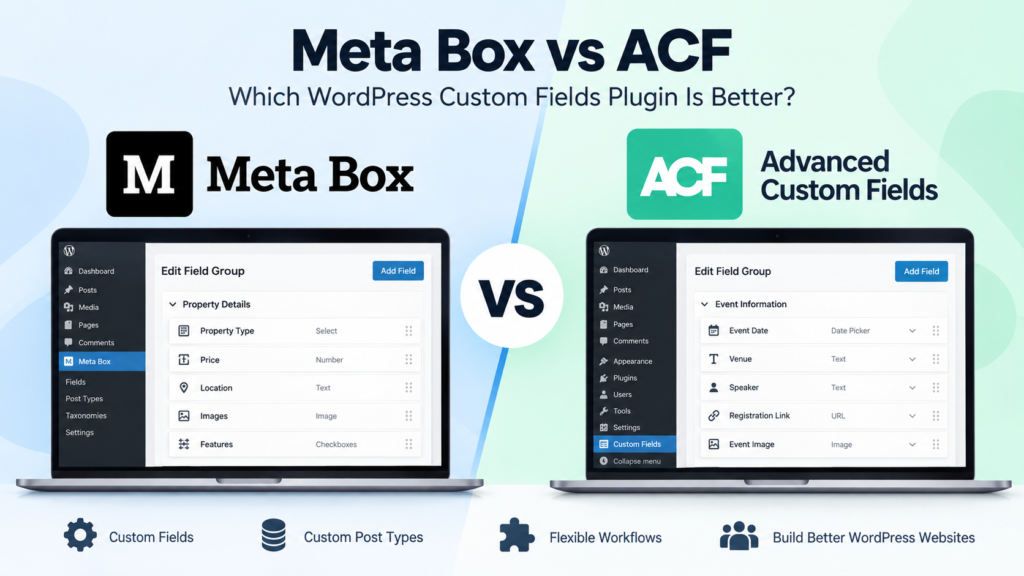
Meta Box vs ACF: Which WordPress Custom Fields Plugin Is Better in 2026?
Meta Box vs ACF is a common comparison when a WordPress website starts needing more flexibility than the standard post and page editor provides. Both plugins let you create custom fields, organize structured information, and build more dynamic WordPress websites without forcing everything into the main content editor. The differences become more important as the […]
Online Store Launch Checklist: From Product Idea to First Order
Prepare your first online store with a practical checklist for products, checkout, delivery, order testing and a focused customer-acquisition plan.