
This article may contain affiliate links. We may earn a commission at no additional cost to you; this does not determine our editorial conclusions.
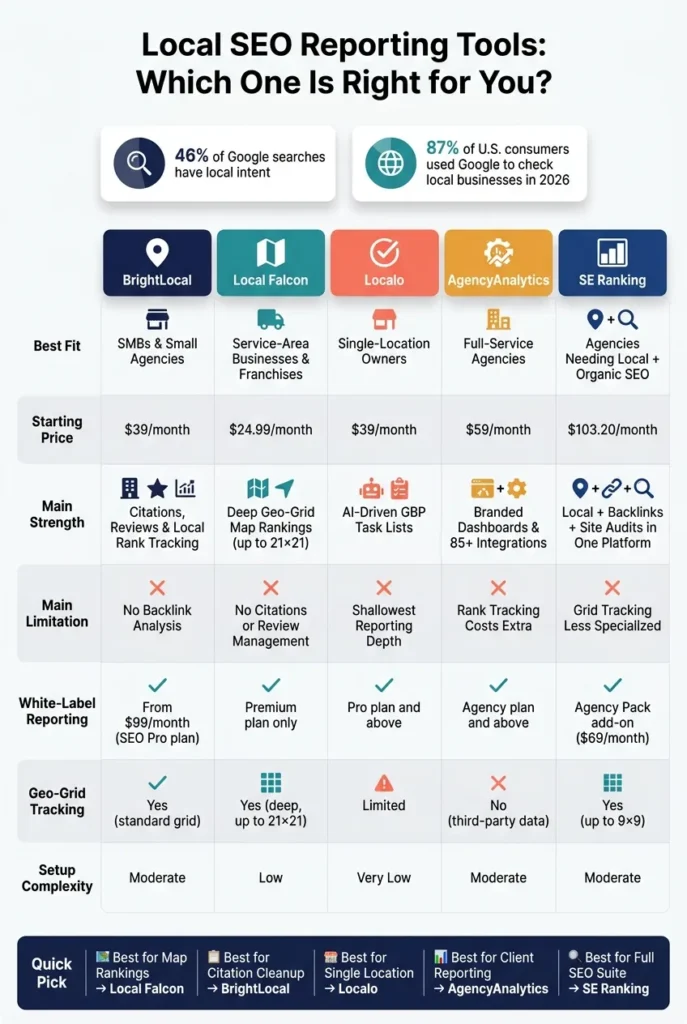
If I had to sum it up fast: pick the tool based on what you need to report, how many locations you manage, and how you bill clients. Local search is a big deal – 46% of Google searches have local intent, and 87% of U.S. consumers used Google to check local businesses in 2026. So the wrong reporting setup can waste hours and hide what matters.
Here’s my short take:
- BrightLocal fits agencies and SMBs that need local rank tracking, citation checks, reviews, and white-label reports.
- Local Falcon is best when you care most about map grid rankings and block-by-block Google Maps visibility.
- Localo works well for single-location owners and small teams that want simple GBP tasks and light reporting.
- AgencyAnalytics is built for agencies that want polished client dashboards and multi-channel reporting in one place.
- SE Ranking makes sense if you want local SEO reporting plus site audits, backlinks, and other SEO tools in the same platform.
I’d judge these tools on six things:
- Business size
- Location count
- Report depth
- White-label options
- Integrations
- Pricing in U.S. dollars
Local SEO Rank Tracking (Smartest Way to Track Google Maps)
sbb-itb-645e3f7
Quick Comparison
| Tool | Best fit | Main strength | Main limit | Starting price |
|---|---|---|---|---|
| BrightLocal | SMBs and small agencies | Local reporting, citations, reviews | No deep non-local SEO toolkit | $39/month |
| Local Falcon | Service-area businesses, franchises | Deep geo-grid map reporting | No citation or review management | $24.99/month |
| Localo | Single-location businesses | GBP task guidance and simple reports | Lighter reporting depth | $39/month |
| AgencyAnalytics | Agencies | Branded dashboards and client reporting | Rank tracking costs extra | $59/month |
| SE Ranking | Agencies that want local + SEO | Local reporting plus broader SEO tools | Grid tracking is less deep | $103.20/month |
If you want the short answer: BrightLocal is the best all-around local reporting pick, Local Falcon is the map-ranking pick, Localo is the simple GBP analytics pick, AgencyAnalytics is the agency reporting pick, and SE Ranking is the best fit when local SEO needs to sit next to the rest of your SEO work.
1. BrightLocal
BrightLocal is a solid fit for agencies and multi-location businesses that need reporting at the location level. It holds a 4.6/5 rating on G2 from 480 reviews and is built for 1–50 locations, so it works well for solo consultants, small agencies, and brands with several storefronts. You can schedule reports and send them to clients automatically through branded dashboards or PDF exports. The main thing to figure out is simple: do you need grid-level rank tracking and branded reporting?
BrightLocal includes grid rank tracking, citation audits, GBP audits, and review aggregation across 30+ platforms, including Google, Facebook, Yelp, and Trustpilot. Its Local Search Grid shows rankings by neighborhood or ZIP code. That matters a lot for service-area businesses, where visibility can change block by block. If you’re running reports by hand today, this can save a ton of time. Agencies with 20 clients can save about 5 to 10 hours per month on manual data gathering once automation is set up. On top of that, the 2026 Active Sync upgrade automates GBP posts at scale and cuts manual work by about 34% per account.
White-label reporting starts on the SEO Pro plan at $99/month, which includes branded PDF reports, custom client dashboards, and CNAME domain options. BrightLocal also connects with Google Business Profile, Google Analytics, and major review platforms, so your reporting stays in one place instead of being scattered across tabs and spreadsheets.
There is one tradeoff here. BrightLocal uses manual or semi-automated citation submission, not instant API-based syndication. So directory updates won’t go live right away. On the flip side, businesses keep their listing data even after canceling. Citation Builder credits are pay-as-you-go at about $3.20 per citation site, which means multi-location brands should watch usage closely if they don’t want costs to creep up.
Plan choice mostly comes down to how many locations you manage and whether you need white-label features.
| Plan | Monthly Price | Locations | White-Label |
|---|---|---|---|
| Track | $39 | 1 | No |
| Multi-Business | $65 | 5 | No |
| SEO Pro | $99 | 10 | Yes |
| Agency | Custom | 50+ | Yes |
BrightLocal is at its best for teams that care more about local visibility tracking than all-in-one SEO depth. A couple of gaps stand out before you buy: it does not track AI search visibility in generative search engines, and it doesn’t include old-school SEO tools like backlink analysis.
2. Local Falcon
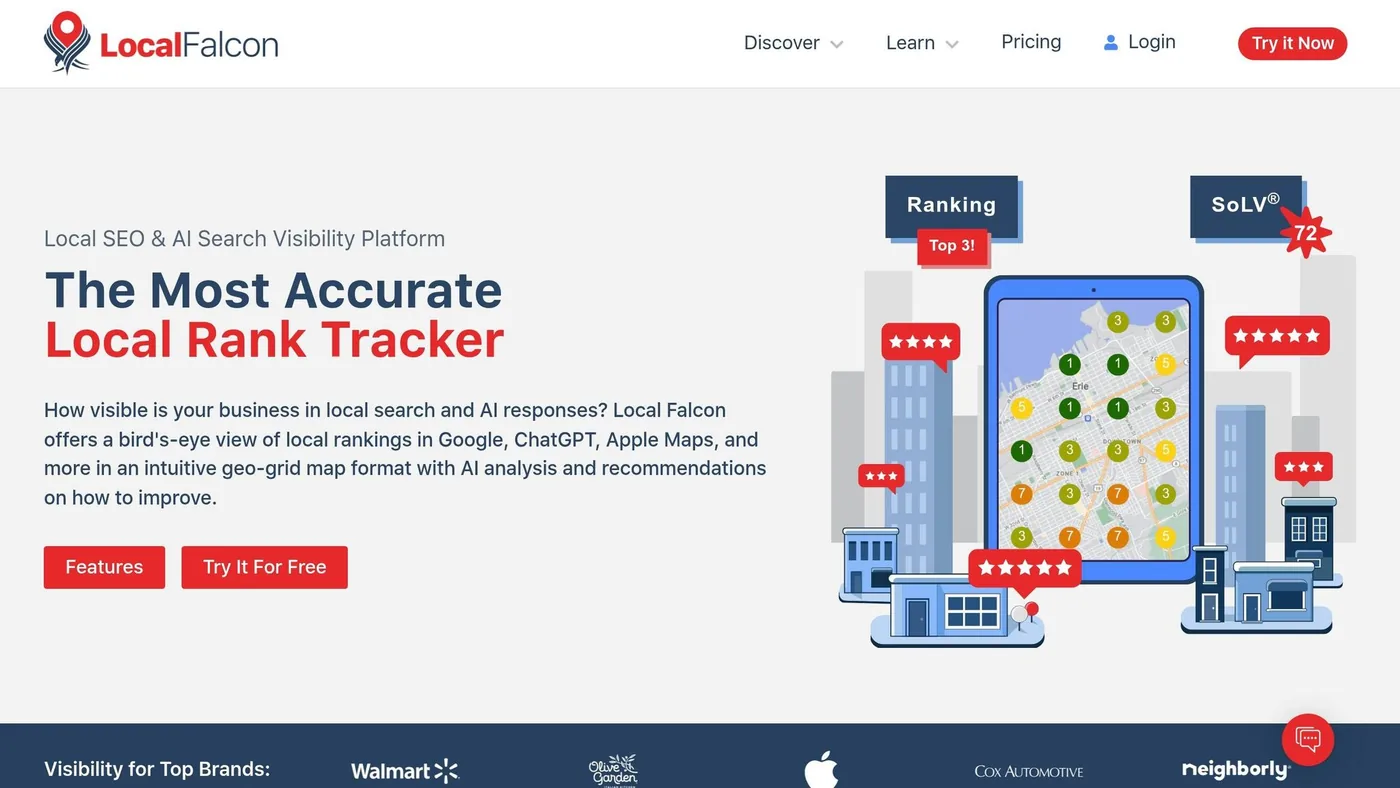
Local Falcon is the go-to pick for geo-grid rank tracking and automated map reports. It fits agencies, franchises, and service-area businesses that need a close-up view of local search visibility. If BrightLocal handles broad local SEO reporting, Local Falcon zooms in on map rankings.
BrightLocal includes grid tracking as part of a larger toolkit. Local Falcon, by contrast, leans hard into map rank detail. It stands out with denser geo-grids, a credit-based scan system, and AI visibility reporting. Its color-coded heatmaps show rankings across grids from 3×3 to 21×21, so you can spot visibility drops by block or neighborhood. The company says its scans reflect real user behavior 85% to 90% of the time, and a standard 13×13 scan usually finishes in about 2 minutes and 40 seconds.
Pricing works on credits, with one credit per map pin. That means grid size directly affects cost. A 5×5 scan uses 25 credits, while a 15×15 scan uses 225. In plain terms, the larger the grid, the more you spend. Smaller grids make sense in low-density areas. Larger ones are better for dense markets. A smart starting point is to run three baseline scans before you make changes.
The Campaign feature lets you bundle multiple locations and keywords into recurring scans. You can schedule them daily, weekly, or monthly, and the system sends results automatically. Reports come with shareable URLs, PDF exports, and CSV exports. If you want white-label reports with custom logos, brand colors, and branded URLs, you’ll need the Premium subscription level. Looker Studio and Zapier are available starting on the Basic plan at $49.99/month.
For multi-location brands, Location Groups and bulk profile selection make scaling easier, and enterprise plans support high-volume scanning. Local Falcon also tracks visibility across eight AI platforms, including ChatGPT, Gemini, Perplexity, and Google AI Overviews. One thing it does not do: citation building or directory management. If your team needs that, you’ll need another tool, such as BrightLocal.
Use the plan table below to line up scan volume and automation needs with your budget.
| Plan | Monthly Price | Credits | Key Features |
|---|---|---|---|
| Starter | $24.99/month | 7,500 | Scheduled reports, shareable URLs |
| Basic | $49.99/month | 15,000 | Looker Studio, Zapier |
| Pro | $99.99/month | 45,000 | Built for small agencies |
| Enterprise | Varies | 157,000–1,570,000 | Bulk scans, API, custom loads |
3. Localo
Where map grids show where you rank, Localo leans hard into what to do next inside GBP. It’s built for GBP management first, and that’s the main draw. Instead of dumping a pile of audit data on your desk, Localo turns it into a weekly action list through its AI-powered Smart Tasks engine. That list can include things like updating photos, adjusting categories, or posting more often, so a junior team member or virtual assistant can handle day-to-day GBP work without much hand-holding.
For a single-location business, the Single Business plan costs $39/month when billed annually. It includes basic visibility, review management, and automated posting for one GBP. If you run a small agency, the Pro plan adds automated client reporting and white-label PDFs. You also get the Client Acquisition tool, which helps surface underperforming GBP profiles. At the higher end, the Pro 60 plan supports up to 60 profiles and 30 Optimization Seats for $219/month.
There’s one catch: seats matter a lot here. Only profiles assigned a seat get active AI recommendations. So if agency priorities shift, you’ll need to move seats around to match. White-label PDFs are included on Pro and Enterprise, but report customization is still fairly limited. That puts Localo in a sweet spot for boutique agencies handling 5–50 locations that want simple GBP progress reports, not deep geo-grid analysis. If your team needs broader client dashboards and cross-channel reporting, the next tool will likely make more sense.
| Plan | Monthly Price | Profiles | Optimization Seats | White-Label |
|---|---|---|---|---|
| Single Business | $39/mo | 1 | 1 | No |
| Pro 10 | $59/mo | 10 | – | Yes |
| Pro 30 | $129/mo | 30 | – | Yes |
| Pro 60 | $219/mo | 60 | 30 | Yes |
| Enterprise | Custom | 120+ | Custom | Yes |
Annual billing typically saves approximately 18%.
4. AgencyAnalytics
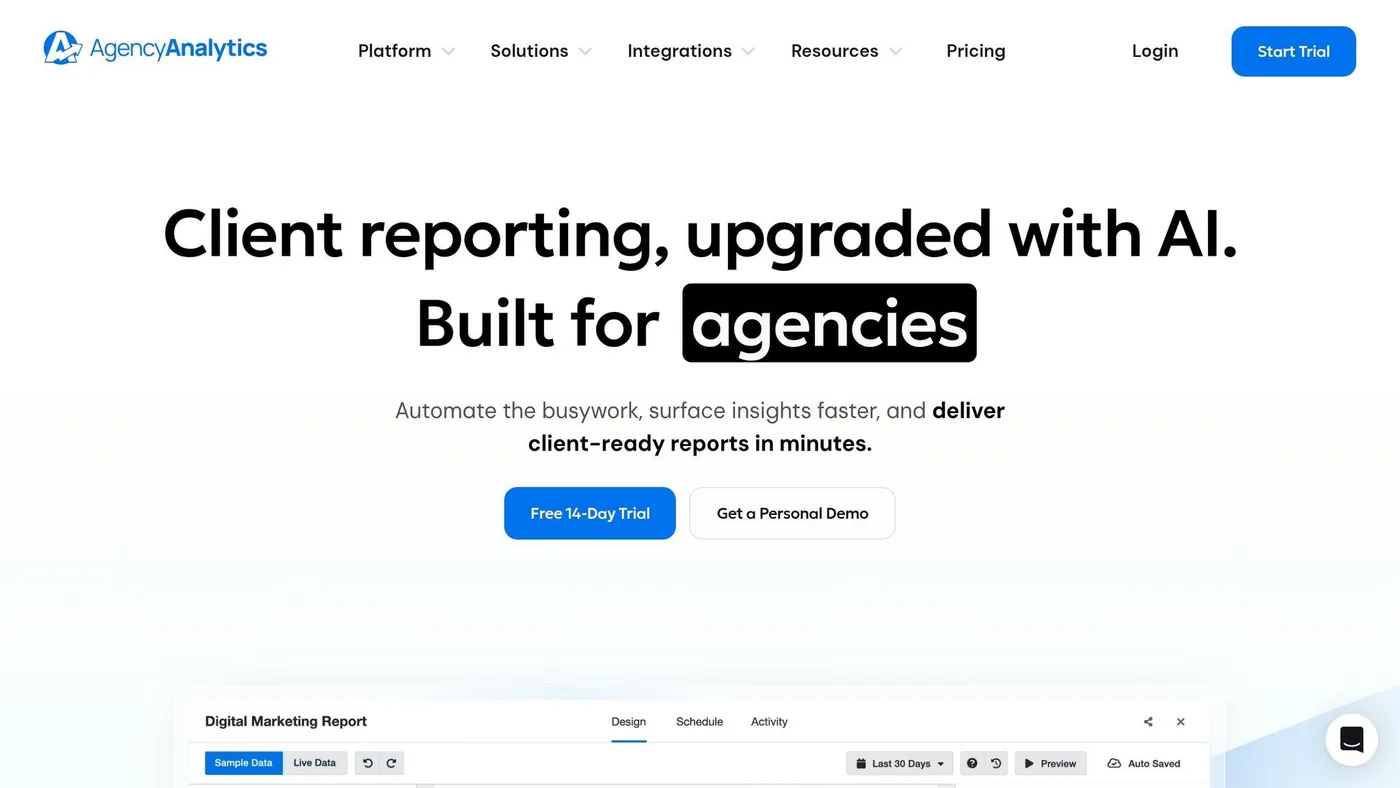
If your team needs a reporting hub more than a grid-based rank tracker, AgencyAnalytics leans hard into presentation. Instead of centering on local visibility analysis, it focuses on clean, client-ready reporting. The platform is built for agencies and pulls local SEO data from Google Business Profile, Google Search Console, GA4, and PageSpeed Insights.
Its automation tools are a big part of the appeal. Smart Reports use AI to write short performance summaries in about 11 seconds, which can save around 40 minutes per client each month. That works across GBP, GSC, and GA4 data, so location-level updates are ready to go without manual writing. For busy account teams, that’s a solid time-saver.
AgencyAnalytics also puts a lot of weight on branding and client access. It supports custom domains, branded mobile apps, branded SMTP delivery, and the removal of AgencyAnalytics branding. Clients get 24/7 access to live dashboards, and you can give separate login credentials to each client or location. So if the job is to present results clearly and keep everything under your brand, it does that well. It’s less focused on day-to-day local SEO work inside the tool itself.
There are a couple of trade-offs. Report templates need manual upkeep, and changes won’t roll out to every client report on their own. OAuth connections can also disconnect, so it’s smart to check integrations from time to time.
Pricing starts at $59/month when billed annually, with agency plans for 5, 15, 50+, or flexible per-client billing. Rank tracking costs extra and starts at about $41.67 per client/month for 500 keywords.
| Plan | Price | Clients | White-Label |
|---|---|---|---|
| Freelancer | $59/month billed annually | 5 minimum | No |
| Agency | $143/month billed annually | 15 | Yes |
| Agency Pro | $303/month billed annually | 50+ | Yes |
| Per-Client | $20/client/month billed annually | Flexible | Yes |
AgencyAnalytics makes the most sense for agencies handling roughly 5 to 30 clients that want one place for branded reporting. It supports both roll-up views across many locations and drill-down views for each site. If your main goal is polished reporting, it fits well. If you need deeper SEO execution, the next tool is a better match.
5. SE Ranking
For teams that want reporting and a broader SEO toolkit, SE Ranking goes in a different direction. It blends local rank tracking, listing management, scheduled reporting, site audits, and backlink monitoring in one platform. So if your team wants local SEO and standard SEO work under the same roof, this setup can make sense.
Core starts at $103.20/month with annual billing. It includes listing management across 100+ directories and rank tracking. Growth costs $223.20/month with annual billing and adds multi-project tracking plus integrations with GA4, GSC, and Looker Studio. The Agency Pack is $69/month with annual billing and adds full white-labeling, including custom logos, brand colors, a custom domain, and a branded client portal. Enterprise adds custom limits and API access. For reporting, that’s the big thing to check: does the dashboard setup and white-label layer fit how you present work to clients?
The drag-and-drop report builder can schedule PDF delivery daily, weekly, or monthly. It also pulls platform data together with GA4 and Google Search Console into one client report. That’s handy for agencies that need to show local SEO results and broader search performance side by side.
The Local Marketing add-on costs about $9 to $23 per location per month. There’s also one limit worth paying close attention to: grid tracking tops out at 9×9. If you work in dense city markets, that may feel a bit tight, so it’s smart to test whether that level of detail works for your team during the 14-day trial.
| Fit | Plan | Key Local Capability |
|---|---|---|
| Single-location business | Core | Listing management, 100+ directory sync |
| Small agency | Growth + Agency Pack | White-label portal, Looker Studio, scheduled reports |
| Multi-location brand | Enterprise | API access, GEO research, custom limits |
The main trade-off is pretty simple: the grid tracking isn’t as deep, and the reporting feels less refined than what you get from tools built mainly for local SEO reporting.
Best Fit by Business Type and Trade-Offs
After comparing the tools, the choice comes down to your business model and how much reporting detail you need. In practice, there are three main buyer groups: a single-location U.S. business owner, a small agency handling several local clients, and an enterprise or franchise brand running dozens or even hundreds of locations. Each group has its own budget limit, its own patience for setup, and its own reporting demands.
Single-location owners usually don’t need a huge feature set. Localo’s Single Business plan at $39/month keeps things simple, and its AI-driven task lists help reduce day-to-day guesswork. BrightLocal’s Track plan, also at $39/month, makes more sense if you want deeper rank tracking, review monitoring, and basic reporting in one place.
Small agencies face a more meaningful choice. AgencyAnalytics is built to cut down on manual reporting with Smart Reports and broad integration support. That makes it a strong option for agencies that need polished, branded client dashboards. BrightLocal is the better pick when citation audits and listing cleanup are a big part of the job, since you can spot and fix errors inside the same platform.
Enterprise and franchise brands need location-level filtering so teams can find weak-performing stores fast. Local Falcon’s 21×21 geo-grid is geared toward that kind of coverage, especially across dense service areas. If your team wants local reporting tied to a broader SEO platform, SE Ranking is a better match when local data needs to sit next to standard organic tracking.
| Tool | Best Fit | Setup Burden | Reporting Depth | Cost at Scale |
|---|---|---|---|---|
| BrightLocal | Small agencies / SMBs | Moderate | High (citations, reviews, audits) | Moderate (per-location) |
| Local Falcon | Service-area businesses | Low | Deep (21×21 geo-grids) | High (credit-based) |
| Localo | Solo owners / single location | Very low | Moderate (GBP-focused) | Low (costs rise at scale) |
| AgencyAnalytics | Small to mid agencies | Moderate | High (85+ integrations) | High (client-based flat fee) |
| SE Ranking | Agencies needing local + organic reporting | Moderate | High (local + AI search) | Moderate (tiered suite) |
AI visibility now plays into the reporting decision for 2026 buyers. SE Ranking includes AI Overview tracking in its current plans, which matters if you need to show the gap between standard organic traffic and search visibility across AI-driven results.
Pros and Cons
The side-by-side comparison above gives you the full picture. This snapshot narrows it down to the trade-offs that tend to matter most when it’s time to buy: reporting depth, automation, white-labeling, and scale.
Use the table below to compare the main trade-offs at a glance.
| Tool | Pros | Cons | Best For |
|---|---|---|---|
| BrightLocal | White-label reports from lower tiers; strong citation cleanup and review management | No backlink analysis; per-location costs rise with scale | Agencies focused on citation cleanup and reputation management |
| Local Falcon | Deep map visibility and shareable heatmaps; credit-based pricing can scale well | Google Maps only; no citations, reviews, or organic SEO | Service-area businesses and agencies focused on map visibility |
| Localo | Low cost at scale; AI-driven GBP task lists | Shallowest grid coverage; limited integrations | Solo operators and non-technical users |
| AgencyAnalytics | Broad integrations; fully white-labeled automated reports | No native local rank tracking; costs rise with more clients | Full-service agencies running mixed campaigns |
| SE Ranking | Local reporting inside a broader SEO suite; white-label available | Grid depth is standard, not specialist-level; higher plans get expensive | Agencies that want local reporting inside a broader SEO platform |
What usually tips the decision isn’t one feature on its own. It’s the mix. Do you need deep local grid data? Branded reports for clients? Or a broader SEO setup that also covers local?
The biggest trade-off here comes down to geo-grid depth versus reporting breadth. Local Falcon is the clear pick for map-level detail, but it stops there. You won’t get citations or organic rank tracking. AgencyAnalytics goes in the other direction. It gives you the broadest reporting view, but its local visibility data comes from third-party sources instead of native tools.
Pricing can also shift fast as you add more locations. That’s where pricing model matters more than people expect. Per-location billing can get expensive in a hurry, while credit-based or per-client pricing is often easier to budget for. That’s a big reason Local Falcon’s credit-based model and AgencyAnalytics’ per-client pricing can look better as account counts grow.
Conclusion
There’s no one-size-fits-all winner here. The best tool depends on what the business needs today, and what it’s likely to need next.
After comparing the options, the simplest way to narrow the field is to look at business size and reporting depth. Single-location businesses can start with Localo or BrightLocal. Agencies that need branded, automated delivery should go with AgencyAnalytics. Multi-location teams should decide based on whether they need deep geo-grid detail, broader SEO coverage, or location-level reporting.
The final choice comes down to five things: location count, automation, branding, integrations, and setup time. Per-location pricing can add up fast as locations grow, so it’s smart to run the numbers before committing.
Start with the reporting need that matters most: map visibility, citation health, white-label delivery, or broader multi-channel reporting.
FAQs
How do I choose the right reporting depth?
Choose reporting depth based on your workflow, business size, and client stage.
For prospecting, focus on pre-sales audits and narrative reports that spell out the local opportunity in plain English. That kind of reporting helps you show a lead what’s working, what’s missing, and where growth may come from.
For client work after the sale, you’ll usually want more detailed data. Think geo-grid rankings, citation health, and review signals. That’s the stuff that helps you track movement, spot issues, and show progress without hand-waving.
Enterprise teams often need both: a top-level view across many locations and location-by-location detail. API access matters too, especially if you want raw data exports or need to pull reporting into your own dashboard. The main idea is simple: match the level of detail to the job. Sometimes a high-level summary does the trick. Other times, you need the raw numbers.
Which pricing model is easiest to budget for?
Per-location pricing is usually the simplest option to budget for because you get a fixed cost for each location. That makes planning a lot easier. As you add more locations, your total cost can climb, but the upside is strong predictability.
Credit-based models give agencies more flexibility when monthly needs shift. The tradeoff is that you have to watch usage more closely. A smart way to compare the two is to look at your current location count and stack that against each pricing model to see which one lines up with your growth plans.
What setup issues should I check before buying?
Test the platform with your actual location data during the trial. That’s the simplest way to see how it performs under normal conditions, not just in a sales demo.
You’ll also want to check whether it can handle your current number of locations and still make sense as you grow. A platform that works for 20 locations but gets expensive or hard to move away from at 200 can turn into a headache fast.
Also check:
- integrations with your current tech stack
- white-label reporting options
- documented data de-personalization, change detection latency, and site-by-site citation coverage
Related Blog Posts

We research and organize marketing software around practical use cases. Product claims are included only when supported by available sources.
Read our editorial policy →Related guides

5 Best Competitor Analysis Tools for Content Marketers in 2026
Compare 5 competitor analysis tools for content marketers to uncover keyword gaps, backlinks, top pages, and new content opportunities.
Content Marketing Strategy eBook Template Guide
The short answer: pick the eBook template based on the job it needs to do. If your goal is leads, use a short layout with clear CTA blocks. If your goal is planning, use…
Best Shopify Apps for Content Marketers in 2026 (Top Picks Compared)
Creating content for a Shopify store is easier than turning that content into traffic and sales. The best Shopify apps for content marketers help optimize blog posts for search engines, automate email marketing, showcase…