
This article may contain affiliate links. We may earn a commission at no additional cost to you; this does not determine our editorial conclusions.
AI A/B testing tools help me run more tests with less manual work. In this article, the main takeaways are simple: AI can build page variants, set up tests, shift traffic to pages that are doing better, call winners earlier, personalize by visitor, and turn messy test data into plain-English reports. The best tools also add privacy controls and brand checks so marketers can move without waiting on developers.
Here’s the short version:
- AI variant generation: turns one page idea into multiple test versions
- Template-aware editing: changes copy inside set page blocks without breaking layout
- Guided setup: helps me launch tests step by step
- Traffic routing: sends more visits to versions that are doing better
- Early winner calls: helps cut test time
- Personalization: shows different variants to different visitors
- Funnel testing: looks at more than one page or step
- Auto reporting: explains results in simple language
- Privacy controls: supports cookieless tracking, GDPR, and CCPA needs
- Brand checks: blocks off-brand or risky copy before launch
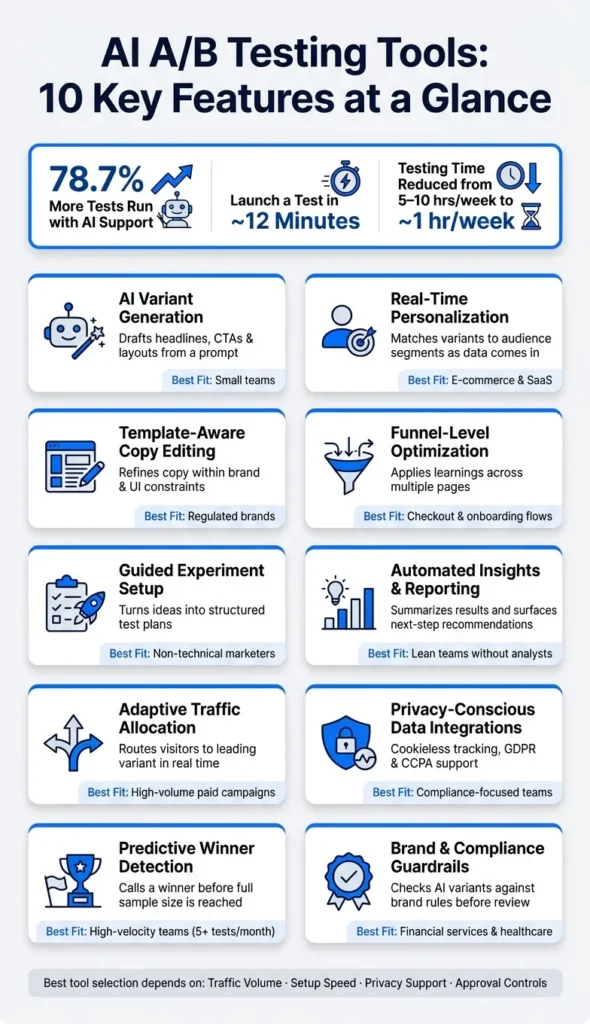
A few numbers stand out: teams using AI support run 78.7% more tests, some tools can launch a test in about 12 minutes, and AI-assisted setup can cut weekly testing work from 5–10 hours to about 1 hour.
A/B Testing with AI: Automate & Optimize Your Experiments 🚀
sbb-itb-645e3f7
Quick Comparison
| Feature | Main job | Best use |
|---|---|---|
| AI variant generation | Drafts new test versions from prompts | Small teams that need more test output |
| Template-aware editing | Rewrites copy inside page sections | Teams using page builders |
| Guided setup | Walks users from idea to launch | Marketers without dev help |
| Traffic routing | Shifts visits toward better variants | Paid traffic and higher-volume pages |
| Winner detection | Flags likely winners early | Teams running lots of tests |
| Personalization | Matches variants to each visitor | SaaS and e-commerce brands with mixed traffic |
| Funnel optimization | Tests multiple steps together | Checkout, forms, and onboarding flows |
| Auto reporting | Summarizes results and next steps | Lean teams using quality content marketing tools |
| Privacy integrations | Connects analytics and revenue data with lower data risk | Teams with compliance needs |
| Brand guardrails | Checks claims and locked fields before publish | Regulated industries |
If I were picking a tool, I’d look at four things first: traffic volume, setup speed, privacy support, and how much control the team needs before changes go live.
Why Template-Based AI Testing Works for Marketers
Most landing page builders – think lead-gen pages, checkout flows, and demo request pages – already run on reusable templates with modular sections. You’ve got a hero block, a features row, and a CTA strip. Template-based AI testing fits right into that setup.
Instead of building a separate codebase or sending in a dev ticket, marketers can switch variants inside the visual editor itself. That can shrink test setup from weeks to minutes. Put simply, this kind of testing matches the tools marketers already use.
AI-driven tools can launch a full A/B test in as little as 12 minutes. And they work best for the parts marketers control every day, like copy, headlines, forms, and CTAs in the editor. Server-side logic, feature flags, and pricing changes are still jobs for developers.
There’s also the design-safety issue. If marketers can change pages without a developer watching every move, what keeps the layout from breaking? Modern tools deal with that through guardrails like conflict detection, edge delivery that applies changes before the page loads, and responsive defaults that help keep layouts intact across devices. A marketer can describe a change in plain language, and the AI will generate a variant that stays inside the layout’s functional limits.
Tools like Leadpages‘ Smart Traffic take this a step further. They send most traffic to the top-performing variant while still testing other options. That means you’re not stuck in a rigid 50/50 split while waiting around for a winner to emerge.
| Factor | Template-Based AI Testing | Custom Server-Side Testing |
|---|---|---|
| Setup time | ~12 minutes | 12–16 weeks |
| Primary user | Marketers | Developers |
| Scope | Visual and copy changes | Server-side logic and pricing |
| Traffic optimization | Real-time AI routing via multi-armed bandits | Statistical significance, often with a 50/50 split |
Those upsides show up in the feature set: faster variant generation, safer edits, smarter traffic routing, and clearer reporting.
1. AI-Driven Variant Generation
Building test variants is often the biggest time sink in A/B testing. AI cuts a lot of that drag. It lets marketers turn one idea into several test-ready versions without waiting on design or development. In plain terms, you can start with one landing page template and spin up multiple copy and layout options from it.
Copy and Template Automation
Modern tools make this pretty simple. You describe the change in plain English, and the tool applies it inside the template editor. For example, you might type “make the headline focus on speed” or “add urgency to the CTA,” and the editor handles the update.
And it doesn’t stop at swapping headlines. AI can also reshuffle page sections, replace images with video, or move testimonials above the fold. That matters because many tests aren’t about one line of copy. They’re about changing how the whole page feels and what the visitor sees first.
Some platforms add another layer with context-based suggestions. VWO‘s Editor Copilot is a good example. It looks at your first manual change to a variation, then suggests several similar options that match the same hypothesis. In other words, you make the first move, and the tool helps you branch it into more versions. It works best after that first manual edit.
Some tools also generate code and check it before launch for compatibility, conflict detection, and flicker prevention.
The time savings can be big. AI-powered experiment creation can cut weekly testing work from 5–10 hours to about 1 hour. That’s a big deal when only about 33% of A/B tests at Amazon historically show positive results. More tests usually mean more chances to find something that works.
That said, speed needs guardrails. A good rule is to limit tests to 3–4 AI-generated variations at a time so your statistical read stays cleaner. It also helps to preview each variant before launch. AI can move fast, but the output still depends a lot on the prompt you give it.
2. Template-Aware Copy Editing
After AI spits out a few versions, template-aware copy editing helps keep each one on-brand and safe for the page design. The goal is simple: let AI change a headline, button, or text block without messing up the template. The edit stays locked to the selected component, so nearby spacing and layout don’t get thrown off.
Localized Copy Changes
Click on a page element, give the AI a prompt like “Make this CTA more direct,” and it rewrites only that section while scanning your pages to match tone and context. A lot of tools connect with WordPress builders, so marketers can edit headers, footers, and content blocks right where they sit on the page.
It’s smart to preview AI-written copy on desktop, tablet, and mobile. Even a small change in text length can nudge nearby elements out of place.
Once the copy looks stable, guided setup can turn the edited variant into a live test. This process is similar to ad creative testing where iterative changes drive performance.
3. Guided Experiment Setup
Once the copy is ready, guided setup turns it into a live test. That helps marketers go from edit to launch without waiting on a developer.
Inside the template editor, guided flows walk non-technical users through a clear path: enter a URL, generate hypotheses, create variants, pick a goal, and launch.
Goal selection gets simpler when AI reviews your page structure and content, then suggests primary and secondary metrics that fit the test. That can include form submissions, clicks, purchases, or “Add to Cart” events. You can review the setup before launch and approve it yourself. And with visual click pickers, teams can set goals without writing code.
Audience targeting follows that same guided approach. In the visual editor, flows can set segments automatically based on geography, device type, UTM source, referrer, and time of day.
AI-powered setup can trim experiment configuration time by about 4.5 hours per test by automating setup and code.
Pre-Launch QA
Pre-launch QA checks for overlapping experiments, CSS conflicts, and flicker. Some tools also use zero-flicker edge delivery, so changes load cleanly from the start.
Once the test is live, traffic routing decides which variation gets more exposure.
4. Adaptive Traffic Allocation
After setup, traffic allocation shapes two things right away: how fast the tool learns and how much budget each variant receives. Instead of sticking with a fixed split until the test ends, adaptive allocation shifts traffic toward better-performing variants in real time. That means fewer visitors get sent to a lower-performing version while the test is still live.
How It Works
Most tools use a multi-armed bandit model to move traffic toward stronger performers as results come in, often with Thompson Sampling to weigh incoming conversion data on a continuous basis. In plain English, the system sends most traffic to the variant that looks best right now, while still giving a smaller share to the others so it can keep learning. Leadpages‘ Smart Traffic, for example, updates routing every 5 minutes.
Some tools take this a step further and route traffic based on audience signals, not just top-line performance. Contextual bandits can adjust routing by device type, traffic source, geography, or time of day instead of treating every visitor the same. The starting line isn’t the same across platforms, though. Some begin after about 30 visitors per variant, while others wait for 100+ visitors and 24 hours before auto-promoting a winner.
This works especially well for template-based assets like headlines, CTAs, and forms. Small copy changes can lead to very different results across traffic segments, so sending everyone down the same path can leave money on the table.
Auto-Promotion
Once a variant hits 95% statistical confidence, the system can automatically promote it to 100% of traffic and generate a new challenger so the optimization loop keeps going.
There’s one catch: checking results too early can fool you. To cut down on false positives, better tools use sequential testing frameworks and confidence sequences. Without those controls, daily peeking can push false positive rates from 5% to roughly 17%.
Once traffic is routed well, the next step is knowing which variant will win.
5. Predictive Winner Detection
Once traffic starts shifting in real time, the next question is simple: when do you stop the test?
Waiting for full statistical significance can take a while. Predictive winner detection cuts that wait by using AI to spot a likely winner earlier. It watches results as they come in and applies sequential tests like SPRT to flag a likely winner before a fixed sample size is reached. Some platforms take a tiered route: they mark an early signal for directional guidance, then confirm a winner once the test reaches a higher session threshold. That gives marketers something they can act on without locking in a decision too soon.
The big risk here is peeking. If you check results too often, false positives can creep up. That’s why good tools rely on sequential methods and variance reduction to keep early calls steady. Netflix, for example, uses confidence sequences to monitor tests in real time and stop experiments early without inflating false positive rates. In template-based testing, where copy and layout variants can trigger fast shifts for certain segments, stop rules matter just as much as speed.
Past experiments can also help train the next one. Experiment Intelligence feeds prior results back into the model, which helps improve future winner calls across tests.
6. Real-Time Personalization
Winner detection tells you which variant comes out on top. Personalization handles something different: which visitor should see which version.
Put simply, winner detection asks which variant wins overall. Personalization asks which version is most likely to work for this visitor, right now.
Static splits aim at the average visitor. Personalization does not. It routes each session to the variant most likely to convert. That gap matters a lot for template-based elements like headlines, CTAs, hero blocks, and form copy. A headline that works best on mobile may fall flat for someone browsing on desktop.
How well this works comes down to two things: signal strength and response speed. Tools read live session inputs such as device type, location, scroll depth, and click patterns, then match each visitor to the most relevant variant. AI can also use live behavior signals like scroll depth and click sequences to adjust copy or templates in real time. In short, these systems use visitor signals to pick the best-fit variant for each session.
There’s a catch. Personalization needs enough traffic to learn from behavior. Below about 1,000 monthly sessions, there usually isn’t enough signal for reliable routing.
Delivery speed matters too. Variants should be served at the edge before render so visitors don’t see flashes or layout shifts. The goal is to apply changes in under 100 ms. Some tools also keep returning visitors on the same variant without cookies.
7. Funnel-Level Optimization
Once routing starts improving single variants, the next move is to tune the whole journey. Funnel-level optimization links the landing page, form, and checkout into one testable path. With template-based landing pages, that usually means testing the hero, form, and checkout flow as one connected system.
The idea is pretty simple: a win on one step should shape what you test on the next step. This matters most when people leave at more than one point in the funnel. AI tools can spot where visitors drop off and apply fixes aimed at those exact moments, like shorter forms or copy that removes friction. After you fix the biggest leak, you can use the same approach across forms, checkout, and ad-to-page message match.
More advanced systems can also manage multi-step form logic, ad-to-page message matching, and CRM-connected tracking that tunes for revenue, not just clicks. Start with the step that has the highest drop-off, then work your way upstream.
8. Automated Insights and Reporting
Once traffic is routed, reporting is where raw test output turns into a decision. Teams don’t just need numbers. They need fast, readable takeaways they can act on. AI-powered reporting tools turn messy test data into plain-language summaries that spell out what changed, what drove the lift, and what the team should do next.
“AI Insight: Benefit-led headline drove 2.4× more engagement from new visitors. Recommend deploying to 100%.”
That kind of summary cuts out a lot of manual digging. Instead of pulling charts apart line by line, teams can see the main point right away.
Automated winner calls trim down another manual task. Some tools flag a partial winner at 10,000 sessions and a full winner at 100,000 sessions, which helps teams avoid acting on thin data.
The what-if comparison view also makes results easier to explain. Leadpages shows what would have happened in a standard A/B test next to the AI-routed result. That gives stakeholders a familiar A/B-test frame for looking at lift, instead of asking them to trust a black box.
Clean reporting still depends on clean, controlled inputs. A few controls help keep the data in check:
- Adaptive statistical engines: Tools automatically choose the best-fit statistical model for the data pattern instead of using the same calculation every time.
- 24/7 anomaly alerts: AI tools flag performance dips or data irregularities in real time rather than waiting for someone to spot them in a manual review.
9. Privacy-Conscious Data Integrations
Reporting falls apart fast when the data layer brings compliance risk with it. For U.S. visitors and global traffic, AI testing tools need to handle data collection with CCPA and GDPR in mind.
Once reporting is in good shape, the next step is simple: make sure the data flow is compliant.
Analytics
For template-based pages, privacy-safe analytics help keep pages fast while still giving teams control. One big change is cookieless assignment: use persistent variant assignment across sessions without third-party cookies. Many platforms run scripts at the edge to limit data exposure and avoid layout shifts. Some also run their stats engines server-side, which cuts down on client-side processing. Script size can be as small as 5 KB to 31 KB.
Integrations
You can pull behavior and revenue signals from GA4 and Stripe without storing PII. In practice, first-party data does most of the work. Signals like bounce rate, scroll depth, device type, and UTM source can feed the model while keeping sensitive records out of the workflow.
After the data stays clean, governance helps make sure the AI doesn’t misuse it.
Governance
Governance is the last control layer before launch. PII sandboxing keeps AI away from sensitive data layers. Teams should also be able to show and edit every line of AI-generated JavaScript before deployment. Human approval workflows add one more check, while automated conflict detection helps stop overlapping experiments from breaking site function.
These guardrails make it easier for nontechnical teams to launch tests without putting compliance or layout integrity at risk. When comparing tools, look for:
- SOC2 and ISO 27001 certifications
- Native GDPR and CCPA support
The final layer is brand and compliance control.
10. Brand and Compliance Guardrails
Once data and access are under control, one last risk remains: AI-written copy that drifts outside brand rules or legal limits. In template-based testing, the fix is pretty simple. Keep AI boxed into approved fields and pre-cleared claims. This level of control is essential when using automated content creation tools to maintain quality.
Copy and Template Automation
The best tools check each variant against brand and compliance rules before it reaches review. Persado, for example, uses specialized AI agents for performance, brand, and compliance, trained on over a decade of compliance officer feedback.
Template control follows the same idea. Persado connects with ESPs like Salesforce Marketing Cloud and Braze, and the AI can fill only approved slots while fixed brand elements stay locked. That matters because the win comes from catching problems early, not cleaning them up after send.
Use hard rules instead of soft prompts. Require disclosures. Block banned phrases. Lock approved claims. Persado’s compliance engine is mapped to more than 20 regulatory rules and is designed to reduce compliance risk across automated CRM optimization deployments.
Governance
Once generation is boxed in, review no longer needs to happen at the variant level. The focus moves to the approved library behind the output. Governance shifts from checking every single variant to approving a pre-cleared content library, which cuts repeat legal review and saves time at scale.
When legal signs off on a set of cleared headlines, images, and CTAs, marketers can mix and match inside those limits without triggering one-off re-approvals.
Feature Comparison at a Glance
Use this table to match each feature to its job, payoff, and best use case. Here’s the quick comparison.
| Feature | What It Does | Why It Matters | Best Fit |
|---|---|---|---|
| AI Variant Generation | Drafts headlines, CTAs, and layouts from a prompt | 78.7% more tests, 53.7% faster | Small teams |
| Template-Aware Copy Editing | Refines copy within brand and UI constraints | Keeps variants on-brand without a full creative review | Regulated or strict brand environments |
| Guided Experiment Setup | Turns a rough idea into a structured test plan | Reduces setup mistakes before launch | Non-technical marketers |
| Adaptive Traffic Allocation | Routes visitors to the leading variant in real time | Reduces wasted spend on underperforming variants | High-volume paid campaigns |
| Predictive Winner Detection | Calls a winner before full sample size is reached | Cuts test duration without sacrificing accuracy | High-velocity teams running 5+ tests per month |
| Real-Time Personalization | Matches variants to audience segments as data comes in | Moves beyond one-size-fits-all testing | E-commerce and SaaS teams with diverse traffic |
| Funnel-Level Optimization | Applies learnings across multiple pages | Compounds gains across the full customer journey | Teams optimizing checkout or onboarding flows |
| Automated Insights and Reporting | Summarizes results and surfaces next-step recommendations | Replaces manual analysis for lean teams | Lean teams without a dedicated analyst |
| Privacy-Conscious Data Integrations | Connects test data with revenue attribution and cookieless measurement | Keeps AI features functional as cookies deprecate | Teams that need revenue tracking and privacy-safe measurement |
| Brand and Compliance Guardrails | Checks AI variants against brand rules before review | Catches issues early and reduces review cycles | Financial services, healthcare, and regulated industries |
Two features often get lumped together, but they do different jobs.
- Adaptive traffic allocation shifts more visitors to the best-performing variant while the test is still running. That helps cut wasted spend.
- Predictive winner detection ends the test earlier once the result is clear. That helps save time without giving up accuracy.
The right mix depends on your traffic volume and what you’re trying to learn. For paid landing pages, adaptive traffic allocation can cut wasted spend per visit. But for bigger calls, like pricing changes or major UX tests, a fixed 50/50 split is often the better fit.
Next, compare analytics, privacy, and stack compatibility.
Analytics, Privacy, and Stack Compatibility
Check reporting, privacy, and integrations before you pick a tool. For template-based landing pages, make sure it reports by variant and by audience segment. You want to see CR, AOV, revenue, and segment breakdowns across device, channel, and audience.
Don’t stop at conversion numbers. Look at key A/B testing metrics like CTR, bounce rate, scroll depth, and exit rate too. Those metrics help explain why one variant beat another, not just the fact that it did. Once the reporting looks solid, move to the data side of the setup.
Verify CCPA, GDPR, data residency, SOC 2/ISO 27001, and cookieless measurement support. AI-generated variants still need a compliant data setup, and this is not the place to wing it. After that, check whether the tool fits the stack you already use.
It should connect to the systems that already track conversions and handle follow-up. And check the API closely: it should be able to launch tests, not just read them. A read-only API boxes AI agents into reporting instead of active experimentation.
Where to Find AI Testing and Conversion Tools
Use the feature checklist above to cut the tool list down fast. The simplest move is to use that checklist to filter directories by the features that matter most to you. Content and Marketing is a curated directory for marketers looking into AI writing and conversion tools. Its categories help you sort tools by use case instead of checking every option one by one.
When you browse, start with automation level. Tier 1 tools chat, Tier 2 tools suggest hypotheses, and Tier 3 tools run the full experiment. That step helps you build a shortlist of tools that support template-based testing, not just general copy generation.
It also helps to scan for labels like Smart Traffic and cookieless tracking so you can spot tools that fit your privacy and traffic allocation needs fast. And if price is a factor from the start, compare subscription plans against usage-based pricing before you narrow the list further.
Conclusion
For marketers using template-based landing pages, the best AI A/B testing tools come down to speed, control, and measurable lift. The strongest options bring content generation, routing, reporting, privacy, and guardrails into one place. But that mix only matters if it lines up with what your team is trying to do.
Start with the job you need the tool to handle. Maybe that’s conversion lift. Maybe it’s launch speed. Maybe your main headache is stakeholder reporting. The best pick is the one your team can get live without developer help.
Traffic volume also sets the ceiling on how much AI can do for you. Advanced automation needs enough visits to learn and adjust with confidence. Below 50,000 monthly visitors, the ROI often starts to fall off.
If your team needs a human sign-off before anything goes live, pick a tool with approval controls. If you want full automation, go with one that can run tests from start to finish. And if you work under GDPR or CCPA, cookieless tracking by default isn’t a nice extra. It’s the baseline.
Use those filters together, not one at a time. The aim is simple: run more tests, learn faster, and stack gains over time. No tool works for every team. The right platform fits your goals, traffic, approval process, and reporting needs.
FAQs
How much traffic do I need for AI A/B testing?
AI A/B testing usually needs about 10,000 monthly visitors to work well.
If you’re trying to spot smaller effect sizes, you’ll usually need more data.
When should I use AI routing instead of a 50/50 split?
Use AI routing instead of a 50/50 split when your goal is to get more conversions by sending each visitor to the version they’re most likely to respond to based on their signals.
This works especially well when you have multiple variants and a lot of traffic. Rather than burning visits evenly across every option, AI routing shifts traffic toward the versions that are doing better as data comes in, which can improve results in real time.
Can AI A/B testing work without developer support?
Yes – on some platforms, AI A/B testing can work without developer support. That’s most common with tools built around AI agent-native workflows.
For example, Humblytics supports end-to-end test launches without a dashboard or developer involvement. CROforce also lets teams build variations and run tests without dev help.
Related Blog Posts
- 10 Best A/B Testing Analysis Tools 2024
- 5 AI Tools for A/B Testing in 2024
- How A/B Testing Improves Landing Page Conversions
- Best AI Copywriting Tools for A/B Testing
Automation does not replace a valid experiment
AI can speed up variant creation, audience selection, traffic allocation and reporting, but it cannot repair a weak hypothesis or unreliable tracking. Define the expected behavior change, primary success metric, guardrail metrics and stopping rule before launching a test. Keep the original experience available as a control and document every material change between variants.
When comparing platforms, ask how statistical confidence is calculated, how repeated testing is handled, whether traffic allocation changes during the experiment, and whether the tool can explain why a winner was declared. Review consent, data retention and access controls before sending customer or behavioral data to a new platform. Automated copy should pass the same brand, accessibility and factual review as manually written content.
Related reading: 10 A/B testing analysis tools and best AI copywriting tools for A/B testing.
Continue with the content marketing tools stack guide.

We research and organize marketing software around practical use cases. Product claims are included only when supported by available sources.
Read our editorial policy →Related guides

5 Best Competitor Analysis Tools for Content Marketers in 2026
Compare 5 competitor analysis tools for content marketers to uncover keyword gaps, backlinks, top pages, and new content opportunities.
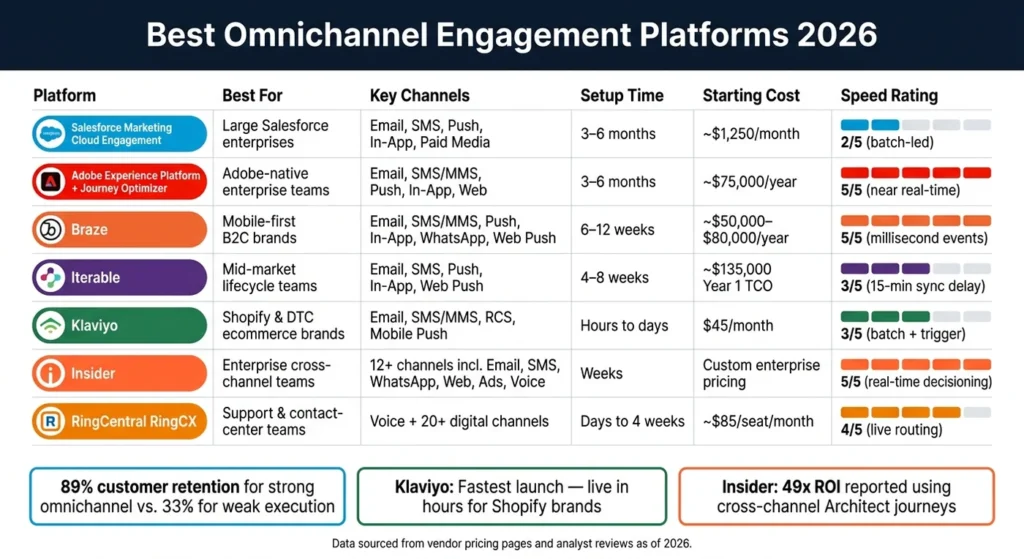
Best Omnichannel Engagement Platforms 2026
If you pick the wrong platform, you can waste months on setup and still miss the channels your team needs or fail to optimize AI based copywriting for SEO to engage them. The shortlist…
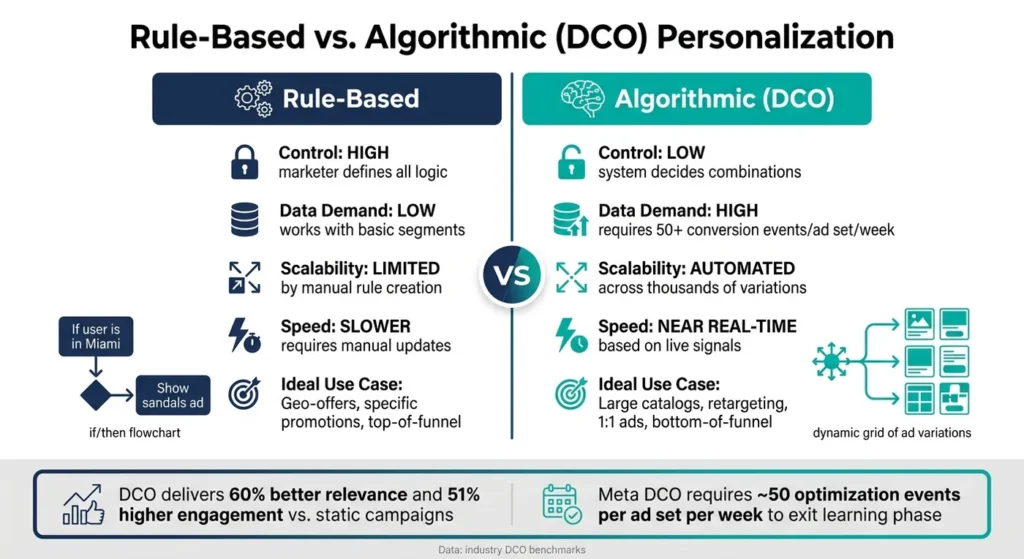
Ultimate Guide to Personalization in Display Ads
Personalized display ads can lift CTR by 34% and cut CPA by 38% when the setup is clean. My take is simple: if I want personalization to work, I need three things in place…