Looking to save time and boost engagement during seasonal campaigns? Social media scheduling tools can help you plan, create, and publish posts aligned with holidays, events, and trends. Tools like Buffer, Hootsuite, Sprout Social, and Canva offer features such as AI-driven post timing, bulk scheduling, and analytics to maximize your reach.
Key Highlights:
- Buffer: Free plan for small creators; advanced AI for optimized posting times.
- Hootsuite: Ideal for large-scale campaigns with bulk scheduling and competitor tracking.
- Sprout Social: Offers ROI tracking and detailed analytics for professional teams.
- Canva: Combines design and scheduling for visually appealing seasonal posts. For automated visual generation, Predis.ai is another powerful option for social media success.
- SocialBee: Focuses on content categorization and evergreen recycling.
- Adobe Express: Free scheduling with integrated design and AI tools.
Each platform offers unique features, pricing, and analytics capabilities to match different needs, similar to other quality content marketing tools. Whether you're a solo marketer or part of a large team, choosing the right tool depends on your goals, budget, and preferred workflow. Below is a quick comparison to help you decide.
Social Media Managers...Do THIS for Your Holiday Strategy to WIN.
sbb-itb-645e3f7
1. Content and Marketing
Content and Marketing brings together key marketing tools with features designed for seasonal campaigns. It offers bulk scheduling to plan hundreds of posts at once, evergreen campaigns that reuse your best-performing content, and an AI-powered assistant that helps generate content marketing ideas, craft captions, suggest hashtags, and even create custom images. Let’s take a closer look at its multi-channel support capabilities.
Platform and Channel Support
The platform includes a centralized dashboard for planning and scheduling posts across multiple channels. Whether you're focusing on Facebook, Instagram, LinkedIn, or newer platforms, it ensures your seasonal campaigns are rolled out seamlessly across all your chosen networks.
Pricing and Plan Flexibility
Seasonal campaigns come with pricing options tailored to different needs. Content and Marketing offers tiered plans suitable for solo creators, small teams, and agencies. Plus, there’s a 14-day free trial, so you can test features like bulk scheduling and evergreen campaigns before committing to a plan.
Analytics and Performance Insights
Timing is everything for seasonal campaigns. The integrated analytics dashboard helps you track engagement rates, pinpoint the best times to post, and measure how your content performs during major holidays or trending events. This data allows you to fine-tune your seasonal strategy for better results.
2. Buffer
Buffer is a favorite among creators, small businesses, and marketers, with over 190,000 users relying on it monthly. It’s a go-to platform for scheduling seasonal content, thanks to its intuitive tools like a visual content calendar with drag-and-drop functionality. This makes it simple to reschedule holiday posts and adjust strategies as needed.
Seasonal Scheduling and Automation Features
Buffer offers a 2026 calendar that highlights major holidays and monthly themes. Its AI Assistant can help generate holiday content ideas, rephrase text, and even repurpose older posts for fresh engagement. The Create Space feature is particularly useful for storing holiday drafts and ideas before they’re ready to be scheduled.
Smart Scheduling is another standout tool, using platform-specific engagement data to recommend the best posting times. By leveraging z-scores, it ensures fair comparisons between different platforms. Users can upload seasonal content in bulk via CSV files or asset folders. Paid users enjoy the ability to queue up to 5,000 posts at once, while free accounts are limited to 10 posts per channel.
Platform and Channel Support
Buffer supports 11 social media platforms, including Facebook, Instagram, TikTok, LinkedIn, Threads, Bluesky, YouTube Shorts, Pinterest, Google Business Profile, Mastodon, and X (formerly Twitter). Each channel can be customized with its own timezone and posting schedule, and the platform automatically adjusts for Daylight Savings. With a 99% post reliability rate, Buffer users collectively publish over 7.8 million posts in a single month. This extensive channel support makes Buffer a flexible choice for a variety of users, especially when following a content marketing planning tool selection guide to find the right fit.
Pricing and Plan Flexibility
Buffer’s Essentials plan starts at $6 per channel per month ($5 when billed annually). Volume discounts are available for larger accounts: channels 11–25 cost $4 each, channels 26–50 drop to $3 each, and channels 51+ are priced between $1–2 each, depending on the plan. Nonprofits also benefit from a 50% discount. The Free Plan includes up to 3 channels and allows for 10 scheduled posts per channel.
Analytics and Performance Insights
Buffer’s analytics provide insights into engagement rates and how content performs during holidays or trending events. The Campaign Tags feature (formerly known as Campaigns) helps users organize and filter seasonal campaigns to track specific holiday performance. Paid plans unlock advanced analytics and branded reports, while the Free Plan offers basic analytics covering the last 30 days.
"With Buffer I'm able to save approximately 4-5 hours every week, granting me the freedom to dedicate more of my valuable hours to other important tasks and projects." - CherRaye Glenn-Flowers, Brownce
3. Hootsuite
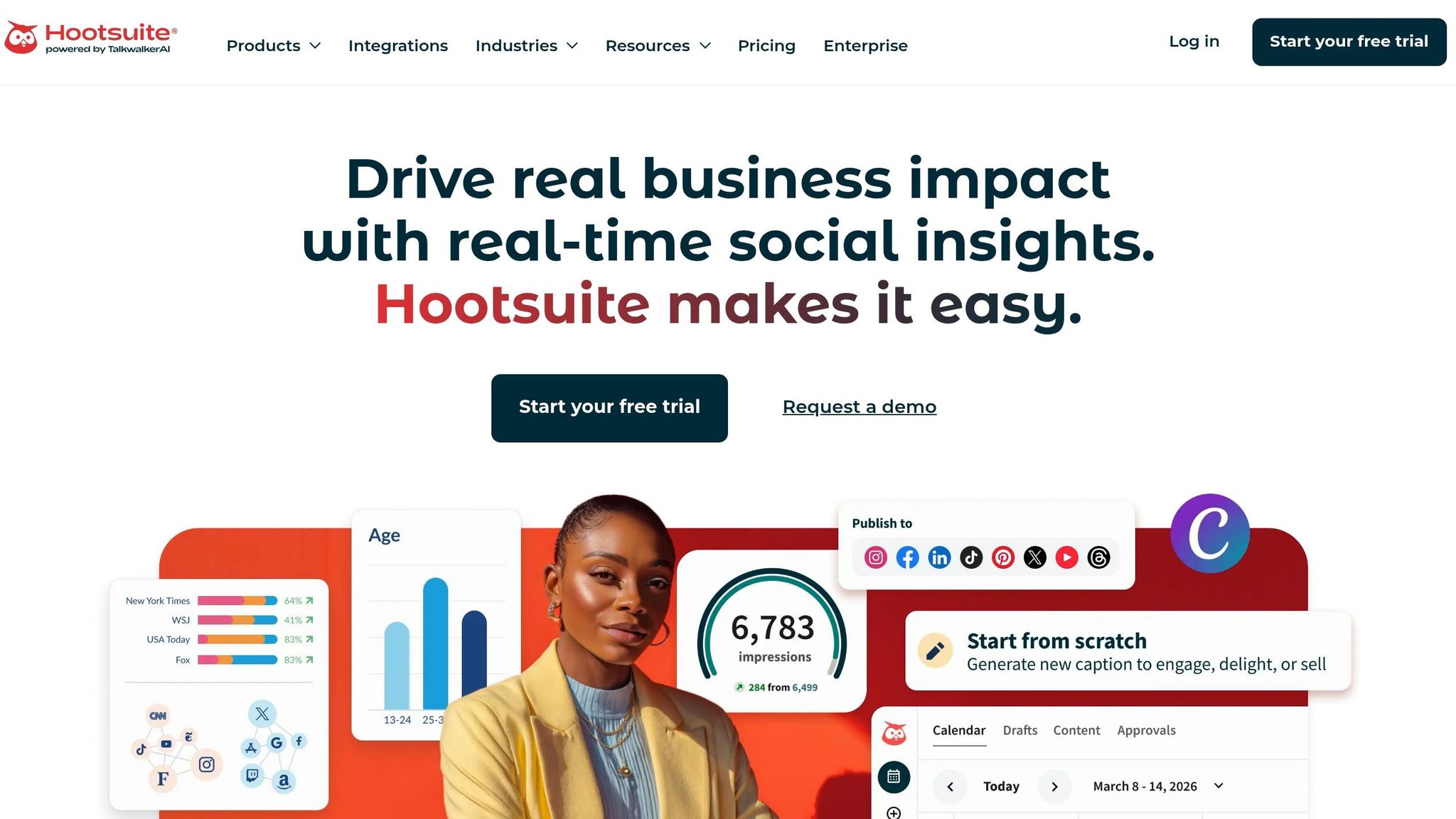
Hootsuite continues to shine when it comes to managing seasonal content, leveraging advanced AI and automation to simplify campaign management. With over 25 million users and recognition as G2's #1 Best Software Product in 2026, it’s a go-to platform for handling large-scale seasonal campaigns across multiple channels. Its tools are tailored to holiday campaigns, allowing for quick adjustments and precise scheduling.
Seasonal Scheduling and Automation Features
Hootsuite’s OwlyWriter AI is a time-saver during busy holiday seasons, generating holiday-specific content on demand. The Content Library adds another layer of convenience by letting users set expiration dates for visual assets - so you won’t accidentally post Valentine’s Day graphics in March. Bulk upload and scheduling features, including CSV support, make planning extensive campaigns a breeze [35,36]. Plus, the platform’s "Best Time to Post" recommendations ensure your seasonal content reaches audiences at the perfect moment. Another handy feature is the campaign suspension option, which allows you to pause all scheduled posts instantly in case of an unforeseen crisis. These automation tools work seamlessly across all supported social channels.
Platform and Channel Support
Hootsuite is built to meet the ever-changing demands of seasonal social media marketing. It supports all major platforms, including Instagram (Posts, Stories, Reels), Facebook, X (Twitter), TikTok, YouTube, Pinterest, LinkedIn, Threads, and Bluesky [35,36]. From a single screen, you can customize posts for multiple platforms, and the platform integrates with over 100 apps like Canva, Adobe Express, and Salesforce. Real-world success stories highlight its impact: candy-maker Stuckey's boosted online sales by 750% using Hootsuite, while DaVita, a healthcare company, saved $1.5 million in ad value by leveraging Hootsuite Amplify for employee advocacy.
Analytics and Performance Insights
Hootsuite’s analytics take seasonal campaign management to the next level. The platform tracks hundreds of metrics beyond native analytics, including engagement rates, reach, clicks, and video views. Its competitive benchmarking tool lets you monitor up to 20 competitors, while industry benchmarking helps you evaluate your performance against sector norms. For deeper insights, Hootsuite integrates with Google Analytics 4 and Adobe Analytics, connecting social media efforts directly to web traffic and ROI [44,41]. Meanwhile, custom tags and color-coded features in the Hootsuite Planner ensure a balanced mix of seasonal content [33,40].
"The analytics dashboard is … invaluable! Hootsuite dashboards provide a birds-eye view on the performance of our many social campaigns. We can quickly analyze the results and create reports at the click of a button."
- Slade Meadows, Digital Marketing Manager, Classic of Denton
Pricing and Plan Flexibility
Hootsuite offers options to fit various needs. The Standard plan costs $159/month (billed annually) and includes one user and 10 social accounts. For $339/month (billed annually), the Advanced plan offers unlimited social accounts and bulk scheduling for up to 350 posts. Enterprise pricing is customized and includes advanced features like social listening, employee advocacy tools, and AI chatbots. Teams can save 25% by choosing annual billing upfront instead of a 30-day trial. These plans are designed to scale with your team, making it easier to manage seasonal campaigns without a hitch.
4. Sprout Social
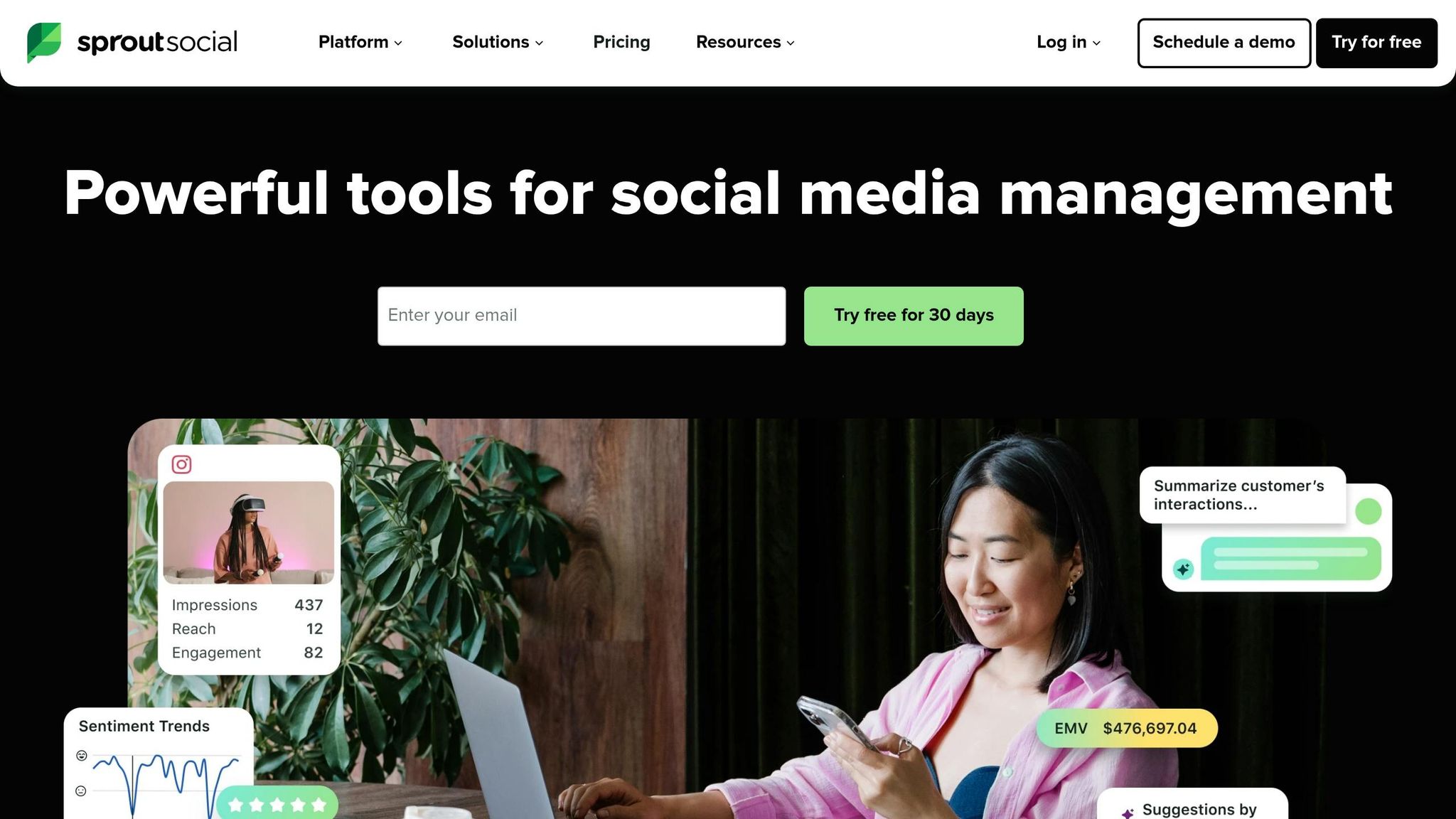
Sprout Social is a robust platform tailored for teams managing large-scale seasonal campaigns. It delivers an impressive 268% ROI over three years, generating $1.31 million in benefits while processing 600 million messages daily. Its tools are designed to help marketers tap into seasonal trends effectively.
Seasonal Scheduling and Automation Features
Sprout Social’s Campaign Planner simplifies organizing holiday campaigns, allowing users to group related content - like Black Friday and New Year’s promotions - into a single campaign. The ViralPost® feature leverages machine learning to analyze 16 weeks of audience data, automatically scheduling posts for peak engagement times. This has led to up to a 60% increase in reach for some users. For unexpected crises during sensitive holiday periods, the Pause All Outgoing feature halts all scheduled posts immediately. Additionally, the platform supports bulk scheduling, letting users upload up to 350 posts at once via CSV - perfect for content-heavy seasons.
"The scheduling calendar lets me plan content a week or more in advance."
- Assunta Catalano, Social Media Manager, KISS
Platform and Channel Support
Sprout Social integrates seamlessly with major social networks, including Instagram, Facebook, LinkedIn, TikTok, X (Twitter), Threads, Pinterest, YouTube, Google Business Profile, and Bluesky. Its unified content calendar features a user-friendly, color-coded, drag-and-drop interface for easy visualization across channels. Meanwhile, the Asset Library serves as a centralized repository for pre-approved seasonal content like images, videos, and text snippets. For example, Klarna, a global payments provider, achieved 1.2 billion Instagram impressions in the first half of 2021 using Sprout Social’s publishing and analytics tools.
Analytics and Performance Insights
Sprout Social’s analytics tools are built to track the success of seasonal campaigns. Users can employ a custom tagging system to label posts (e.g., "Holiday_Sale_2026") and filter reports for specific campaign performance. Its unified dashboard merges paid and organic metrics, making ROI calculations straightforward. Additionally, competitor benchmarking provides insights into rivals’ posting frequency, audience growth, and hashtag performance during peak times. Integration with Google Analytics enhances reporting by linking social activity to website traffic and conversions.
"I like to go into each platform and look at what posts performed really well and which ones didn't. Directly from here, I'll schedule out new posts with similar content or test different times."
- Erin Supinka, Assistant Director of Digital Engagement
These analytics tools ensure teams can measure and refine their seasonal strategies with precision.
Pricing and Plan Flexibility
Sprout Social offers tiered pricing to accommodate different team sizes and needs.
- Standard Plan: $199 per seat per month (billed annually), includes 5 social profiles.
- Professional Plan: $299 per seat per month, offers unlimited profiles and competitive insights.
- Advanced Plan: $399 per seat per month, adds sentiment analysis and automated alerts.
All plans come with a 30-day free trial that doesn’t require a credit card. For teams requiring deeper insights, premium features like Social Listening and Premium Analytics can be added to enhance seasonal campaign performance.
5. SocialBee
SocialBee takes a unique approach to scheduling by using a category-based system. This allows marketers to organize content into specific groups, such as "Holiday Promotions" or "Seasonal Trends." By structuring posts this way, users can maintain a balanced mix of evergreen content and time-sensitive updates throughout the year. Additionally, the platform’s content expiration feature ensures that posts tied to specific dates - like holiday offers - automatically stop after a set number of shares or a specific date, keeping campaigns relevant.
Seasonal Scheduling and Automation Features
SocialBee offers tools that make seasonal campaigns a breeze. With the Pause Categories feature, evergreen content can be temporarily halted to focus on seasonal priorities. For annual events, the evergreen recycling tool reuses top-performing posts, saving time and effort. During busy periods, post variations ensure fresh content by creating multiple versions of the same post.
The automation doesn’t stop there. The AI Copilot generates a full social media strategy, complete with suggested posting times, while the Bulk Editor allows users to schedule, pause, or edit all posts in a category simultaneously - perfect for making quick adjustments. These tools work seamlessly across all supported platforms, ensuring streamlined content management.
"SocialBee allows me to plan my campaigns without worrying about social media deadlines being missed."
- Robert Thibodeau, CEO, Freedom Through Faith Radio Network
Platform and Channel Support
SocialBee supports direct posting to a wide range of platforms, including Facebook, Instagram, X (Twitter), LinkedIn, Pinterest, Google Business Profile, TikTok, YouTube, Threads, and Bluesky. For platforms with API restrictions, such as WhatsApp, Telegram, Mastodon, and Quora, the Universal Posting feature provides reminders to manually post.
The platform also integrates with tools like Canva, Unsplash, and GIPHY for creating visual content, as well as Zapier for automating workflows. Users have reported sharing 13.10% more content across multiple profiles and seeing up to a 146.57% increase in new page followers within just three months.
Analytics and Performance Insights
SocialBee doesn’t just help with scheduling - it also delivers detailed performance insights. Heat maps highlight your top-performing posts, making it easy to see what’s resonating with your audience. The analytics dashboard breaks down demographic data like age, gender, and location, and reports can be exported as PDFs for client presentations.
For Instagram users, the Grid View lets you preview your feed layout up to 30 days in advance, ensuring a cohesive and visually appealing aesthetic - perfect for seasonal themes.
Pricing and Plan Flexibility
SocialBee offers tiered pricing with a 16% discount for those who opt for annual billing. Plans include:
- Bootstrap Plan: $29/month for 5 social profiles
- Accelerate Plan: $49/month for 10 profiles
- Pro Plan: $99/month for 25 profiles, 3 users, and 5 workspaces
All plans include content recycling and AI-powered features, and there’s a 14-day free trial that doesn’t require a credit card. Many users have noted significant savings - up to $600 per month - compared to hiring a social media manager.
"The pricing suits my budget and the variation features support me in creating content in one place."
- Mehnaz Amjad, Life Coach & Cognitive Behavioral Therapist
6. Planable
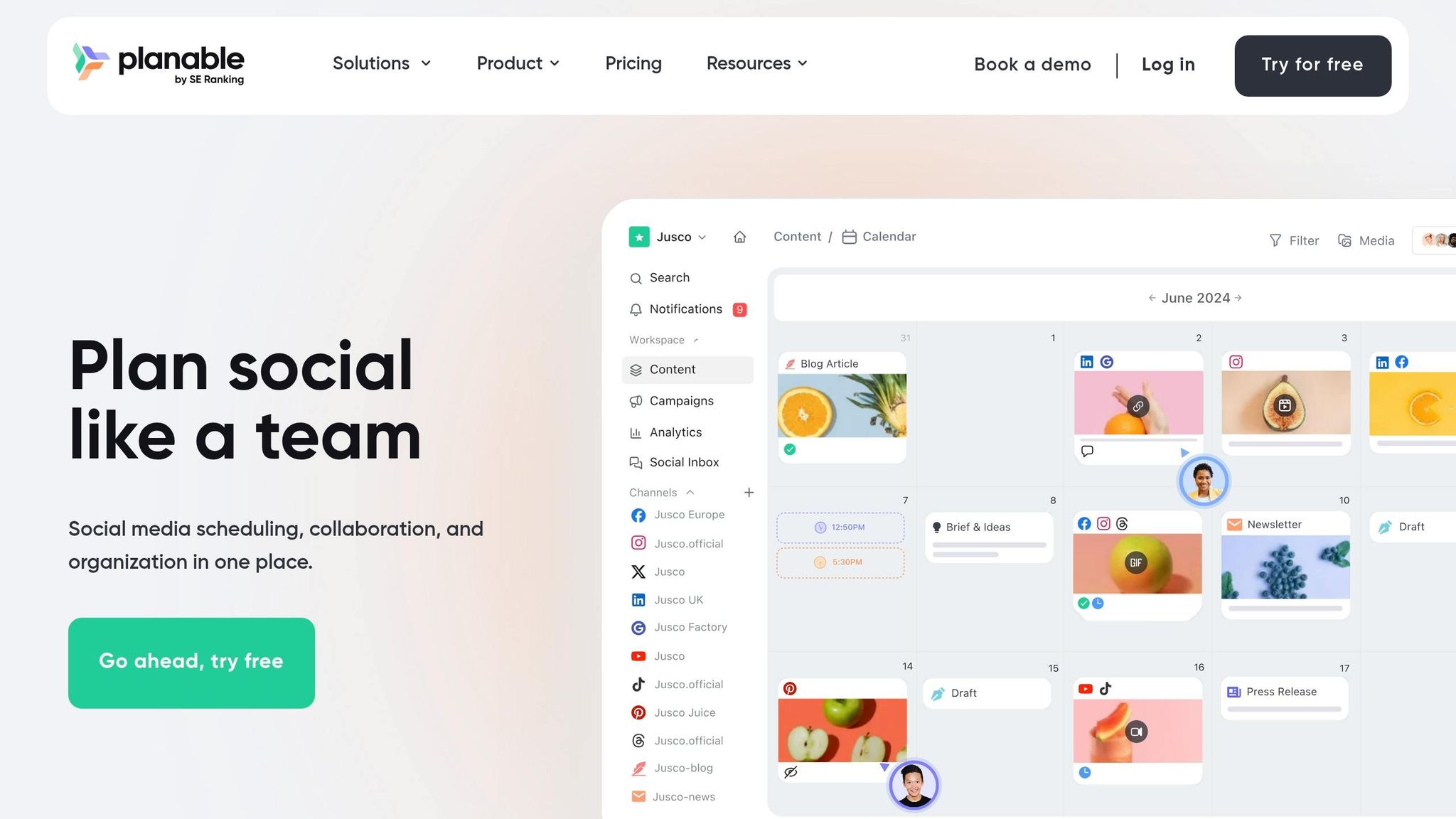
Planable stands out among scheduling tools by focusing on precise timing for seasonal content. Its visual-first approach simplifies the process of scheduling and collaborating on social media campaigns. With a marketing calendar that provides a clear overview of your content schedule, you can easily see how seasonal posts are distributed across weeks and months. This helps identify gaps in your holiday coverage or avoid overwhelming your audience with too many promotional posts at once.
Seasonal Scheduling and Automation Features
Planable’s Timetable feature allows you to pre-set time slots, so you can quickly assign seasonal posts without manually selecting dates. Plus, its drag-and-drop interface, available in both Calendar and Grid views, makes last-minute adjustments a breeze.
The Campaign Management tool is another highlight, letting you organize all seasonal content in one place. You can group posts, strategy briefs, and creative assets into specific campaigns - think "Valentine's Day 2026" or "Summer Sale". Labels make it easy to categorize posts by content type or trends, simplifying the process of managing themed content during busy seasons. According to user data, teams using Planable save an average of 33% more time each week by streamlining workflows.
"Planable is the easiest tool I have found for uploading content with a simple approval workflow that makes it easy to go from draft to published with client's approval." – Teryl B., Founder & CEO, Electric Kite Media
Planable also offers four approval workflows (None, Optional, Required, Multi-level), ensuring brand safety during critical campaigns. This feature allows agencies to efficiently secure stakeholder sign-offs. Onboarding is quick, too - most users start publishing their first post within an hour of signing up.
These tools set the foundation for seamless campaign execution and performance tracking.
Platform and Channel Support
Planable supports nine major platforms, including Facebook (Pages and Groups), Instagram (Business and Creator accounts), LinkedIn (Personal and Company pages), X (formerly Twitter), Google Business Profile, YouTube, TikTok (Personal and Business), Pinterest (Business accounts), and Threads. The platform offers native previews, so you can see how your seasonal posts will look on each platform before they go live. For Instagram users, the Insta Grid view helps ensure a cohesive aesthetic for seasonal themes.
Planable’s Universal Content feature extends its functionality beyond social media, enabling you to plan newsletters, blog posts, and other materials alongside your social campaigns for a unified seasonal message.
Analytics and Performance Insights
Once your seasonal campaigns are scheduled, Planable provides analytics to fine-tune your strategy. Available as a $12–$14 per workspace/month add-on, the analytics feature delivers insights into campaign performance, including reports and recommendations on optimal posting times. While the metrics focus on essentials, some users feel they lack the depth of enterprise-level tools.
Pricing and Plan Flexibility
Planable’s pricing is based on workspaces rather than individual users, allowing you to invite unlimited collaborators, clients, and stakeholders without additional costs. The platform offers four pricing tiers:
- Free: $0, limited to 50 total posts
- Basic: $33 per workspace/month (billed annually), includes 60 posts, 4 social pages, and 2 approval types
- Pro: $49 per workspace/month (billed annually), includes 150 posts, 10 social pages, and Grid view
- Enterprise: Custom pricing for unlimited posts and multi-level approvals
Annual billing provides two months free, translating to about 17% savings. Non-profit organizations can enjoy a 30% discount on any plan.
"I also like that the fees for use are based on each workspace and not on the number of individual users. This is especially helpful when there is a larger client team that all need eyes on the proposed content." – Tiffany P., Communications Specialist
7. Canva
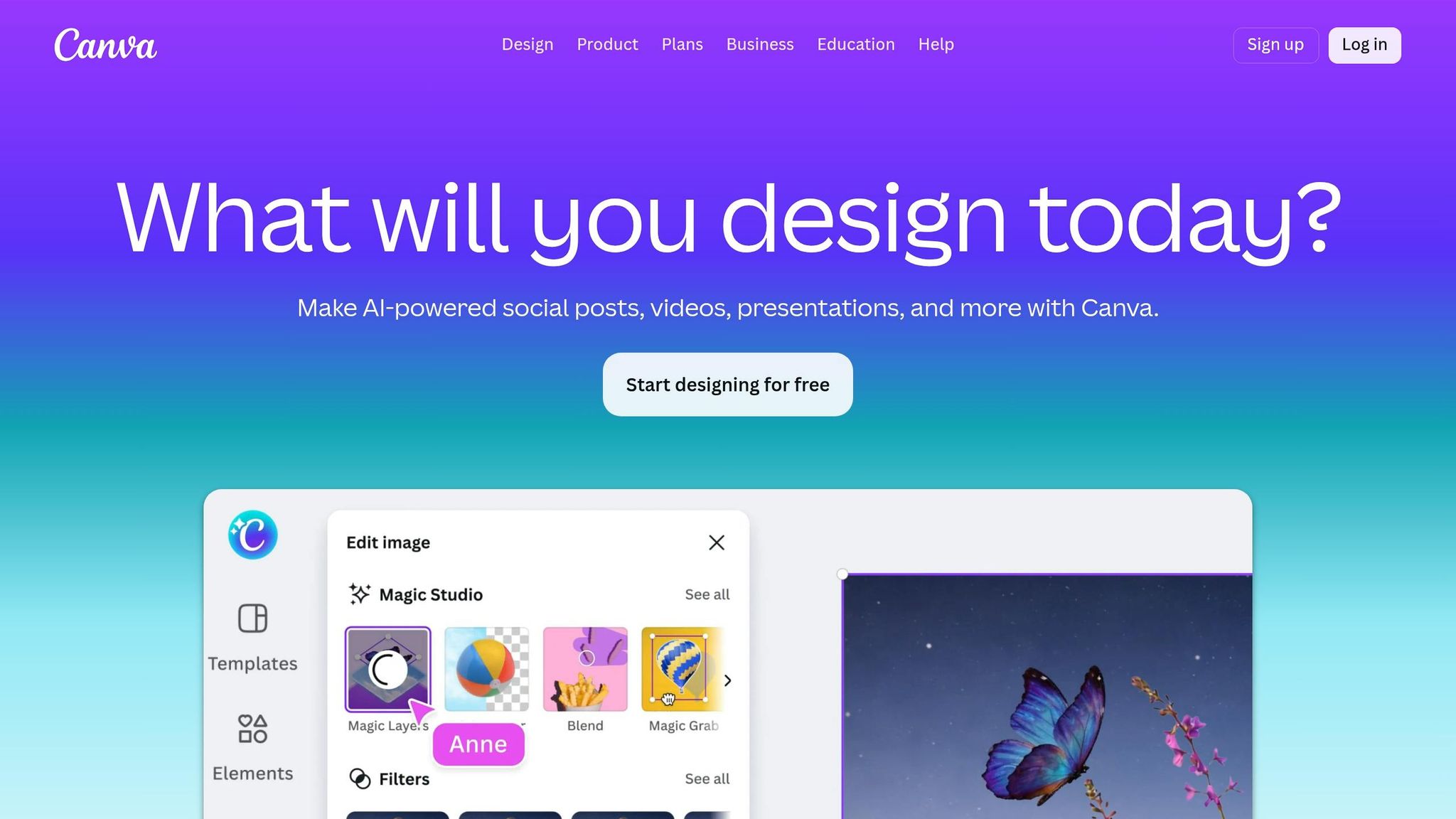
Canva has become the go-to design tool for most social media teams in 2026. Known for its ability to create eye-catching graphics, it also offers a Content Planner that doubles as a scheduling platform for seasonal campaigns. This means you can design and schedule posts in one place - no need for file transfers. Let’s dive into how Canva’s scheduling tools and design features simplify seasonal campaigns.
Seasonal Scheduling and Automation Features
The Content Planner serves as a central hub where you can plan, schedule, and automatically publish designs across multiple platforms. Canva’s library of templates - tailored for global holidays, local events, and seasonal moments - makes it easy to create posts for occasions like Valentine’s Day or the Fourth of July directly from the editor.
Pro users gain access to tools like Magic Switch, which instantly resizes designs for platforms such as Instagram, Facebook, LinkedIn, and Pinterest. The Translate feature supports over 100 languages, making global campaigns more accessible. Canva’s AI tools, including Magic Design and Magic Media, can even generate ready-to-use content from simple text prompts. Teams can connect up to 80 social media accounts with managed permissions and schedule up to 25 posts within a rolling 24-hour window, keeping captions within a 20-hashtag limit.
Platform and Channel Support
Canva supports scheduling for platforms like Facebook Pages, Instagram Business accounts, Twitter (X), LinkedIn, Pinterest, Slack, and Tumblr. However, there are some limitations:
- Instagram scheduling requires a Business account linked to a Facebook Page (Creator accounts aren’t supported). Only single image or video posts can be scheduled - Stories, Reels, and carousels must be published via Canva’s mobile app.
- Facebook scheduling is restricted to Pages and Business accounts.
- Each design can only be scheduled to one platform at a time.
Pricing and Plan Flexibility
While Canva’s free version lets you manually share designs, scheduling features are exclusive to Canva Pro or Canva Teams. These plans also include Magic Switch, advanced AI tools, and full scheduling capabilities. Nonprofits and educational institutions can access these features at no cost through the Canva for Nonprofits and Canva for Education programs.
With over 75 million users globally, Canva also integrates with tools like Later, Hootsuite, and CoSchedule, streamlining workflows by removing the need for file transfers.
8. Adobe Express
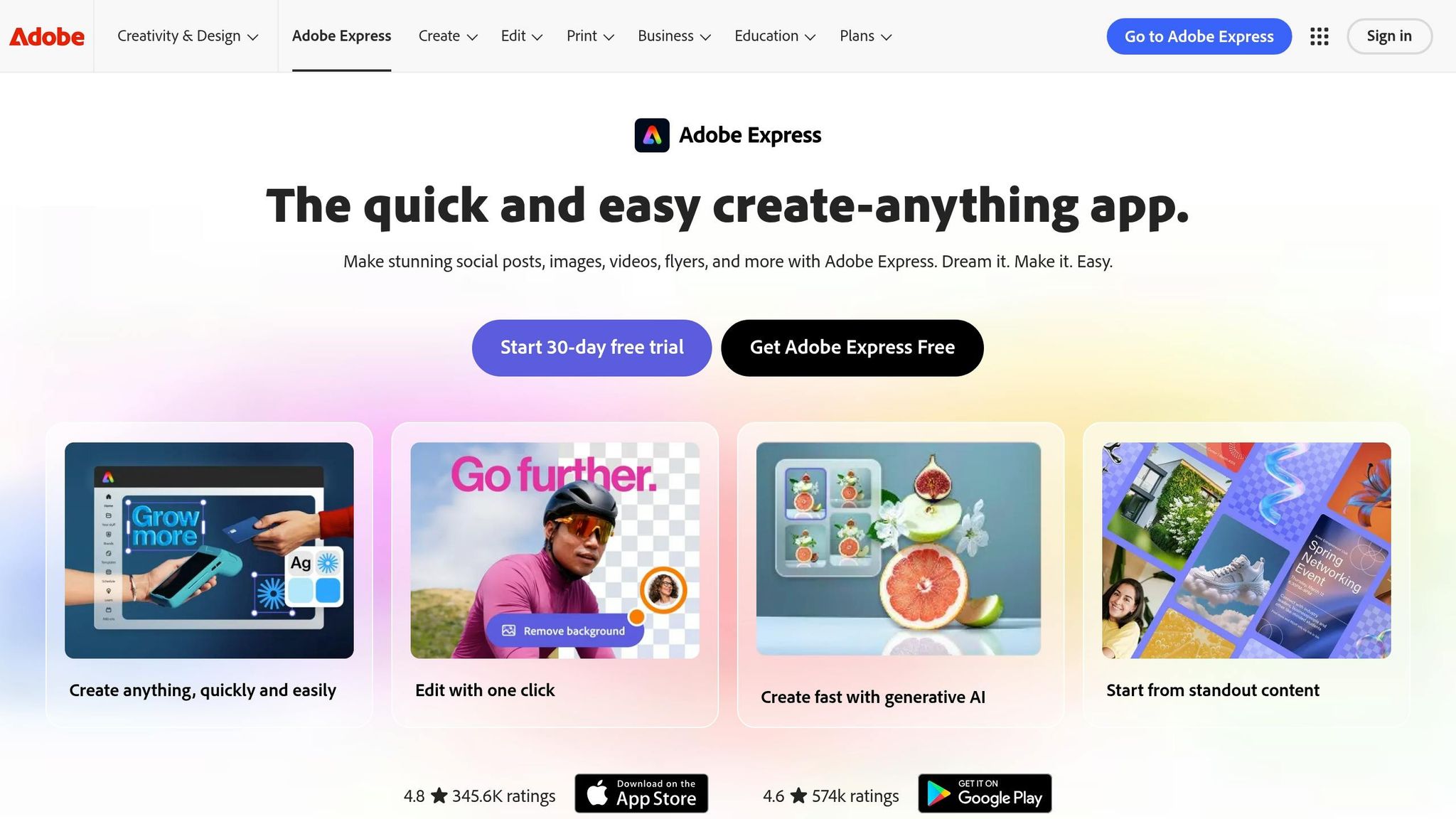
After discussing Canva, let's dive into Adobe Express, a tool that combines design and scheduling to streamline seasonal content strategies. With its Content Scheduler, you can plan and publish posts across platforms like Facebook, Instagram, X (formerly Twitter), Pinterest, LinkedIn, and TikTok - all with a single click. Adobe Express also integrates Adobe Firefly, a generative AI tool that creates images and videos ready for commercial use. This means you can avoid licensing headaches while ensuring your visuals meet professional standards.
Seasonal Scheduling and Automation Features
Adobe Express is packed with features designed to simplify seasonal campaigns. Its AI tools can even generate social media captions for you, saving time. For Instagram, the Grid view lets you see how your posts will look on your profile and rearrange them as needed. The scheduler automatically adjusts dates and times to keep your aesthetic consistent. For TikTok and Instagram Reels, the Safe Zones tool ensures key text and visuals aren’t obscured by platform overlays.
Even on the Free plan, you can schedule up to 1,000 posts per month. Adobe claims these tools can save you up to 10x the time, speed up time to market by 80%, and boost year-over-year engagement by 365%. These automation features make managing multiple channels much easier.
Platform and Channel Support
Adobe Express supports one-click publishing across major platforms, including TikTok, Instagram (Reels and Stories), Facebook, X, Pinterest, and LinkedIn. Free plan users can connect one account per social channel, while Premium users can link up to three accounts per channel. Beyond organic content, you can also schedule posts as digital ads on platforms like Google Ads, Meta, and Amazon. However, if you're using Adobe Express through a K-12 or district school account, the scheduling feature isn’t available.
Pricing and Plan Flexibility
The Content Scheduler is available for free, no matter your subscription level. The Free plan includes up to 1,000 posts per month, 2GB of storage, and 25 monthly AI credits for Firefly. The Premium plan, priced at $9.99/month (or $99.99 annually), offers 100GB of storage, 250 monthly AI credits, access to Adobe Stock, and the ability to connect up to three accounts per social channel. A 30-day trial is also available for Premium features.
Tool Comparison Table
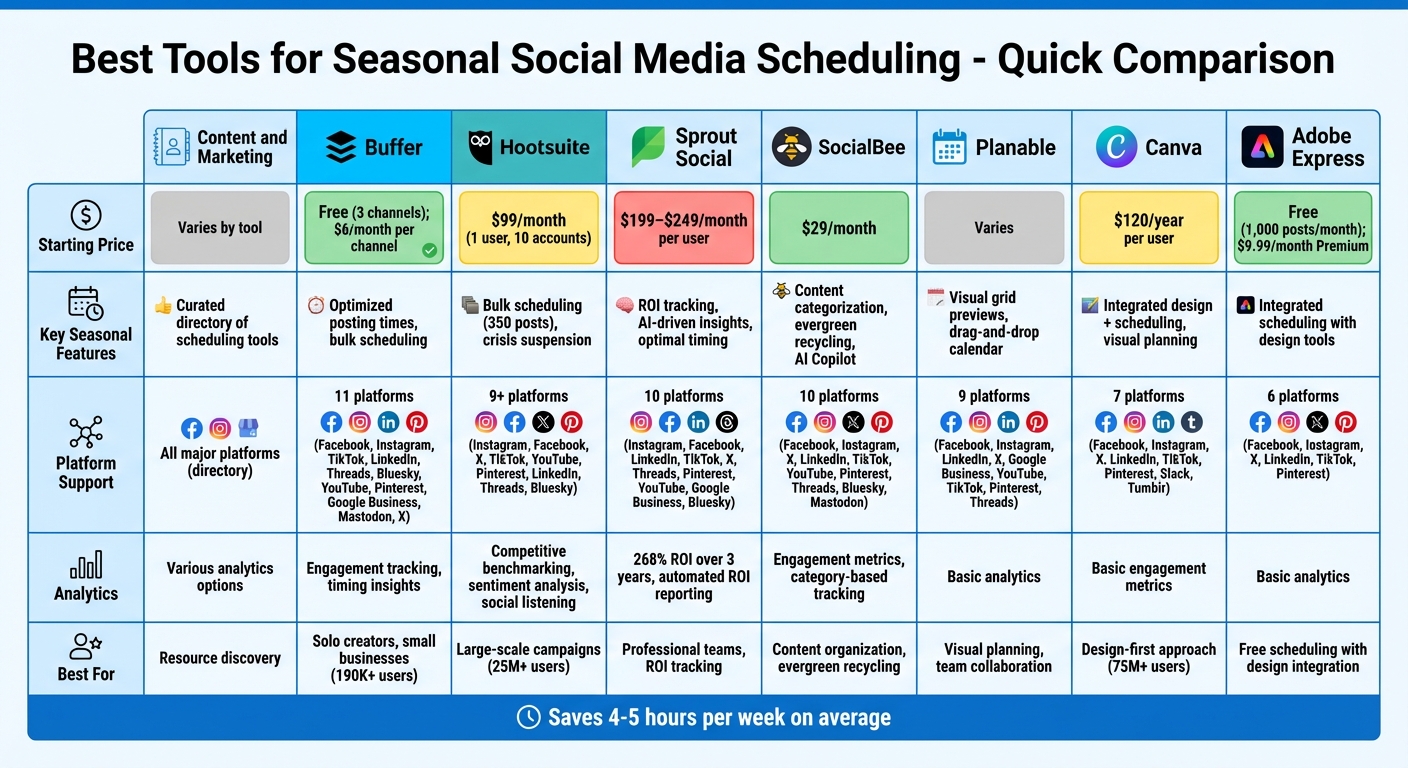
Social Media Scheduling Tools Comparison: Features, Pricing & Platform Support
Here's a quick side-by-side look at the eight tools featured in this guide. This table breaks down pricing, seasonal scheduling features, platform compatibility, and analytics options to help you decide which tool works best for your seasonal campaigns.
| Tool | Starting Price | Seasonal Scheduling Features | Platforms Supported | Analytics Capabilities |
|---|---|---|---|---|
| Content and Marketing | Varies by tool | Curated directory of scheduling and optimization tools | Directory includes tools for all major platforms | Access to various analytics options |
| Buffer | Free (3 channels); $6/month per channel | Optimized posting times and bulk scheduling | Facebook, Instagram, X, LinkedIn, TikTok, Pinterest, Threads, Bluesky, Mastodon | Engagement tracking and timing insights |
| Hootsuite | $99/month (1 user, 10 accounts) | Bulk scheduling (up to 350 posts) and crisis suspension | Facebook, Instagram, X, LinkedIn, TikTok, YouTube, Pinterest, Threads, Bluesky | Competitive benchmarking, sentiment analysis, and social listening |
| Sprout Social | $199–$249/month per user | ROI tracking, AI-driven insights, and optimal timing | Facebook, Instagram, X, LinkedIn, TikTok, YouTube, Pinterest | 268% ROI over three years, automated ROI reporting, and message processing |
| SocialBee | $29/month | Content categorization for seasonal balance, evergreen recycling, and AI Copilot | Facebook, Instagram, X, LinkedIn, TikTok, YouTube, Pinterest, Threads, Bluesky, Mastodon | Engagement metrics and category-based performance tracking |
| Planable | Varies | Visual grid previews, drag-and-drop calendar, and aesthetic planning | Facebook, Instagram, X, LinkedIn, TikTok, YouTube | Basic analytics |
| Canva | $120/year per user | Integrated design and scheduling with visual planning | Facebook, Instagram, X, LinkedIn, TikTok, Pinterest | Basic engagement metrics |
| Adobe Express | Free (1,000 posts/month); $9.99/month Premium | Integrated scheduling with design tools | Facebook, Instagram, X, LinkedIn, TikTok, Pinterest, Google Ads, Meta Ads, Amazon | Basic analytics |
Pricing spans from free options (like Buffer and Adobe Express) to higher-end tools like Sprout Social, which starts at $199/month. Hootsuite offers a middle-ground option at $99/month, ideal for managing bulk scheduling for larger campaigns. Research suggests that using a content scheduler can save you 4 to 5 hours per week.
This breakdown emphasizes the standout features of each tool, making it easier to find the one that matches your seasonal campaign needs.
Conclusion
Selecting the right seasonal social media scheduling tool - whether it’s Buffer, Planable, Sprout Social, or another option - depends on how well the tool’s features align with your workflow. For solo marketers or those working with limited budgets, Buffer offers a free plan for up to three channels, delivering essential scheduling without added costs. On the other hand, teams handling detailed approval processes may benefit more from tools like Planable or Sprout Social, which provide advanced workflows and detailed analytics.
Efficiency is key. As Jamie Partridge, Founder & CEO of PostEverywhere, aptly states:
"The best social media calendar is the one you actually open every day".
If scheduling a single post takes more than 60 seconds, the tool might not be practical during high-pressure seasonal campaigns. This is why free trials - ranging from 7 to 30 days - are invaluable. They let you test the interface and see if it integrates seamlessly into your daily routine.
Features like visual planning and AI automation are becoming non-negotiable. With 67% of marketers struggling to maintain regular posting schedules, AI tools can reduce content creation time by as much as 70%. Some platforms even analyze audience data to recommend the best posting times, ensuring your holiday campaigns reach the right people at the right moments.
Analytics play a critical role in tying social media efforts to business results. Some users have reported a 268% ROI over three years, highlighting the importance of having data to back up your strategies. When running seasonal campaigns, actionable insights can make all the difference in optimizing performance.
Refer to the comparison table above to evaluate pricing and features side by side. Start by identifying your key priorities - whether it’s budget constraints, team size, platform compatibility, or advanced options like evergreen content recycling or competitor tracking. This approach will help you zero in on the tool that perfectly matches your seasonal marketing goals.
FAQs
What features matter most for seasonal scheduling?
To make seasonal campaigns run smoothly, certain tools can make all the difference. Here are some features that can streamline your efforts:
- Content Calendar and Post Planner: These tools help you map out your campaign, ensuring posts are well-timed and aligned with seasonal themes.
- Bulk Scheduling with Approval Workflows: Schedule multiple posts at once while maintaining oversight with approval systems to keep everything on-brand.
- Media Library with Mobile Support: A centralized space to store and access media assets, even on the go, makes content creation more efficient.
- Unified Inbox for Communication: Manage all your social media interactions in one place to stay on top of customer engagement.
- Social Media Analytics and Performance Tracking: Monitor how your campaigns are performing and adjust strategies as needed.
These features simplify planning, improve collaboration, and make it easier to measure success during seasonal campaigns.
How do I choose the right tool for my team size and workflow?
When selecting the best tool, think about your team size and the complexity of your workflow. If you're managing a larger team, prioritize tools with collaboration features like shared calendars and approval workflows to keep everyone on the same page. For smaller teams, simpler platforms offering basic scheduling and analytics might be a better fit. Additionally, evaluate the tool’s automation options and integration capabilities to simplify seasonal planning. Choose a solution that complements your content strategy and how your team collaborates.
How can I measure seasonal campaign ROI from scheduled posts?
To gauge the ROI of seasonal campaigns, focus on tracking critical KPIs such as engagement, conversions, and revenue. Leverage analytics tools to link your social media activities directly to business results. Many platforms now offer advanced analytics features that allow you to attribute ad spend and revenue to specific posts or time periods. By analyzing these metrics, you can get a clear picture of how well your seasonal campaigns are performing.