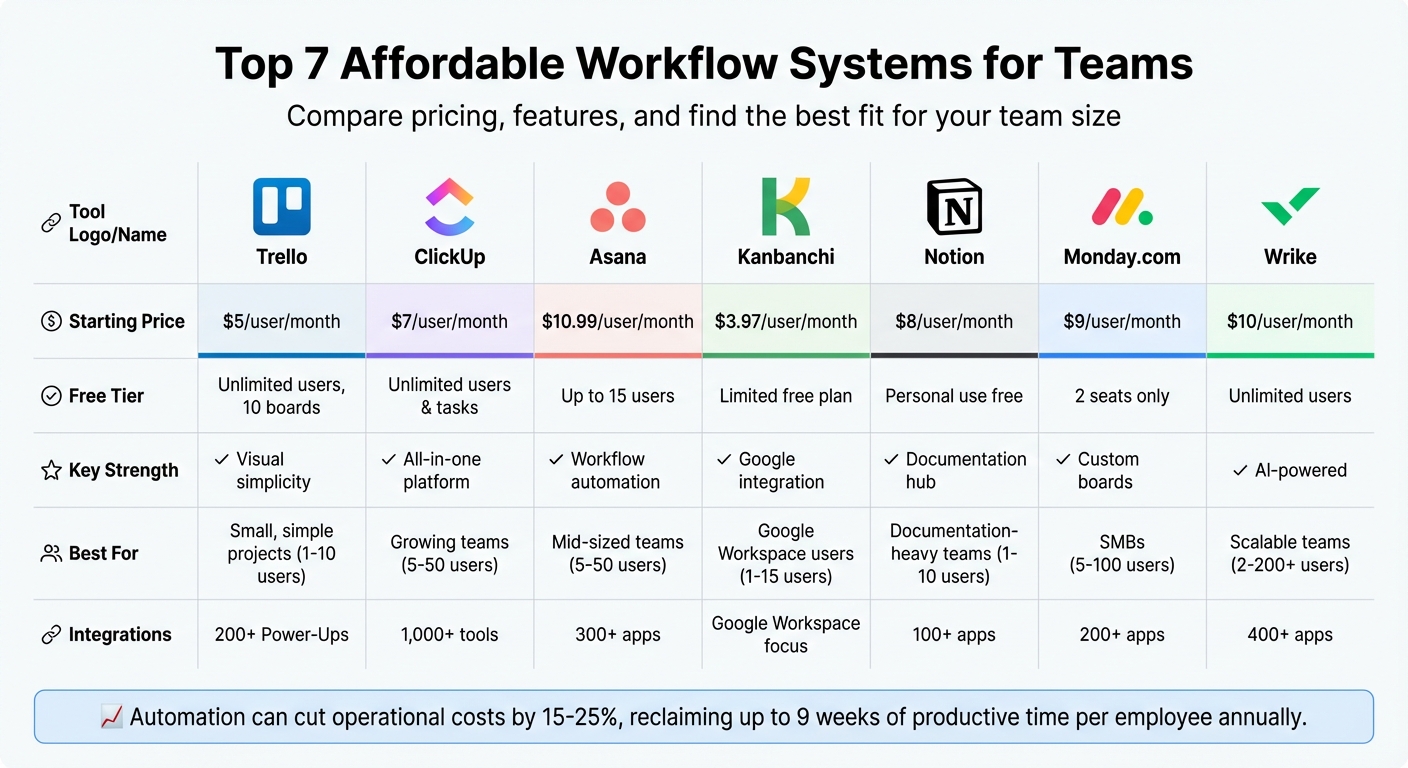
Managing workflows can be overwhelming, especially for small teams juggling multiple tasks. The good news? Affordable workflow systems can save time, reduce admin work, and improve team productivity - all for as little as $5 to $15 per user/month. Here's a quick look at seven great options:
- Trello: Visual Kanban boards, automation with Butler, and flexible pricing starting at $5/user.
- ClickUp: All-in-one task, docs, and chat platform with unlimited free tasks and plans starting at $7/user.
- Asana: Multiple project views and automation tools, starting at $10.99/user.
- Kanbanchi: Best for Google Workspace users, with plans from $3.97/user.
- Notion: Modular workspace for notes and projects, starting at $8/user.
- Monday.com: Customizable boards and automation, starting at $9/user (3-user minimum).
- Wrike: AI-driven task management with a free plan and paid plans starting at $10/user.
These tools help small teams centralize tasks, automate repetitive work, and integrate quality content marketing tools like Slack, Google Drive, and Microsoft Teams. Automation can cut operational costs by 15–25%, reclaiming up to 9 weeks of productive time per employee annually.
Quick Comparison
| Tool | Free Tier | Starting Paid Price | Key Features | Best For |
|---|---|---|---|---|
| Trello | Unlimited users, 10 boards | $5/user/month | Kanban boards, Butler automation | Small, simple projects |
| ClickUp | Unlimited users & tasks | $7/user/month | Tasks, docs, chat, 15+ views | Growing teams, all-in-one use |
| Asana | Up to 15 users | $10.99/user/month | Workflow Builder, automation | Mid-sized teams |
| Kanbanchi | Limited free plan | $3.97/user/month | Google integration, Gantt charts | Google Workspace users |
| Notion | Personal use free | $8/user/month | Modular design, databases | Documentation-heavy teams |
| Monday.com | 2 seats only | $9/user/month | Custom boards, automation | SMBs with 10–250 employees |
| Wrike | Unlimited users | $10/user/month | AI agents, task cross-tagging | Scalable teams |
Each tool has its strengths depending on team size, complexity, and integration needs. Start with free tiers to test compatibility with your workflow, then scale up as needed. For those focused on production, exploring tools for efficient content curation and creation can further streamline your output.
Workflow Management Tools Comparison: Pricing, Features & Best Use Cases
10 Best Workflow Management Tools
sbb-itb-645e3f7
1. Trello
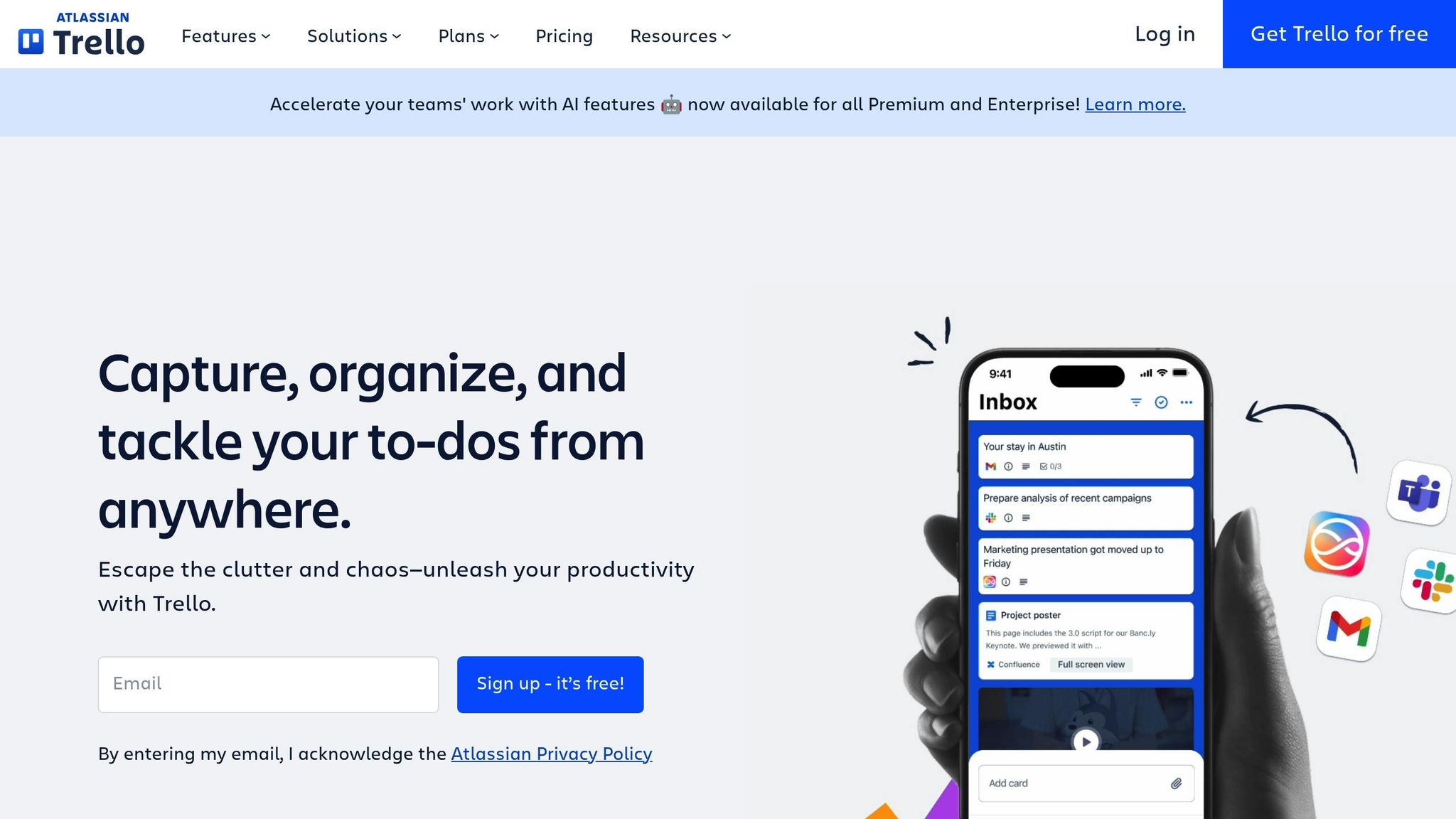
Trello operates on a visual Kanban system, using boards, lists, and cards to help track tasks. It’s as simple as dragging and dropping cards across columns to reflect progress. For added convenience, the Butler tool automates workflows with zero coding required. For instance, you can set it to move cards to "Done" automatically when checklists are completed.
Pricing (Free Tier and Paid Plans)
The Free plan offers support for up to 10 collaborators, unlimited cards, 10 boards per workspace, and 250 monthly automation runs. If you need more, the Standard plan is $5 per user per month (billed annually) or $6 monthly. It removes board limits and introduces features like Custom Fields, advanced checklists, and 1,000 automation runs. For teams requiring Timeline and Calendar views, the Premium plan costs $10 per user per month annually or $12.50 monthly, including unlimited automation runs. These paid plans unlock additional tools to simplify workflow management.
Core Features
Paid plans bring in extras like Timeline, Calendar, Table, Dashboard, and Map views. Each card supports features like checklists, due dates, attachments, comments, and Custom Fields for structured data. Even on the Free plan, you now get access to unlimited Power-Ups (over 200 available) for integrating tools seamlessly into your workflow. Popular integrations include Slack, Google Drive, Salesforce, and Microsoft Teams.
Team Size Suitability
Trello’s design adapts well to various team sizes.
Aaron Drapkin, Content Manager at Tech.co, says: "We would recommend Trello for businesses who want an affordable and easy-to-use platform, for use on simple projects by small teams".
The Free plan’s 10-collaborator limit works perfectly for startups and small teams, while the Standard and Premium plans scale up to accommodate unlimited users. Trello’s flexible pricing and features make it a great fit for small teams as they grow. Impressively, 80% of Fortune 500 companies use Trello to streamline their workflows. However, it’s best suited for teams managing straightforward projects without complex, multi-layered dependencies.
Integration Ecosystem
Trello’s Power-Ups library includes over 200 integrations, allowing teams to add functionality as needed. Small teams can start with basic integrations and expand their toolkit as their needs grow. A standout feature is the email-to-board function, which lets users forward client emails directly into task cards - an excellent tool for handling customer inquiries on the go. All plans also include fully functional iOS and Android apps, making remote work easier.
2. ClickUp
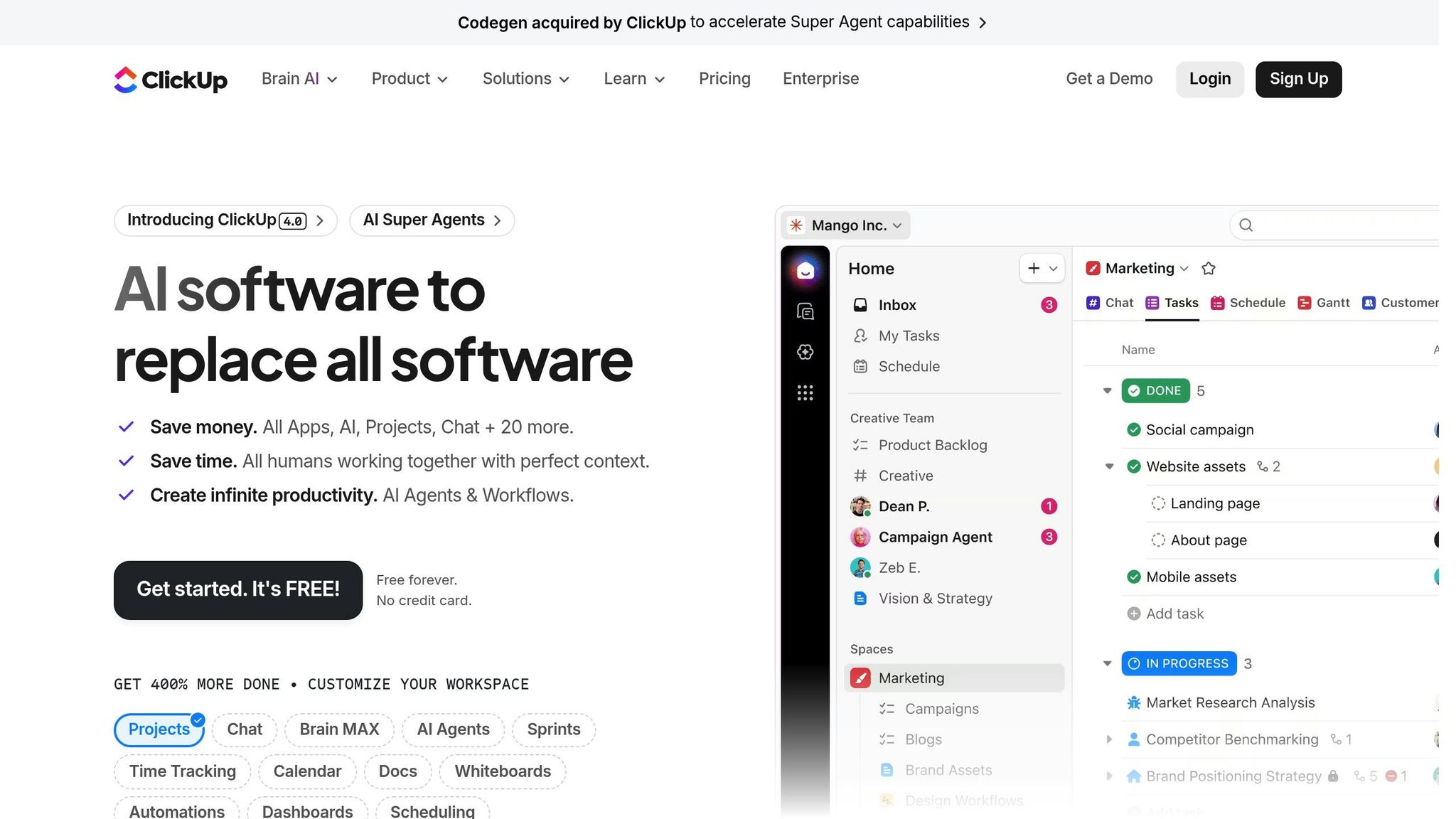
ClickUp brings together tasks, docs, chat, goals, and whiteboards into one platform. This setup helps small teams avoid juggling multiple tools, making it easier to manage workflows. Its hierarchy - Workspace > Spaces > Folders > Lists > Tasks - grows with your team, offering a scalable solution for SMEs looking to save on costs. With 15+ customizable views like List, Kanban Board, Gantt Chart, Calendar, and Workload, team members can pick the format that works best for them. Plus, its flexible pricing adapts to your team’s needs as you expand.
Pricing (Free Tier and Paid Plans)
ClickUp’s Free Forever plan is a standout, offering unlimited tasks and unlimited members - features many competitors limit. It includes 100MB storage and 60 uses of advanced tools like Gantt charts and Mind Maps. For larger teams, the Unlimited plan costs $7 per user per month when billed annually, or $10 monthly. This plan removes storage limits and unlocks features like unlimited integrations and custom fields. The Business plan, priced at $12 per user per month annually or $19 monthly, adds extras like Google SSO and workload management. If you need AI-powered help, the ClickUp Brain add-on, which summarizes threads and creates subtasks, is available for $9 per user per month.
Core Features
ClickUp claims a 384% ROI over three years, with teams recovering their investment in less than six months. By reducing manual tasks and switching between tools, teams reportedly saved 92,400 hours on average. Its no-code automation builder includes over 50 pre-built templates to streamline repetitive tasks. The "My Work" section gives team members a personalized view of their assignments and deadlines, keeping everyone on track.
Aaron Draplin, Content Manager at Tech.co, says: "ClickUp's pricing undercuts a lot of the big names on the market... making it a great option if you're concerned about project management costs".
ClickUp also simplifies workflows with its robust integration options.
Integration Ecosystem
With connections to over 1,000 tools, ClickUp integrates seamlessly with platforms like Slack, Google Drive, and Zoom. Its Slack integration lets teams turn messages into tasks, while emails can be attached directly to projects. For sales teams, the HubSpot integration automatically generates tasks when new leads come in. Development teams can use GitHub and Bugsnag integrations to turn errors into actionable tasks instantly. Additionally, ClickApps - built-in tools for time tracking and screen recording - reduce the need for extra content creation tools.
3. Asana
Asana helps teams cut down coordination time by an impressive 60%, allowing them to focus on the tasks that truly matter. Trusted by 85% of Fortune 100 companies, Asana is designed for teams that need clear project visibility without relying on endless meetings. It offers multiple project views - like List, Board (Kanban), Calendar, Timeline, and Gantt charts - so every team member can work in their preferred format. Its no-code Workflow Builder and automation tools simplify task management by auto-assigning responsibilities and notifying stakeholders.
Pricing (Free Tier and Paid Plans)
Asana's free Personal plan is limited to just two users, which may not suit most teams. The Starter plan, at $10.99 per user per month with annual billing (or $13.49 monthly), includes Timeline views, Workflow Builder, and Asana AI. For mid-sized teams juggling multiple projects, the Advanced plan costs $24.99 per user per month annually (or $30.49 monthly) and adds features like Goals, unlimited portfolios, and workload management. All paid plans require a minimum of two seats, which can sometimes lead to unused capacity. Opting for annual billing can save around 18% compared to monthly payments, and nonprofits may qualify for a 50% discount on Starter or Advanced annual plans.
Core Features
Asana's pricing tiers come with powerful features that prioritize efficiency and adaptability. Scoring 4.8 out of 5 for its data visualization tools, the platform offers custom chart builders and versatile reporting options. Its multi-homing feature allows a single task to appear in multiple projects simultaneously, ensuring seamless updates across departments without duplicating work. For instance, the Wikimedia Foundation leveraged this centralized system to coordinate global fundraising campaigns, with Senior Manager Thea Skaff noting that it eliminated the need for constant status meetings.
Users often highlight Asana's impact on productivity:
"Asana is our air traffic control. We have the visibility to scale production and support a higher number of ad campaigns to support our revenue goals."
– Eugenia Contreras, Associate Manager, Spotify
In early 2026, retail company Kendo adopted Asana to manage its ambitious growth plans. CIO Romain Ehrhard shared, "To hit our ambitious growth target, we need to move fast. But we can't do it without clear processes that remove as many blockers as possible".
Integration Ecosystem
With over 300 integrations and a 4.7/5 rating for its ecosystem, Asana connects effortlessly with tools like Microsoft 365, Google Workspace, Slack, Salesforce, and Jira. These integrations allow teams to access data from their existing tools without needing to switch platforms, keeping workflows streamlined and reducing the need for additional software subscriptions.
4. Kanbanchi
For small and medium-sized teams already using Google Workspace, Kanbanchi is a practical choice. It integrates seamlessly with Google's ecosystem, eliminating the need for extra logins or external file storage. With over 1,800 reviews on the Google Workspace Marketplace and an impressive 4.8 average rating based on 358 reviews, Kanbanchi is trusted by more than 5,000 teams worldwide. Unlike many competitors that rely on third-party plugins for advanced features, Kanbanchi includes built-in tools like Gantt charts and time tracking in its Professional plan.
Pricing (Free Tier and Paid Plans)
Kanbanchi's Free plan offers access to all features but limits each board to 36 cards - exceeding this limit turns the board into read-only mode. For paid options:
- Essential Plan: Starts at $3.97 per user per month with annual billing (or $5.99 monthly).
- Premium Plan: Costs $6.47 per user per month annually (or $9.49 monthly) and requires at least two users.
- Professional Plan: Priced at $24.47 per user per month annually (or $32.49 monthly), it includes advanced features like Gantt charts, time tracking, and reporting tools.
- Enterprise Plan: Tailored for larger teams with 100+ users, it costs $12.95 per user per month and includes custom integrations and a dedicated account manager.
Educational institutions and nonprofits can save 25% on Premium, Professional, or Enterprise plans when billed annually.
Core Features
Kanbanchi is designed to work effortlessly within Google Workspace. It syncs due dates with Google Calendar and securely stores attachments in Google Drive. A Gmail add-on allows users to turn emails into tasks, while Google Forms submissions can automatically generate project cards.
Michael Ng, R&D Director at Nuworks Interactive Labs, remarked: "Kanbanchi allows us to organize our ever-changing user stories and quickly share those changes with the team via Google Drive".
Additionally, time-tracking data can be exported directly to Google Sheets, making custom reporting straightforward.
Team Size Suitability
Kanbanchi's plans cater to a range of team sizes:
- Essential Plan: Ideal for individual users.
- Premium and Professional Plans: Best for agile teams managing multiple projects simultaneously.
- Enterprise Plan: Geared toward larger organizations with 100+ employees, offering company-wide project management and priority support.
Lora Howell from SoundEd Education Therapy shared: "We are a 100% Google platform which makes attaching files, real-time updates, and team collaboration a seamless process".
Integration Ecosystem
Kanbanchi supports integration with Microsoft 365, including OneDrive and Outlook. For non-Google tools like Slack, Zoom, or Salesforce, custom development or the Enterprise plan may be needed, as third-party integrations are limited. All data is encrypted at rest on Google Cloud Platform, ensuring users retain complete control over files stored in Google Drive.
5. Notion
Notion is an all-in-one workspace that combines project management, documentation, and collaborative note-taking. Its modular "block" system allows teams to design custom pages and workflows tailored to their needs. With impressive user ratings - 4.7/5 on G2 (based on over 5,200 reviews) and 4.7/5 on GetApp (from over 2,100 reviews) - Notion has become a go-to tool for small and medium-sized teams.
Pricing (Free Tier and Paid Plans)
Notion offers a Free plan with unlimited blocks for individuals, but block limits apply once you add team members. File uploads are restricted to 5MB per file, and the free tier includes a 7-day page history and up to 10 guest collaborators.
For more advanced needs, the Plus plan costs $8 per user per month (billed annually) or $10 per month, offering unlimited blocks, 5GB file uploads, a 30-day page history, and up to 100 guest seats. The Business plan is priced at $15 per user per month (billed annually) or $18 per month, adding features like SAML SSO, private teamspaces, 250 guest seats, and a 90-day page history. The Enterprise plan provides custom pricing and includes unlimited page history, SCIM provisioning, and audit logs. Notion AI, an add-on available across all plans, costs $8 per member per month (billed annually) or $10 per month.
Special discounts are available for students and educators, who can access the Plus plan for free with a school email, and for certified 501(c)3 nonprofits, which receive a 50% discount.
Core Features
Notion's advanced database functionality supports multiple views like Kanban, timeline, calendar, and table, complete with custom properties, subtasks, and dependencies. It's a great tool for centralizing important resources like policies, brand guidelines, and workflows. Sanjay Nand, Innovation Strategist at Capgemini, highlights this benefit:
"Before Notion, a lot of the team's knowledge was bottlenecked in the minds of a few. Now folks feel empowered to self serve and move at speed".
Real-time collaboration features such as simultaneous editing, @mentions, and page comments make it easy for teams to stay aligned. According to G2 reviews, 86% of users find Notion easy to set up, and 91% say it meets their needs. The platform's AI assistant can handle tasks like summarizing meeting notes, generating content for SEO, autofilling database tables, and answering workspace-related questions.
Team Size Suitability
Notion's pricing and features cater to a wide range of team sizes. The Free plan is ideal for individuals, while the Plus plan suits smaller groups seeking unlimited collaboration. The Business plan is designed for multiple teams, offering private teamspaces for managing sensitive data like HR or legal documents. This makes it a practical choice for small to medium-sized enterprises. For larger organizations, the Enterprise plan provides advanced governance and security features. Justin Watt, Director of Ops & Marketing at MetaLab, shares how Notion supports their operations:
"Notion helps us keep track of the 30+ projects we have going at once. We can click into any of them to get the full lay of the land right away".
Integration Ecosystem
Notion integrates with over 100 apps, including Slack, GitHub, Jira, Asana, Google Drive, and Zapier. Its "Synced Databases" feature (currently in Beta) allows live data synchronization from external tools directly into Notion databases, reducing the need for manual updates. For Slack users, a two-way integration enables teams to create Notion database items straight from Slack channels using the /notion create command, while also receiving Notion notifications within Slack. For even more connections, automation platforms like Zapier, Make, and IFTTT extend Notion's compatibility to hundreds of additional apps.
6. Monday.com
Monday.com is a platform designed to centralize team workflows with flexible views and automated processes. With over 250,000 customers globally - including more than 60% of Fortune 500 companies - it’s a popular choice for businesses seeking efficient task management solutions. The platform combines customizable boards, no-code automation, and various work views to keep teams organized. Rated 8.8/10 for usability and 9/10 for support, Monday.com has earned recognition as a leader in Work Management by Gartner.
Pricing (Free Tier and Paid Plans)
Monday.com’s pricing structure requires purchasing seats in blocks (minimum of 3), rather than individually. Here’s a breakdown of its plans:
- Free plan: Designed for testing, it supports up to 2 seats with 3 boards and access to 200+ templates.
- Basic plan: Costs $9 per seat per month (minimum $27/month) and includes unlimited items and 5GB of storage.
- Standard plan: Priced at $12 per seat per month (minimum $36/month), this plan adds Timeline/Gantt views, guest access, and 250 automation actions monthly.
- Pro plan: At $19 per seat per month (minimum $57/month), this plan offers private boards, time tracking, and 25,000 automation actions.
- Enterprise plan: Features custom pricing, 250,000 automation actions, HIPAA compliance, and advanced reporting.
Annual billing offers an 18% discount, and the Pro plan includes a 14-day free trial. This pricing flexibility, paired with its extensive features, makes Monday.com a valuable tool for managing team workflows.
Core Features
Monday.com provides a variety of work views - Kanban boards, Gantt charts, Timelines, Calendars, Maps, and Chart views - allowing teams to visualize projects in ways that suit their needs. Its no-code automation builder simplifies repetitive tasks through triggers and actions, with automation quotas ranging from 250 actions per month on Standard plans to 250,000 actions on Enterprise. Boards are highly customizable, offering 20+ column types (e.g., Status, People, Formula, Time Tracking) and over 200 templates tailored for different industries.
The platform also features an AI Sidekick, which assists with automated content creation, update summaries, and automation setup.
Tye Rapley-Hawkins, Head of Delivery at O2 Priority, Telefonica, shared: "With monday.com, we're 30% more efficient at delivering hundreds of campaigns seen by millions of customers".
Sarah Pharr, AVP of Marketing at Genpact, remarked: "Since adopting monday.com, our global marketing department has seen a 40% improvement in cross-team collaboration for successful end-to-end campaign planning and execution". Teams can further maximize efficiency with a content marketing ideas generator to streamline the early stages of these campaigns.
Team Size Suitability
Monday.com is best suited for small to mid-sized businesses with 10 to 250 employees. While the Free plan’s 2-seat limit restricts its practicality for larger teams, the platform scales well for growing companies. However, the bucket pricing model may result in higher costs for smaller teams. For example, a 6-member team would need to pay for 10 seats.
To optimize costs, teams can take advantage of "Unlimited Free Viewers", which allows members who only need view access to participate without additional charges across all paid plans. Notably, Forrester research highlighted that Motorola achieved a 346% ROI after implementing Monday.com.
Integration Ecosystem
Monday.com integrates with over 200 apps - including Slack, Google Workspace, GitHub, Zoom, Salesforce, and Jira - making it easy to centralize workflows. However, integration actions count toward monthly automation limits (250 on Standard, 25,000 on Pro), so teams relying heavily on automation should monitor their usage. Additionally, Monday.com offers mobile apps for iOS and Android, ensuring teams can manage workflows on the go.
7. Wrike
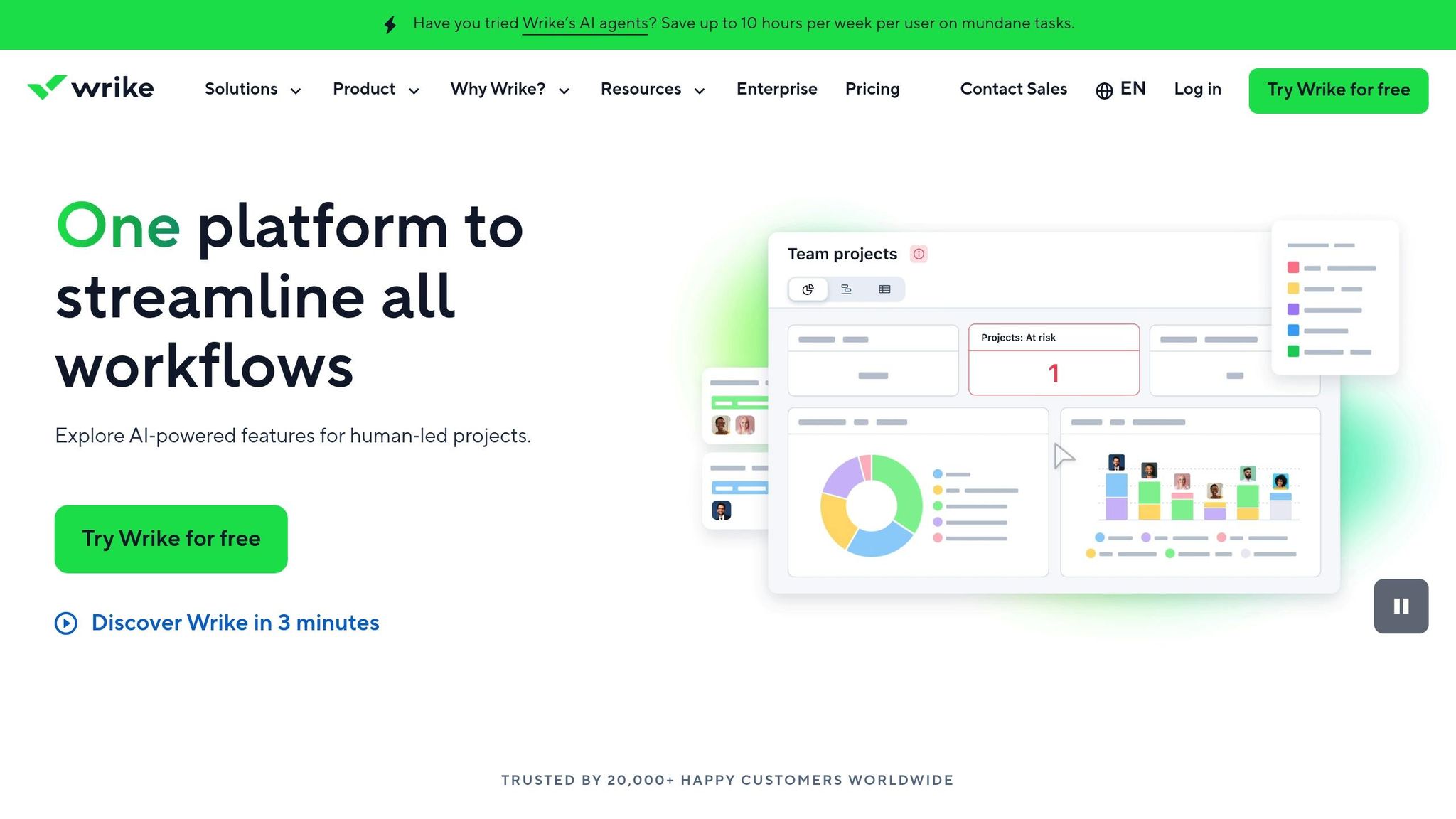
Wrike is a workflow platform designed to adapt to teams of all sizes, from small groups to large enterprises, with over 20,000 customers worldwide trusting its capabilities. Recognized as a Leader for the third time in the 2025 Gartner® Magic Quadrant™ for Collaborative Work Management, Wrike combines AI-driven automation with flexible project views to simplify collaboration. It holds a 4.2/5 rating on G2 from 3,636 reviews and an 8.2/10 on TrustRadius based on 1,354 reviews.
Pricing (Free Tier and Paid Plans)
Wrike provides a Free plan for unlimited users, offering basic task management, board views, and 2GB of storage per account - perfect for teams trying out the platform. Paid plans include the Team plan at $10 per user per month (for 2–15 users), which adds features like AI Essentials, Gantt charts, and 50 automation actions per user. The Business plan, priced at $25 per user per month (for 5–200 users), includes AI Elite, resource planning, and 200 automation actions per user. For larger teams, Enterprise plans (Pinnacle and Apex) offer custom pricing, advanced BI reporting, unlimited users, and up to 3,000 automation actions. All paid plans require annual billing and come with a 14-day free trial - no credit card needed.
Core Features
Wrike offers standout features like cross-tagging and integrated asset approvals, which elevate it beyond standard workflow tools. AI agents automate tasks such as risk monitoring, resource allocation, and status updates, saving users up to 10 hours each week. Cross-tagging allows tasks to exist in multiple workflows simultaneously, breaking down silos and improving collaboration. Built-in proofing and approval tools streamline feedback by enabling stakeholders to comment directly on assets, reducing the need for lengthy email exchanges.
Francis Lalonde, Vice President of Transportation at Walmart Canada, noted: "Now we have a single source of the truth, and it's made us a lot stronger".
Wrike’s impact is evident in user success stories. For instance, Moneytree reported a 75% acceleration in project timelines, while Electrolux designers cut internal email volume by half after adopting the platform. These features make Wrike a powerful tool for simplifying even the most complex projects.
Team Size Suitability
Wrike’s flexibility ensures it works for teams of any size, from small groups to enterprises with over 20,000 employees. The Free plan, with its unlimited user capacity, is a great starting point for small teams exploring workflow tools. The Team plan ($10/user/month) is designed for groups of 2–15 members, while the Business plan ($25/user/month) supports growing teams of 5–200 users with advanced tools like resource planning and custom workflows. Fitbit, for example, saved around 400 hours of meeting time annually by using Wrike for feedback and reviews.
Integration Ecosystem
Wrike integrates with over 400 popular apps, including Slack, Microsoft Teams, Salesforce, Adobe Creative Cloud, and Google Drive. Mobile apps for iOS and Android ensure on-the-go accessibility, while higher-tier plans unlock advanced features like Wrike Sync and Wrike Integrate. The platform also prioritizes security, meeting standards like SOC2 Type II, ISO 27001:2013, and GDPR compliance. Enterprise plans add extra layers of protection with SAML 2.0 SSO and two-factor authentication.
Feature and Pricing Comparison
When selecting a workflow system, it’s essential to balance free tier limits, pricing structures, automation capabilities, and integration options with your team’s specific needs. The table below outlines key differences tailored to small SME teams.
| Tool | Free Tier | Starting Paid Price | Automation Features | Integrations | Recommended Team Size |
|---|---|---|---|---|---|
| Trello | Unlimited users, 10 boards | $5/user/month | Basic Butler automation | 200+ via Power-Ups | 1–10 (beginners) |
| ClickUp | Unlimited users & tasks | $7/user/month | AI agents | ~95 native | 5–50 (high growth) |
| Asana | Up to 15 users | $10.99/user/month | Flowchart-style Rules | 200+ | 5–50 (mid-sized) |
| Kanbanchi | Limited free plan | Varies by plan | Basic automation | Google Workspace focus | 1–15 (Google users) |
| Notion | Personal use free | $10/user/month | AI features, database automations | 50+ | 1–10 (docs-heavy) |
| Monday.com | 2 seats only | $9/user/month | Text-based builder, AI Blocks | 200+ | 5–100 (SMB "Work OS") |
| Wrike | Unlimited users | $10/user/month | AI agents | Extensive | 2–200+ (scalable) |
Free tier limitations vary widely across platforms. For instance, Monday.com's free plan is capped at just two users, making it ideal for freelancers unless upgraded. On the other hand, ClickUp and Wrike offer free plans with unlimited users, making them cost-effective as teams grow. Asana strikes a middle ground with a 15-user limit on its free tier.
Automation is another area where these tools differ significantly. Advanced automation features are becoming a game-changer in task management. ClickUp’s "Super Agents" and Monday.com's "AI Blocks" now handle repetitive tasks like categorization and status updates, or even AI-powered content creation, without requiring human intervention. These features can greatly reduce manual effort and improve efficiency.
While most platforms follow a per-user pricing model, some come with additional considerations. For example, enterprise plans on tools like Wrike and Monday.com often require annual contracts and a minimum number of users. To avoid unexpected costs, it’s a good idea to test these platforms with smaller teams before committing to a larger rollout.
Conclusion
Choose a workflow system that aligns with how your team operates. Start by mapping out your current process from beginning to end to pinpoint any bottlenecks by following SEO best practices. For smaller teams of 1–5 people, straightforward tools like Notion or Trello often prove more effective than overly complex project management platforms , though specialized content creation platforms can further streamline specific creative tasks.
As Allison Dunn, CEO of Deliberate Directions, says, "The best system is the one that fits how your team already works".
Don't let budget limitations stop you from improving productivity. Small businesses can save between $50,000 and $150,000 annually by adopting strategic automation, often cutting operational costs by 20–30%. Tools like Trello and Wrike offer free tiers, making them a great starting point for startups to experiment with workflows.
Nicole Replogle highlights this perfectly: "Free software is so important for small businesses - yes, you'll eventually pay, but you need some solid runway".
When evaluating software, focus on how well it integrates with your existing tools rather than being dazzled by an extensive feature list. For example, if your team uses Google Workspace, Kanbanchi might be a natural fit. On the other hand, teams working with Microsoft 365 should consider tools that integrate seamlessly to avoid creating data silos that add more work instead of reducing it. Test a couple of options with real projects and run a full workflow cycle to gather feedback from your team.
Getting started is more important than waiting for the perfect solution. Begin by automating just one repetitive task that takes over two hours each week. Track the time saved and gradually expand automation efforts from there. Workers using AI-powered workflow tools have reported a 66% boost in productivity, and 91% of small businesses credit automation with directly increasing their revenue.
FAQs
How do I choose the right workflow tool for my team size?
When selecting a workflow tool, think about your team size, the complexity of your workflows, and your budget.
- Small teams (1-5 members) might benefit from tools like Notion or Trello. These platforms are easy to use and come at a reasonable price.
- For larger teams or those managing more intricate workflows, consider platforms like ProcessMaker or Monday.com. These tools provide more advanced features, including automation and scalability.
Take a close look at your team's specific requirements to find a solution that strikes the right balance between ease of use, functionality, and cost.
Which tool offers the best automation for the lowest cost?
n8n is an automation tool that stands out for its affordability and flexibility. It offers a free, self-hosted version with unlimited workflows, making it a budget-friendly option for teams. With support for app integrations and task automation, n8n also includes AI nodes for tools like ChatGPT and Claude - all without the steep subscription costs associated with platforms like Zapier. This makes it a great choice for small teams with technical expertise looking to implement powerful automation solutions without breaking the bank.
What should I test in the free plan before paying?
Before investing in a workflow system, take advantage of the free plan to explore its core features. Pay close attention to task management, automation, tool integrations, and user access controls. Check if it allows you to create and customize workflows easily and whether it supports your team's collaboration requirements. By assessing these areas, you can determine if the system fits your processes before making a financial commitment.